

編輯:關於 Android 程式設計
自繪控制項的本質,就是接管 View 生命週期中的幾個關鍵節點。下面這些方法值得反覆看:
下面這個例子畫一個紅色圓點,並讓它跟著手指移動——這是最小的自定義 View 骨架。
package sn.dolp.view;

import android.content.Context;
import android.graphics.Canvas;
import android.graphics.Color;
import android.graphics.Paint;
import android.util.AttributeSet;
import android.view.MotionEvent;
import android.view.View;

public class XmlView extends View {

    private float cx = 40;
    private float cy = 50;
    private final Paint paint = new Paint();

    // 代碼創建時使用
    public XmlView(Context context) {
        super(context);
    }

    // 從 XML 加載時使用,自定義 View 少了這個構造函數會直接崩潰
    public XmlView(Context context, AttributeSet attrs) {
        super(context, attrs);
    }

    public XmlView(Context context, AttributeSet attrs, int defStyle) {
        super(context, attrs, defStyle);
    }

    @Override
    protected void onDraw(Canvas canvas) {
        super.onDraw(canvas);
        paint.setColor(Color.RED);
        canvas.drawCircle(cx, cy, 15, paint);
    }

    @Override
    public boolean onTouchEvent(MotionEvent event) {
        cx = event.getX();
        cy = event.getY();
        invalidate();   // 請求重繪,onDraw 會被再次呼叫
        return true;    // 表示事件已被消費
    }
}
<RelativeLayout xmlns:android="https://schemas.android.com/apk/res/android"
    xmlns:tools="https://schemas.android.com/tools"
    android:layout_width="match_parent"
    android:layout_height="match_parent"
    android:paddingBottom="@dimen/activity_vertical_margin"
    android:paddingLeft="@dimen/activity_horizontal_margin"
    android:paddingRight="@dimen/activity_horizontal_margin"
    android:paddingTop="@dimen/activity_vertical_margin"
    tools:context="sn.dolp.view.MainActivity">

    <!-- 使用全限定類名插入自定義 View -->
    <sn.dolp.view.XmlView
        android:layout_width="match_parent"
        android:layout_height="match_parent" />

</RelativeLayout>
參考來源:qingdujun 的原文,以及 UUTON 的相關文章。
 Android 4.0 Launcher 源碼解析(一):從 Launcher.xml 看整個桌面的組成結構
從這一篇開始,我們要做一個系列,把 Android 4.0 原生的桌面程式 Launcher 攤開來看。目標不是逐行翻譯程式碼,而是理解它「為什麼這樣設計」:桌面由哪些容
 Android ViewPager 實現 Tab 切換的完整總結
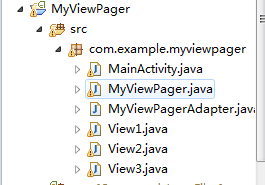
在同一個窗口內用 Tab 切換頁面,比開多個 Activity 更流暢:頁面共享同一窗口的資源,切換時不必經歷 Activity 的創建與銷毀。ViewPager 正是為
 Android 仿微信聯絡人字母排序效果實作
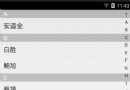
效果說明聯絡人列表常見字母索引功能,使用者可以透過右側字母列快速跳到對應姓氏或名稱。這種效果在通訊錄、好友列表與音樂應用中都很常見。本文以類似微信聯絡人的字母索引為例,說
 Android ListView 實例:點擊後動態調整字體大小
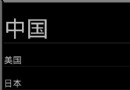
ListView 是 Android 早期非常常見的列表元件。除了顯示資料,它也常被用來實作互動效果,例如點擊某個項目後改變字體大小。這個範例的重點,在於自訂 Adapt