

編輯:關於 Android 程式設計
單執行緒下載大檔案時,頻寬往往只用到一小部分,進度條爬得像蝸牛。多執行緒下載的做法是把同一個檔案切成好幾段,每條執行緒各下載一段並寫入檔案的對應位置,最後自然合成一個完整檔案。
先來看效果:
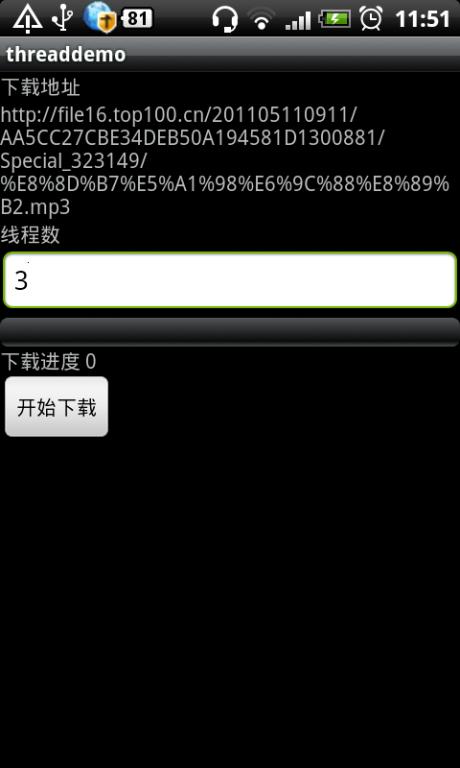
兩個關鍵技術:
Range: bytes=起始位置-結束位置,伺服器就會只回傳該區間的位元組。
<?xml version="1.0" encoding="utf-8"?>
<LinearLayout xmlns:android="https://schemas.android.com/apk/res/android"
    android:orientation="vertical"
    android:layout_width="fill_parent"
    android:layout_height="fill_parent" >

    <TextView android:layout_width="fill_parent"
        android:layout_height="wrap_content" android:text="下載地址" />
    <TextView android:id="@+id/downloadurl"
        android:layout_width="fill_parent"
        android:layout_height="wrap_content" android:lines="5" />

    <TextView android:layout_width="fill_parent"
        android:layout_height="wrap_content" android:text="線程數" />
    <EditText android:id="@+id/downloadnum"
        android:layout_width="fill_parent"
        android:layout_height="wrap_content" />

    <ProgressBar android:id="@+id/downloadProgressBar"
        android:layout_width="fill_parent"
        android:layout_height="wrap_content" />
    <TextView android:id="@+id/downloadinfo"
        android:layout_width="fill_parent"
        android:layout_height="wrap_content" android:text="下載進度 0" />>
    <Button android:id="@+id/downloadbutton"
        android:layout_width="wrap_content"
        android:layout_height="wrap_content" android:text="開始下載" />
</LinearLayout>
public class ThreadDownloadDemo extends Activity {
    private TextView downloadurl, downloadinfo;
    private EditText downloadnum;
    private Button downloadbutton;
    private ProgressBar downloadProgressBar;
    private int downloadedSize = 0;
    private int fileSize = 0;
    private long downloadtime;

    public void onCreate(Bundle savedInstanceState) {
        super.onCreate(savedInstanceState);
        setContentView(R.layout.threaddemo);
        downloadurl = (TextView) findViewById(R.id.downloadurl);
        downloadnum = (EditText) findViewById(R.id.downloadnum);
        downloadinfo = (TextView) findViewById(R.id.downloadinfo);
        downloadbutton = (Button) findViewById(R.id.downloadbutton);
        downloadProgressBar = (ProgressBar) findViewById(R.id.downloadProgressBar);
        downloadProgressBar.setVisibility(View.VISIBLE);
        downloadProgressBar.setMax(100);
        downloadProgressBar.setProgress(0);

        downloadbutton.setOnClickListener(new OnClickListener() {
            public void onClick(View v) {
                download();
                downloadtime = SystemClock.currentThreadTimeMillis();
            }
        });
    }

    private void download() {
        String dowloadDir = Environment.getExternalStorageDirectory() + "/threaddemodownload/";
        File file = new File(dowloadDir);
        if (!file.exists()) file.mkdirs();

        // 線程數為空則退回單線程
        int downloadTN = Integer.valueOf("".equals(downloadnum.getText().toString())
                ? "1" : downloadnum.getText().toString());
        String fileName = "hetang.mp3";

        downloadbutton.setClickable(false);
        downloadProgressBar.setProgress(0);

        new downloadTask("https://file16.top100.cn/.../hetang.mp3",
                downloadTN, dowloadDir + fileName).start();
    }

    Handler handler = new Handler() {
        @Override
        public void handleMessage(Message msg) {
            int progress = (Double.valueOf(downloadedSize * 1.0 / fileSize * 100)).intValue();
            if (progress == 100) {
                downloadbutton.setClickable(true);
                downloadinfo.setText("下載完成!");
                new AlertDialog.Builder(ThreadDownloadDemo.this)
                    .setTitle("提示信息")
                    .setMessage("下載完成,總用時為:" + (SystemClock.currentThreadTimeMillis() - downloadtime) + "毫秒")
                    .setNegativeButton("確定", null)
                    .show();
            } else {
                downloadinfo.setText("當前進度:" + progress + "%");
            }
            downloadProgressBar.setProgress(progress);
        }
    };
}
public class downloadTask extends Thread {
    private int blockSize, downloadSizeMore;
    private int threadNum;
    String urlStr, fileName;

    public downloadTask(String urlStr, int threadNum, String fileName) {
        this.urlStr = urlStr;
        this.threadNum = threadNum;
        this.fileName = fileName;
    }

    @Override
    public void run() {
        FileDownloadThread[] fds = new FileDownloadThread[threadNum];
        try {
            URL url = new URL(urlStr);
            URLConnection conn = url.openConnection();
            InputStream in = conn.getInputStream();   // 先讀一次,避免 contentLength 回 -1
            fileSize = conn.getContentLength();

            blockSize = fileSize / threadNum;
            downloadSizeMore = (fileSize % threadNum);  // 整除的餘數單獨處理

            File file = new File(fileName);
            for (int i = 0; i < threadNum; i++) {
                FileDownloadThread fdt = new FileDownloadThread(
                        url, file, i * blockSize, (i + 1) * blockSize - 1);
                fdt.setName("Thread" + i);
                fdt.start();
                fds[i] = fdt;
            }

            boolean finished = false;
            while (!finished) {
                downloadedSize = downloadSizeMore;
                finished = true;
                for (int i = 0; i < fds.length; i++) {
                    downloadedSize += fds[i].getDownloadSize();
                    if (!fds[i].isFinished()) finished = false;
                }
                handler.sendEmptyMessage(0);
                sleep(1000);        // 每秒回報一次進度,避免更新過於頻繁
            }
        } catch (Exception e) {
            e.printStackTrace();
        }
    }
}
這裡有兩個實作細節值得說明。第一,先呼叫一次 getInputStream() 再取 getContentLength(),是因為部分伺服器在未完成連線協商前會回傳 -1。第二,檔案大小除以執行緒數通常除不盡,餘數若不處理,最後幾個位元組會永遠下不到,檔案也就永遠差一點點才算完成。
public class FileDownloadThread extends Thread {
    private static final int BUFFER_SIZE = 1024;
    private URL url;
    private File file;
    private int startPosition, endPosition, curPosition;
    private boolean finished = false;
    private int downloadSize = 0;

    public FileDownloadThread(URL url, File file, int startPosition, int endPosition) {
        this.url = url;
        this.file = file;
        this.startPosition = startPosition;
        this.curPosition = startPosition;
        this.endPosition = endPosition;
    }

    @Override
    public void run() {
        BufferedInputStream bis = null;
        RandomAccessFile fos = null;
        byte[] buf = new byte[BUFFER_SIZE];
        try {
            URLConnection con = url.openConnection();
            con.setAllowUserInteraction(true);
            con.setRequestProperty("Range", "bytes=" + startPosition + "-" + endPosition);

            fos = new RandomAccessFile(file, "rw");
            fos.seek(startPosition);                 // 定位到自己負責的區段
            bis = new BufferedInputStream(con.getInputStream());

            while (curPosition < endPosition) {
                int len = bis.read(buf, 0, BUFFER_SIZE);
                if (len == -1) break;
                fos.write(buf, 0, len);
                curPosition += len;
                if (curPosition > endPosition) {
                    downloadSize += len - (curPosition - endPosition) + 1;
                } else {
                    downloadSize += len;
                }
            }
            this.finished = true;
            bis.close();
            fos.close();
        } catch (IOException e) {
            e.printStackTrace();
        }
    }

    public boolean isFinished() { return finished; }
    public int getDownloadSize() { return downloadSize; }
}
curPosition 超出 endPosition 時的那段修正,是因為最後一次 read 可能跨過邊界多讀了一些,這些位元組不該計入本執行緒的已下載量,否則總進度會超過 100%。
<uses-permission android:name="android.permission.INTERNET" />
<uses-permission android:name="android.permission.WRITE_EXTERNAL_STORAGE" />
把 Range 分段與 RandomAccessFile 這兩個關鍵拼起來,多執行緒下載就不神秘了;再往上一層加上續傳與斷點記錄,就是一個完整的下載模組。
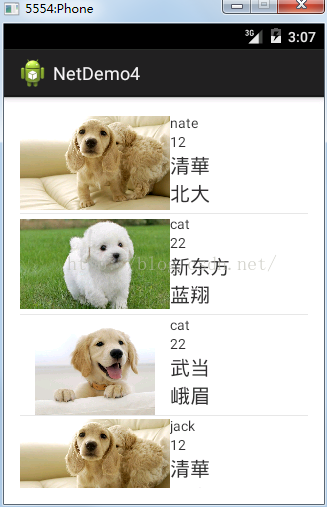 Android 網路資料處理:JSON 生成、解析與 ListView 圖片顯示
在 Android 應用中,常需要從伺服器取得 JSON 資料,再解析成物件並顯示在畫面上。本文以一個 ListView 範例,說明 JSON 字串生成、網路下載、解析、
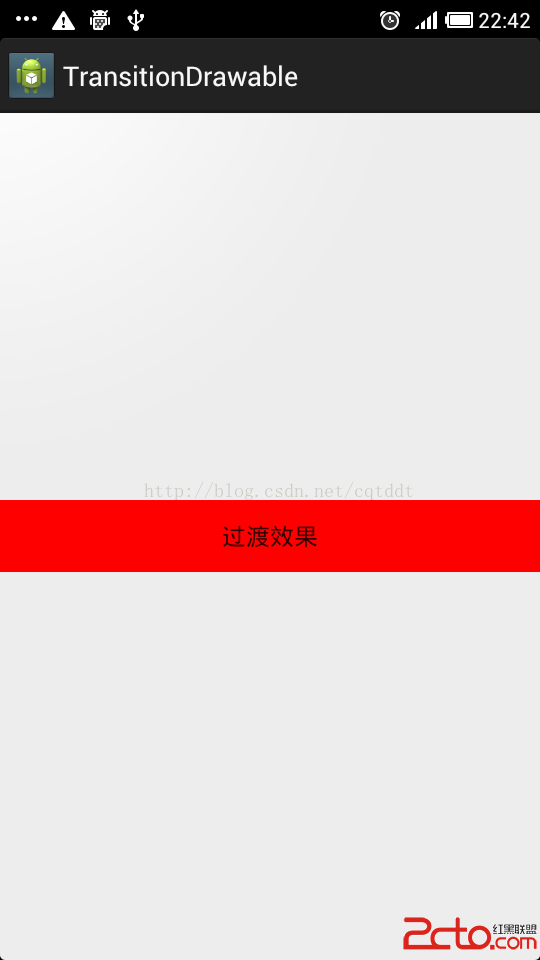 TransitionDrawable 圖片過渡效果實例
效果說明TransitionDrawable 可用於兩張圖片或兩種顏色之間的淡入淡出過渡動畫。適合按鈕背景、圖片切換或狀態提示。建立 TransitionDrawable
 自定義 Dialog:讓彈窗從標題欄位置彈出
先看效果圖: 標題欄的佈局如下: 彈出式 dialog 的佈局:
 Android 幀動畫實戰:用 AnimationDrawable 實現逐幀播放
幀動畫的原理很樸素:把多張連續的圖片按固定時間間隔快速切換,利用視覺殘留形成動畫效果。它特別適合播放序列幀素材,比如加載中的小人、開屏動畫、表情特效等。 先看最終效果: