

編輯:關於 Android 程式設計
提示訊息、二次確認、簡單表單,這些都是對話框的常見用途。Android 內建的 AlertDialog.Builder 用串接(chain)的方式設定屬性,寫起來相當直覺。本文用一個最小可運行的例子說明。
這裡只放一顆按鈕,點下去就彈出對話框:
<RelativeLayout xmlns:android="https://schemas.android.com/apk/res/android"
    android:layout_width="match_parent"
    android:layout_height="match_parent">

    <Button
        android:id="@+id/button1"
        android:layout_width="wrap_content"
        android:layout_height="wrap_content"
        android:layout_centerInParent="true"
        android:text="Show Dialog" />

</RelativeLayout>
package com.akwolf.android;

import android.app.Activity;
import android.app.AlertDialog;
import android.os.Bundle;
import android.view.View;
import android.view.View.OnClickListener;
import android.widget.Button;

public class DialogActivity extends Activity {

    private Button dialogBtn;

    @Override
    public void onCreate(Bundle savedInstanceState) {
        super.onCreate(savedInstanceState);
        setContentView(R.layout.main);

        dialogBtn = (Button) findViewById(R.id.button1);
        dialogBtn.setOnClickListener(new OnClickListener() {
            @Override
            public void onClick(View v) {
                new AlertDialog.Builder(DialogActivity.this)
                        .setIcon(R.drawable.icon)
                        .setTitle("Infomation")
                        .setMessage("Hello World")
                        .setPositiveButton("確定", null)
                        .setNegativeButton("取消", null)
                        .show();
            }
        });
    }
}
除了最基本的 setIcon / setTitle / setMessage,Builder 還提供不少實用選項:
setPositiveButton / setNegativeButton / setNeutralButton:最多三顆按鈕,第二個參數是點擊監聽器。setCancelable(false):禁止使用者按返回鍵關閉,適合強制確認的場景。setItems 或 setSingleChoiceItems:把對話框變成清單式選擇。setView:塞入自訂版面,做出登入框、輸入框等效果。小提醒:建立對話框的物件建議交給 Activity 的 Context(如本例的 this),傳 Application Context 會拿到錯誤的視窗權杖而拋出例外。另外,若在支援 Appcompat 的專案中,用 android.support.v7.app.AlertDialog 或 androidx.appcompat.app.AlertDialog 才能拿到一致的深色主題樣式。
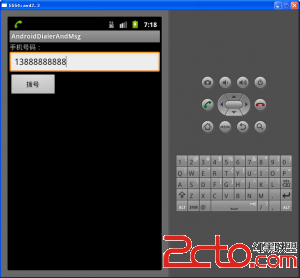 Android 中如何調起撥號功能?
Android 系統本就是為手機而設計的,因此在任何 App 中,只要願意,調起撥號都相當方便。 核心做法是用 Intent 做一次跳轉,把 Action 指定為 Int
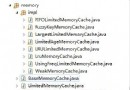 Android-Universal-Image-Loader 學習筆記(三):深入記憶體快取機制
前面兩篇講的是檔案快取,這次來談談 Android-Universal-Image-Loader 的記憶體快取。相關的類別繼承關係如下圖所示: 與檔案快取一樣,記憶體快
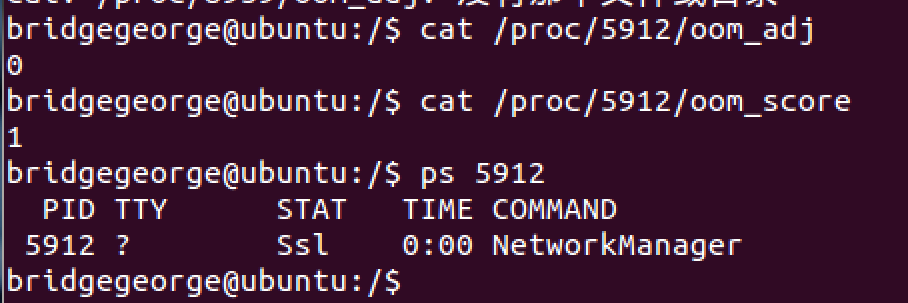 Android 內存管理機制深度詳解
嵌入式設備的一個普遍特點是內存容量相對有限。當運行的程序超過一定數量,或涉及複雜計算時,很可能出現內存不足,進而導致系統卡頓。Android 也不例外,同樣面臨物理內存短
 Android 自訂「載入中」Dialog 實例
開發中經常需要發送網路請求取得資料,而從發出請求到拿到資料之間往往需要等待一段時間。為了提升使用者體驗,我們通常會用一個 Dialog 來提示使用者「資料正在載入」。 今