

編輯:關於 Android 程式設計
本文以實例說明如何設定 Android 中 PreferenceCategory 的背景顏色,供需要的朋友參考,分析如下。
大家可能遇到過這樣的情況:PreferenceCategory 預設是黑色背景,如果我們更換了 PreferenceScreen 的背景,那麼這種分隔欄看起來就很突兀。那要怎麼改背景呢?可以透過自訂 View 來實現。
程式碼如下:
public class MyPreferenceCategory extends PreferenceCategory { public MyPreferenceCategory(Context context, AttributeSet attrs) { super(context, attrs); } @Override protected void onBindView(View view) { super.onBindView(view); view.setBackgroundColor(Color.parseColor("#b0000000")); if (view instanceof TextView) { TextView tv = (TextView) view; tv.setTextSize(16); tv.setTextColor(Color.BLACK); } } }
在 xml 中呼叫時(自訂用法,你懂的):
<com.blogchen.myview.MyPreferenceCategory android:title="其他" > <PreferenceScreen android:key="blog_" android:summary="作者博客地址" android:title="訪問博客" > <intent android:action="android.intent.action.VIEW" android:data="https://www.jb51.net" /> </PreferenceScreen> </com.blogchen.myview.MyPreferenceCategory>
希望本文所述能對大家的 Android 開發有所幫助。
 自定義 View 實作折線圖:從 attrs 屬性到 Path 繪製的完整拆解
上一篇雷達圖結尾留了個坑——折線圖。折線圖大概初中數學就學過,用來看一段時間內某個數據的走向;考試題裡最常見的例子就是某學生的成績變化。 這次仍然拿 max+ 的折線圖
 Android 基礎:Context 的作用與使用範例
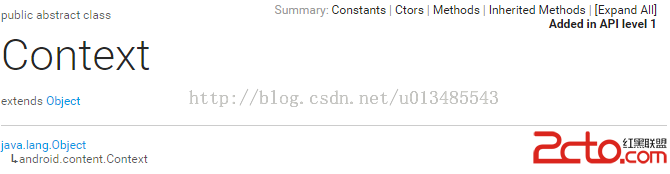
一、Context 是什麼 類別繼承關係 官方定義的含意 Context 是關於應用程式環境的全域資訊接口。它是一個抽象類別,具體實作由 Android 系統提供。透過
 把 Android Activity 變成彈出視窗樣式的做法
有時候我們希望某個 Activity 不要全屏,而是像一個浮動的小視窗,襯出底層畫面。這只要透過自訂主題就能辦到,核心是把 Activity 的主題設為 Dialog 風
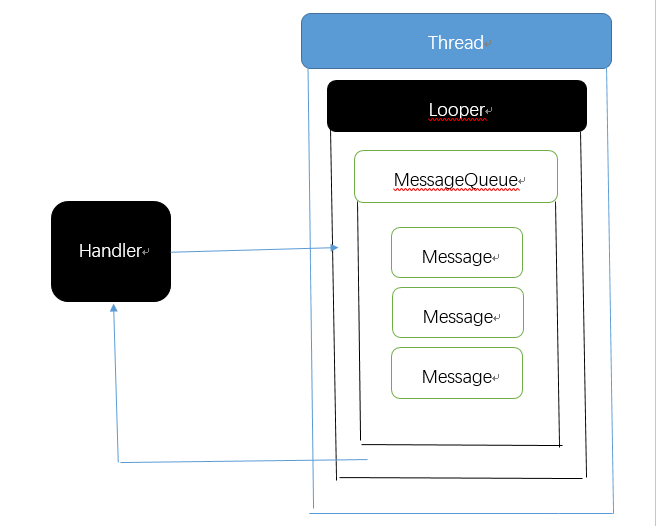 Android 中的訊息機制:從 Handler 源碼看子線程如何切換到主線程
寫部落格的時間,通常是晚上從圖書館回到宿舍之後,大約十一點半開始,一寫就到一兩點,而且這還是在素材積累得比較充分的情況下。寫完自己還得再看一遍才敢睡,隔天早上審稿後再發布