

編輯:關於 Android 程式設計
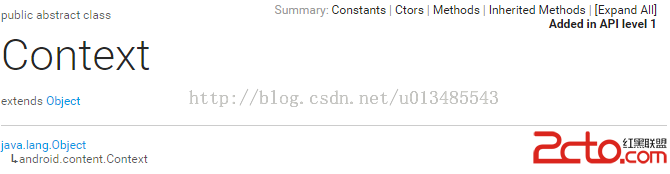
Context 是關於應用程式環境的全域資訊接口。它是一個抽象類別,具體實作由 Android 系統提供。透過它,你能存取應用專屬的資源與類別,也能向上呼叫應用層級的操作,例如啟動 Activity、發送廣播、接收 Intent 等。
換句話說,凡是「要跟系統或全域環境打交道」的事情,幾乎都得經過 Context。這也是為什麼 Activity、Service、Application 都直接繼承自它——它們本身就是一種 Context。
範例專案 LearnContext 的 MainActivity.java:
package com.example.learncontext;

import android.os.Bundle;
import android.app.Activity;
import android.view.Menu;
import android.widget.ImageView;

public class MainActivity extends Activity {

    @Override
    protected void onCreate(Bundle savedInstanceState) {
        super.onCreate(savedInstanceState);

        /* 範例① */
        /* TextView(Context context):建構子至少要傳入一個 Context,
           以便存取資源與全域資訊 */
        // TextView textView = new TextView(this);
        // textView.setText("Hello Android!");

        /* setText(int resid):傳入資源 ID
           Android 要存取全域資訊必須經過 Context */
        // textView.setText(R.string.hello_world);
        // setContentView(textView);
        // System.out.println(getResources().getText(R.string.hello_world));

        /* 範例②:取得圖示資源 */
        ImageView imageView = new ImageView(this);
        imageView.setImageResource(R.drawable.ic_launcher);
        setContentView(imageView);
    }

    @Override
    public boolean onCreateOptionsMenu(Menu menu) {
        getMenuInflater().inflate(R.menu.main, menu);
        return true;
    }
}
把註解區塊逐一放開執行,就能實際體會 Context 存取全域資訊的能力。
為什麼 new TextView(this) 可以,new TextView(getApplicationContext()) 卻要小心?因為 Activity 這個 Context 帶有主題(Theme)資訊,會影響控制項的外觀;Application 的 Context 沒有主題,用在需要樣式的地方可能出現外觀異常。
什麼時候該用哪一個?一個實用的判斷準則是:跟 UI 有關的,一律傳 Activity;跟 UI 無關的長生命週期操作(例如自訂 Thread、單例中持有的物件),傳 getApplicationContext() 以避免持有 Activity 參照造成記憶體洩漏。
版權聲明:本文為博主原創文章,未經博主允許不得轉載。
 直接用在專案裡的 Android 圖片三級快取方案
前陣子在專案裡處理圖片快取。一開始直接引入開源框架,例如 universal-image-loader-1.9.5,用起來還行,但開發過程中逐漸露出問題:自訂 Image
 Android常見問題總結(三):數據存儲、MVC、布局優化與 JSON 解析
11. Android 的數據存儲形式 Android 應用常見的數據存儲方式包括 SharedPreferences、文件與 SQLite 數據庫。不同方式適用於不同場
 Android 循環滾動廣告條:封裝簡便、平滑過渡、可載入網路圖片並點擊跳轉
今天來點乾貨——一個橫向循環滾動的廣告條。 它有點類似淘寶的 banner 廣告位:既能手勢滑動,也會依固定時間間隔自動滾動,滑到盡頭時還能無縫循環,過渡非常平滑。圖片從
 Android 系統開發:Linux 進程核心概念入門
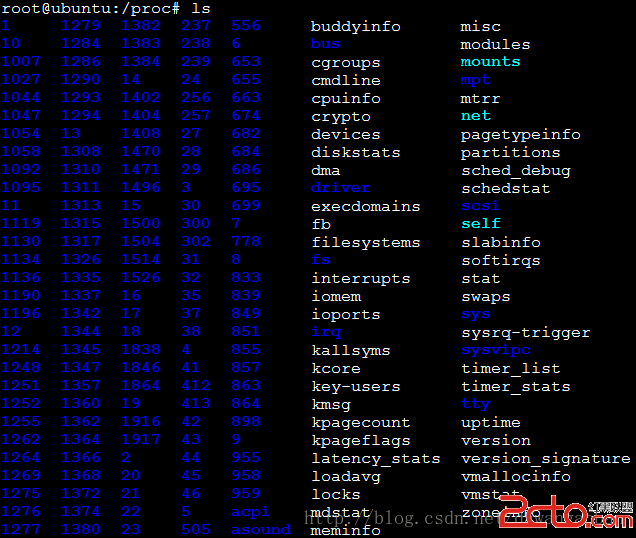
做 Android 系統層開發,遲早要面對 Linux 的進程模型。本文梳理幾個最基礎也最關鍵的概念:proc 虛擬文件系統、虛擬內存地址空間、進程的運行機制與生命週期。