

編輯:關於 Android 程式設計
回呼(Callback)是 Java 裡相當優雅的一種設計手法:呼叫方把「處理完之後要做什麼」這件事交給被呼叫方,由被呼叫方在時機成熟時回頭執行。Android 框架裡到處都是這個模式——OnClickListener、Runnable、ServiceConnection 全都是回呼介面。
package cn.testcallback;

import android.app.Activity;
import android.os.Bundle;
import android.widget.Toast;

public class MainActivity extends Activity {

    @Override
    protected void onCreate(Bundle savedInstanceState) {
        super.onCreate(savedInstanceState);
        setContentView(R.layout.main);
        init();
    }

    private void init() {
        for (int i = 0; i < 10000; i++) {
            if (i == 9527) {
                showToast(i, new CallBackInterface() {
                    @Override
                    public void callBackFunction(int i) {
                        Toast.makeText(MainActivity.this,
                                "我的編號:" + i, Toast.LENGTH_LONG).show();
                    }
                });
            }
        }
    }

    // 參數之一為 CallBackInterface 型別
    private void showToast(int i, CallBackInterface callBackInterface) {
        callBackInterface.callBackFunction(i);
    }

    // 定義介面,並在其中宣告方法
    public interface CallBackInterface {
        public void callBackFunction(int i);
    }
}
<RelativeLayout
    xmlns:android="https://schemas.android.com/apk/res/android"
    xmlns:tools="https://schemas.android.com/tools"
    android:layout_width="fill_parent"
    android:layout_height="fill_parent">

    <TextView
        android:layout_width="wrap_content"
        android:layout_height="wrap_content"
        android:text="@string/hello_world"
        android:layout_centerInParent="true" />

</RelativeLayout>
把上面的例子拆解開來,會看到回呼機制其實只有三個角色:
CallBackInterface,它是雙方溝通的契約,宣告了「事情做完之後要呼叫哪個方法」。showToast() 這個方法。它接受一個介面型別的參數,在自己的邏輯走到某個階段時,回頭呼叫介面方法。showToast() 時傳入的匿名內部類別。它把「結果到手後要做什麼」寫在 callBackFunction() 裡。這個範例刻意用一個跑一萬次的迴圈,從中挑出編號 9527 的那一筆交給回呼處理,只是為了凸顯「時機由提供方決定」這件事——呼叫方無從得知對方何時完成,只能事先把處理邏輯託付出去。
理解回呼之後,再看 Android 的樣板程式碼會通透許多。例如 button.setOnClickListener(new View.OnClickListener() { ... }),本質上就是:Button 是提供方,它在使用者點擊的那一刻回頭呼叫你實作的 onClick()。而在跨執行緒或跨行程的場景中,回呼介面往往需要搭配 Handler 或 Binder 使用,才能安全地把結果送回原本呼叫的那一端。
 Android 實戰:手ywritten飛機遊戲菜單頁面的完整設計(一)
本系列文章將帶你動手打造一款經典的手機飛機射擊遊戲,最終目標包括操控小飛機左右移動、靈活躲避敵方子彈,以及挑戰並擊敗 Boss。作為整個項目的第一步,本篇先把最基礎也最關
 仿今日頭條介面(一):底部與頂部選單
本文示範如何製作類似今日頭條的應用介面。整體架構可分為兩部分:底部使用 FragmentTabHost 搭配 Fragment 建立主要導覽列,頂部則在首頁 Fragme
 Android RSA 加解密實踐:填充方式、分段加密與效率對比
前陣子和同事聊到數據安全傳輸,順手把之前用過的 RSA 非對稱加密方案整理成文。 RSA 是什麼 RSA 是最流行的公鑰密碼算法,密鑰長度可變,也是第一個同時支持數據加密
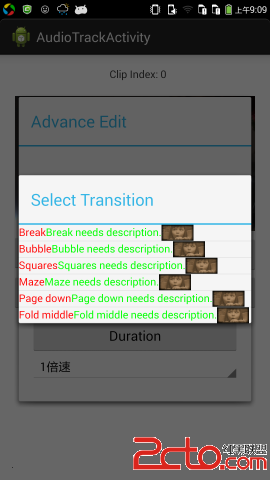 Android SimpleAdapter 與 Bitmap 結合:動態圖片綁定
SimpleAdapter 的定位在 Android 中,Adapter 是連接資料與列表控制項的橋樑。SimpleAdapter 是常見的實現類別,能把 List 中的