

編輯:關於 Android 程式設計
想用程式自動登入論壇,第一步不是寫程式,而是先搞清楚瀏覽器到底做了什麼。
用 Firefox 打開 Hi-PDA 的登入頁,輸入帳號密碼按下登入,接著透過 Firebug 觀察/

可以看到瀏覽器向 https://www.hi-pda.com/forum/logging.php?action=login&loginsubmit=yes&inajax=1 發了一個 POST 請求。
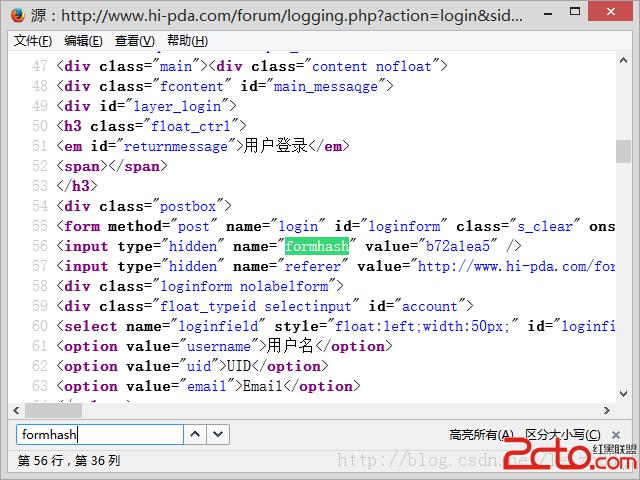
關鍵在於 formhash 是動態的,所以程式必須先抓一次頁面把它解析出來。
用 HttpClient 發 GET 取得登入頁原始碼,再交給 Jsoup 用 CSS 選擇器取出 value:
HttpClient httpClient = new DefaultHttpClient();
HttpGet httpGet = new HttpGet("https://www.hi-pda.com/forum/logging.php?action=login");
try {
    HttpResponse httpResponse = httpClient.execute(httpGet);
    HttpEntity httpEntity = httpResponse.getEntity();
    String s = EntityUtils.toString(httpEntity, "GBK");
    Element formhash_Element = Jsoup.parse(s).select("input[name=formhash]").first();
    formhash = formhash_Element.attr("value");
    System.out.println(formhash);
} catch (Exception e) { }
注意編碼要用 GBK,這類老論壇鮮少走 UTF-8。
HttpPost httpPost = new HttpPost(
    "https://www.hi-pda.com/forum/logging.php?action=login&loginsubmit=yes&inajax=1");
List<NameValuePair> params = new ArrayList<NameValuePair>();
params.add(new BasicNameValuePair("formhash", formhash));
params.add(new BasicNameValuePair("loginfield", "username"));
params.add(new BasicNameValuePair("password", "******"));
params.add(new BasicNameValuePair("questionid", "0"));
params.add(new BasicNameValuePair("referer", "https://www.hi-pda.com/forum/index.php"));
params.add(new BasicNameValuePair("username", "******"));
try {
    httpPost.setEntity(new UrlEncodedFormEntity(params, "GBK"));
    HttpResponse response = httpClient.execute(httpPost);
    HttpEntity entity = response.getEntity();
    String ans = EntityUtils.toString(entity);
} catch (Exception e) { }
重點是:後續請求必須沿用同一個 HttpClient 物件,Cookie 才會被自動帶上。驗證方式很簡單,拿這個 client 去抓需要登入才能看的版面:
HttpGet getHome = new HttpGet("https://www.hi-pda.com/forum/index.php");
try { httpClient.execute(getHome); } catch (Exception e) { }

HttpGet getD = new HttpGet("https://www.hi-pda.com/forum/forumdisplay.php?fid=2");
try {
    HttpResponse responseD = httpClient.execute(getD);
    HttpEntity entityD = responseD.getEntity();
    String str = EntityUtils.toString(entityD, "GBK");
    System.out.println(str);
} catch (Exception e) { }
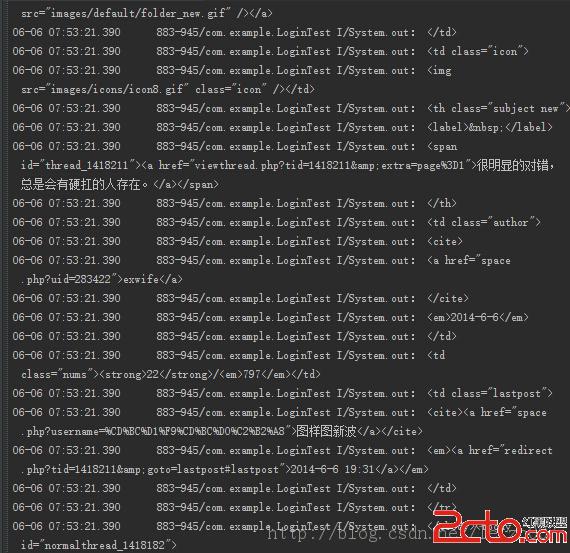
輸出的內容顯示的是已登入狀態下的 D 版,登入流程就此打通。整套路心得來不複雜:先模擬 GET 取 token,再 POST 送出憑證,最後靠 client 物件本身維護 session。
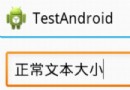 自定義 EditText 中 hint 文本字體大小的技巧
同事日前遇到一個問題:EditText 設定了文字大小之後,過長的 hint 文字沒辦法完整顯示出來,於是想問有沒有辦法「單獨」設定 hint 的字級。網上翻了一圈都找不
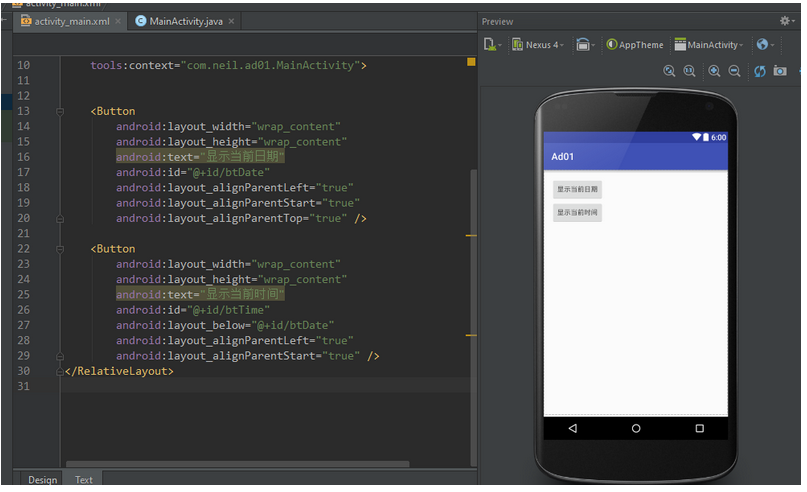 Android 學習系列之一:用兩個按鈕實現顯示日期與時間
作為 Android 學習的入門實作,本文將帶大家用 Android Studio 建立一個簡單的專案:透過兩個按鈕分別顯示目前的日期與時間。 首先新建專案並選擇空白模板
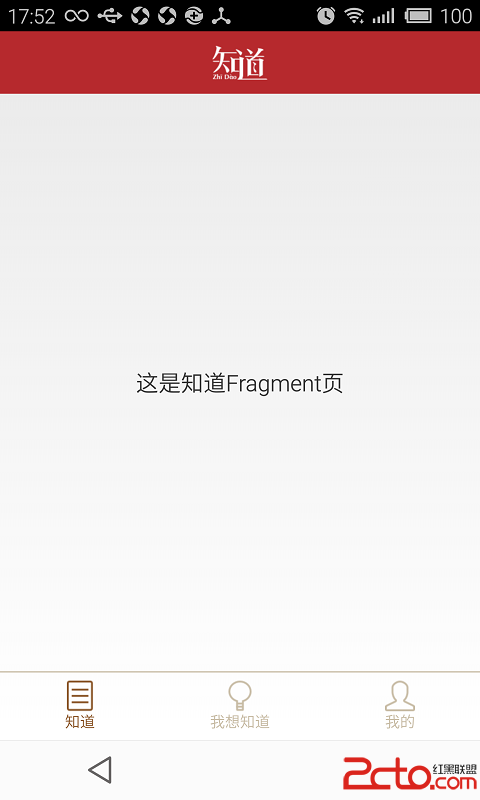 Android 底部標籤頁實作:以 Fragment 切換多個分頁
前言 底部標籤頁是很常見的 UI 模式,微信就是最典型的例子——既可以點擊標籤切換,也能左右滑動。本文先聚焦在比較基礎的部分:如何透過點擊底部標籤切換 Fragment。
 Glide 加載圖片實戰教程:網絡圖、本地圖與自定義數據源
和其他圖片加載庫一樣,Glide 除了網絡圖,也能加載本地圖,甚至能從各種意想不到的數據源取圖。本文按「網絡 → 本地 → 自定義數據源 → 異常調試」四個場景走一遍。