

編輯:關於 Android 程式設計
做相簿瀏覽器時,常需要在 Gallery 之上疊一層半透明遮罩或漸層陰影,讓下方圖片被柔化,或用來承載左右切換的提示圖示。這種「圖疊圖」的需求,用 RelativeLayout 的對齊屬性就能漂亮解決。
<RelativeLayout
    xmlns:android="https://schemas.android.com/apk/res/android"
    android:id="@+id/gallerylayout"
    android:layout_width="fill_parent"
    android:layout_height="fill_parent">

    <Gallery
        android:id="@+id/overview"
        android:layout_width="fill_parent"
        android:layout_height="wrap_content" />

    <ImageView
        android:id="@+id/navigmaske"
        android:background="#0000"
        android:src="@drawable/a2"
        android:scaleType="fitXY"
        android:layout_alignTop="@id/overview"
        android:layout_alignBottom="@id/overview"
        android:layout_width="fill_parent"
        android:layout_height="wrap_content" />

</RelativeLayout>layout_alignTop / layout_alignBottom:讓遮罩 ImageView 的上邊界對齊 Gallery 的上邊界、下邊界對齊 Gallery 的下邊界。這樣不論 Gallery 實際高度如何變化,遮罩都會精確貼合,不會多也不會少。這比寫死 layout_height="160dp" 穩健得多。
android:background="#0000" 與 android:src:背景設為全透明,前景放一張 PNG 透明圖(a2)。這裡的重點是「遮罩圖必須是帶 alpha 通道的 PNG」,若用 JPG 就完全沒有透明效果,會把底下的 Gallery 蓋死。
RelativeLayout 中後宣告的子元素會畫在上方。範例裡 ImageView 寫在 Gallery 之後,所以遮罩會蓋住 Gallery;若順序顛倒,遮罩就會被圖片蓋住而看不到。這點與 FrameLayout 的行為一致。
View 搭配 shape 的 <gradient> 定義,做出文字區域的漸層保護。android:clickable="false" 並確保它沒有背景可聚焦,事件才會往下傳給 Gallery。layout_centerInParent="true" 搭配固定寬高,或用 ConstraintLayout 的百分比寬度更精準。整體來說,「RelativeLayout + alignTop/alignBottom + 透明 PNG」是實作圖片覆蓋最直覺的組合,不必自訂 View 就能達到像素級對齊。
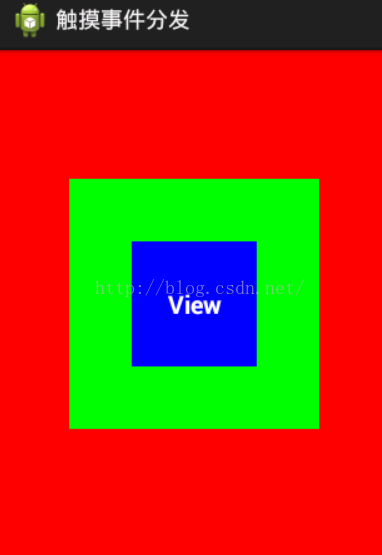 Android 事件分發機制透徹分析(附完整 Log 驗證)
先把觸摸事件相關的方法列出來。 ViewGroup: · dispatchTouchEvent(MotionEvent):用於分發 touch 事件 · onInterc
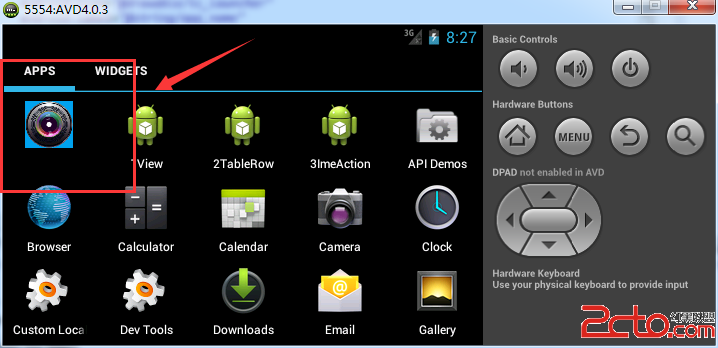 Android 桌面應用程式名稱消失的原因與解法
昨天發現自己寫的 App 在桌面(或應用列表)裡名稱整個不見了,只剩一顆圖示,怎麼看怎麼奇怪: 回頭檢查 AndroidManifest.xml,問題出在自己的設定
 Android HandlerThread 全面解析:Looper、Message 與 IntentService
在 Android 中,UI 更新通常需要在主執行緒進行,但耗時工作若也放在主執行緒,容易造成畫面卡頓。HandlerThread 的價值,就是把 Looper 與 Ha
 把 Gallery 改造成 Coverflow:GalleryFlow 的 3D 相簿牆實作
標準的 Gallery 是平坦地橫向捲動,而 Coverflow 那種「中間放大、兩側往後傾斜」的 3D 相簿牆,其實可以靠繼承 Gallery 並覆寫一個方法就做出來。