

編輯:關於 Android 程式設計
Android 提供兩組手勢相關的 API:android.view.GestureDetector 與 android.gesture.Gesture。後者是 1.6 才加入的,若還需要照顧 1.5 的裝置,就得選用相容性更好的 GestureDetector。
GestureDetector 有多種建構子,其中能直接附著到自訂 View 的常用寫法是:
GestureDetector(Context context, GestureDetector.OnGestureListener listener)
GestureDetector(Context context, GestureDetector.OnGestureListener listener,
                Handler handler)
第一個參數是 Context,因此在自訂 View 中最簡單的方式就是直接從 super 取得並傳入,再實作它提供的各個 callback。
class CwjView extends View {
    private GestureDetector mGD;

    public CwjView(Context context, AttributeSet attrs) {
        super(context, attrs);
        mGD = new GestureDetector(context,
                new GestureDetector.SimpleOnGestureListener() {
            public boolean onFling(MotionEvent e1, MotionEvent e2,
                                   float velocityX, float velocityY) {
                int dx = (int) (e2.getX() - e1.getX());   // 計算滑動距離
                // 降噪:位移與速度都要夠大才認定為 fling
                if (Math.abs(dx) > MAJOR_MOVE
                        && Math.abs(velocityX) > Math.abs(velocityY)) {
                    if (velocityX > 0) {
                        // 向右滑
                    } else {
                        // 向左滑
                    }
                    return true;
                } else {
                    return false;   // 也可用 velocityY 判斷上下滑動
                }
            }
        });
    }
}這裡的兩個判斷條件很值得學:dx > MAJOR_MOVE 過濾掉輕微的移動與手抖,而 |velocityX| > |velocityY| 則確認這是一個「水平方向為主」的手勢,避免斜向拖動被誤判。
上述範例只實作了 fling,SimpleOnGestureListener 還提供這些方法:
boolean onDown(MotionEvent e);
void onShowPress(MotionEvent e);
boolean onSingleTapUp(MotionEvent e);
boolean onSingleTapConfirmed(MotionEvent e);
boolean onDoubleTap(MotionEvent e);
boolean onDoubleTapEvent(MotionEvent e);
void onLongPress(MotionEvent e);
boolean onScroll(MotionEvent e1, MotionEvent e2,
                 float distanceX, float distanceY);
onDown 一定要回傳 true,否則後續的 onScroll、onFling 等事件都不會被觸發——這是初學者最常踩的坑。
建立好 GestureDetector 之後,還必須把事件轉給它處理,這需要覆寫兩個方法:
@Override
public boolean onTouchEvent(MotionEvent event) {
    mGD.onTouchEvent(event);
    return true;
}

@Override
public boolean onInterceptTouchEvent(MotionEvent event) {
    return mGD.onTouchEvent(event);
}
做完這一步,自訂 View 就能辨識滑動手勢了。補充一個方向:現今多數 Android 裝置都具備重力感應與加速度感應器,較高階的機型還有陀螺儀可測量角速度,搭配手勢識別能做出更豐富的互動效果,值得進一步嘗試。
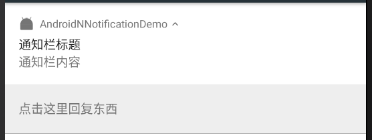 Android N 全新體驗:通知欄直接回復與自定義快捷磚
Android N 通知欄與快捷通知欄的蛻變 Android N 引入了一批全新 API,讓應用得以發佈擁有更高可見性與互動性的通知。它擴展了既有的 RemoteInpu
 Android 多媒體框架(一):MediaPlayer 的狀態圖與生命周期
前言 從本篇開始,我們正式進入 Android 多媒體框架的學習,內容涵蓋 MediaPlayer、Camera、Surface、MediaRecorder 等核心知識,
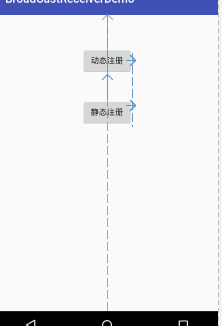 Android 開發筆記:廣播接收器 BroadcastReceiver 完全指南
一、廣播接收器是什麼 BroadcastReceiver 是 Android 四大組件之一,可以把它理解成一個掛在系統層級上的「全局監聽器」。它本身不開界面、不長駐進程,
 RecyclerView 使用指南:從基礎到點擊與增刪動畫
參考官方文檔:https://developer.android.com/training/material/lists-cards.html 一、為什麼有了 ListV