

編輯:關於 Android 程式設計
TextView 有個很方便的屬性,可以直接在文字的四個方位擺放小圖示,省去額外排版 RelativeLayout 的麻煩。看下面這個簡單的版面:
<?xml version="1.0" encoding="utf-8"?>
<LinearLayout xmlns:android="https://schemas.android.com/apk/res/android"
    android:layout_width="match_parent"
    android:layout_height="match_parent"
    android:orientation="vertical" >

    <TextView
        android:layout_height="wrap_content"
        android:layout_width="wrap_content"
        android:drawableLeft="@drawable/icon"
        android:text="@string/app_name"
        />

</LinearLayout>
看到 android:drawableLeft 這個屬性,應該就明白它的用途了:
android:drawableLeft=""
android:drawableRight=""
android:drawableTop=""
android:drawableBottom=""
這四個屬性分別對應文字的左、右、上、下四個方向,可以放不同的圖示。搭配 android:drawablePadding 還能設定圖示與文字之間的間距,非常實用——不必再像以前那樣靠 RelativeLayout 去微調 left 或 right 的對齊了。
 Android 仿新浪微博 OAuth2.0 授權界面的完整實作教學(下篇)
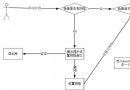
OAuth2.0 授權流程看似繁瑣,但只要理清各環節的職責,就能輕鬆在 Android 中還原新浪微博的登入體驗。整體流程大致如下圖所示: 動手前的準備工作 首先前往新
 Android 自學筆記(六):動手做一個簡易簡訊發送器
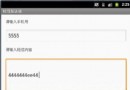
用 SmsManager 做一個最小可用的簡訊發送器,是很適合入門的練習:元件少、流程清楚,還能順便學到長簡訊該怎麼處理。 版面配置 畫面很單純:一個輸入號碼的 E
 一款精緻美觀的 Android 日曆自訂控件
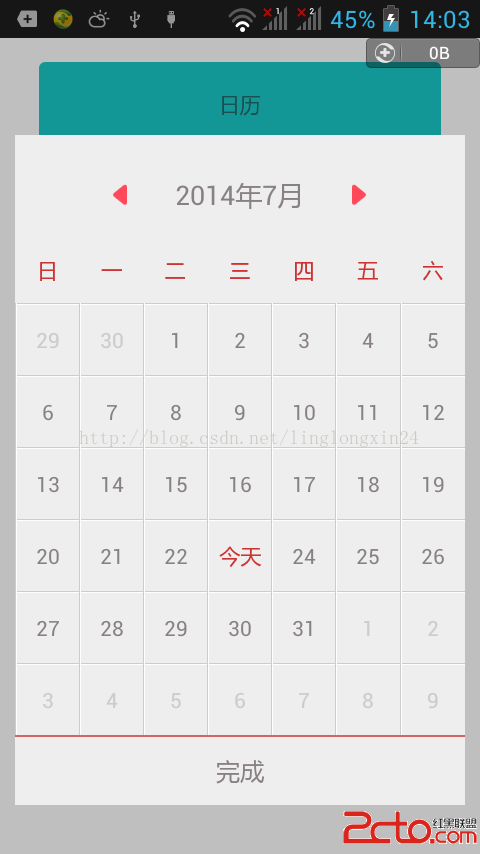
※效果預覽 ※使用方法 本文介紹一個相當漂亮的日曆控件 KCalendar,透過 PopupWindow 彈出,支援月份切換、日期標記與點選日期後回傳格式化結果。以下為
 Android TextView 文本控件用法深入解析
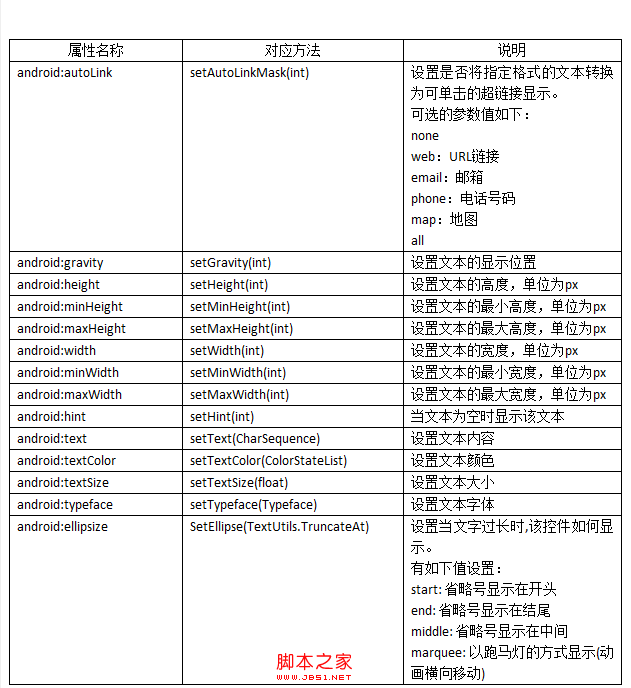
在 Android 開發裡,文本類控件主要包括 TextView 與 EditView 兩大類,而 TextView 無疑是最基礎、使用頻率最高的一個。本節先從 Text