

編輯:關於 Android 程式設計
做浮上式視窗、自訂彈窗時,常需要讓 Activity 變成透明或半透明,好把底下的畫面透出來。Android 上實作方式不只一種,本文整理兩套可用方案,並說明關鍵參數的意義。
先在 res/values 下建立 styles.xml:
<?xml version="1.0" encoding="utf-8"?>
<resources>
    <style name="translucent">
        <item name="android:windowBackground">@color/translucent_background</item>
        <item name="android:windowIsTranslucent">true</item>
    </style>
</resources>
同目錄下再建 colors.xml:
<?xml version="1.0" encoding="UTF-8"?>
<resources>
    <color name="translucent_background">#60000000</color>
</resources>
設定寫好之後,得告訴哪個 Activity 要用它。在 AndroidManifest.xml 中找到要跳出的 Activity,加上 theme:
android:theme="@style/translucent"
這時候 Activity 確實透明了。但問題馬上出現:layout 裡的 button 還是不透明,看起來很突兀。要讓視窗內的元件也跟著半透明,就得去設視窗屬性:
Window window = getWindow();
WindowManager.LayoutParams wl = window.getAttributes();
wl.flags = WindowManager.LayoutParams.FLAG_KEEP_SCREEN_ON;
wl.alpha = 0.6f;  // 這句就是設置視窗裡元件的透明度
window.setAttributes(wl);
其中 alpha 就是透明度參數:0.0 全透明、1.0 完全不透明。
其實單靠樣式就能做出半透明效果,不需要繞太多彎。在 res/values/styles.xml:
<resources>
    <style name="Transparent">
        <item name="android:windowBackground">@color/transparent_background</item>
        <item name="android:windowNoTitle">true</item>
        <item name="android:windowIsTranslucent">true</item>
        <item name="android:windowAnimationStyle">@+android:style/Animation.Translucent</item>
    </style>
</resources>
對應的 res/values/color.xml:
<?xml version="1.0" encoding="utf-8"?>
<resources>
    <color name="transparent_background">#50000000</color>
</resources>
這裡有個很多人搞不清楚的細節:#50000000 中前兩碼是透明度(從 00 到 FF,00 全透明、FF 完全不透明),後六碼才是真正的 RGB 顏色值。
接著在 manifest 註冊:
<activity android:name=".TransparentActivity" android:theme="@style/Transparent">
</activity>
Java 端也可以在建 Activity 時動態套用:
public void onCreate(Bundle savedInstanceState) {
    super.onCreate(savedInstanceState);
    setTheme(R.style.Transparent);
    setContentView(R.layout.transparent);
}
方法一的好處是控制粒度細,能單獨調整視窗整體透明度,適合需要「整個視窗連元件一起變淡」的場景。方法二更輕巧,改動集中在資源檔,適合只是想要一個半透明浮層的情況。實務上兩者也可以併用:先用樣式把 Activity 變透明,再用視窗屬性微調 alpha 到你滿意的程度。
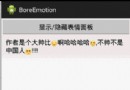 Android 表情功能完整方案:從 SpannableString 原理到表情面板與自動化腳本
表情功能在聊天、社群類 App 裡幾乎是必需品。它看起來簡單,實際牽涉到文字渲染、正則匹配、自定義鍵盤面板、光標操作等一連串細節。本文把整個方案拆成五個部分講清楚: 原
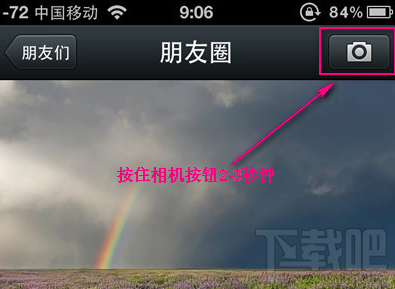 微信朋友圈怎麼發純文字?彩色文字玩法解析
朋友圈通常預設只能發圖文,但其實只要長按相機按鈕,就能發表純文字。 發純文字 進入朋友圈後,長按右上角相機圖示約 2 至 3 秒,畫面會跳出文字輸入框,輸入內容後即可發
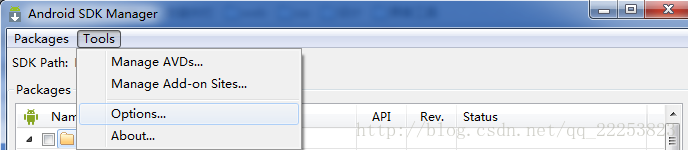 Android SDK Manager 更新龜速?改用國內鏡像伺服器一次解決
剛開始碰 Android 開發的人,大概都遇過同一個場景:打開 SDK Manager 想裝一個 Platform 或 Build Tools,進度條趴在那邊幾十分鐘不動
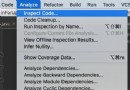 Android Lint 使用指南:用靜態檢查做資源清理
做資源清理時,Android Lint 幾乎是必備工具。本文記錄 Lint 的用法,以及實戰中踩到的幾個坑。 Lint 是 SDK Tools 16(ADT 16)之後才