

編輯:關於 Android 程式設計
長列表如果每一列都是同一個底色,閱讀時很容易串行。加上隔行變色(斑馬紋)能明顯改善可讀性。在 ListView 上實作這個效果,關鍵是客製 Adapter 並覆寫 getView。
建立一個自己的 Adapter,在 getView 裡依位置決定背景色:
package meetweb.net.util;

import java.util.List;
import java.util.Map;
import android.content.Context;
import android.graphics.Color;
import android.view.View;
import android.view.ViewGroup;
import android.widget.SimpleAdapter;

public class SpecialAdapter extends SimpleAdapter {
    private int[] colors = new int[]{0x30FF0000, 0x300000FF}; // 這裡沒有引用進去使用,只是簡單引用陣列運算

    public SpecialAdapter(Context context, List<? extends Map<String, ?>> data,
            int resource, String[] from, int[] to) {
        super(context, data, resource, from, to);
    }

    @Override
    public View getView(int position, View convertView, ViewGroup parent) {
        View view = super.getView(position, convertView, parent);
        int colorPos = position % colors.length;
        if (colorPos == 1)
            view.setBackgroundColor(Color.argb(250, 255, 255, 255)); // 顏色設置
        else
            view.setBackgroundColor(Color.argb(255, 224, 243, 250)); // 顏色設置
        return view;
    }
}
核心邏輯就是 position % colors.length:用位置對顏色數量取餘數,就能讓顏色依序循環,奇偶列自然分色。
import meetweb.net.util.SpecialAdapter;

...

private SpecialAdapter simpleAdapter = null;

public void ShowData() {
    RateList = rateService.findAll();
    System.out.println(RateList);
    LVrate = (ListView) this.findViewById(R.id.lvrate);
    simpleAdapter = new SpecialAdapter(this, RateList, R.layout.accuratelistitem,
            new String[]{"yearlimit", "year1", "year2"},
            new int[]{R.id.tv_yearlimit, R.id.tv_year1, R.id.tv_year2});
    LVrate.setAdapter(simpleAdapter);
    // listView.setOnItemClickListener(listener);
}
本質上就是把原本new SimpleAdapter的地方換成自訂的 SpecialAdapter,其他都不用改。
為什麼要用取餘數而不是寫死 if-else?當你之後想擴充成三色循環,只要往 colors 陣列多塞一個值即可,不必改動判斷邏輯。
注意 alpha 通道。範例中 Color.argb(250, 255, 255, 255) 第一個參數是透明度,250 接近但不完全等於 255,代表底色會帶一點點透明。如果你希望顏色完全飽和,請填 255。
convertView 的重用問題。因為 ListView 會重用 convertView,若在 getView 裡設了背景色,务必在兩個分支都明確設定顏色(如範例所示),否則會出現顏色錯亂的 recycling bug。同理,若列內還有 CheckBox、Button 等自帶背景的元件,也要一併處理。
效能考量。每次 getView 都呼叫 setBackgroundColor 會觸發重新繪製,若列表很長且動畫滾動,建議把顏色寫進自訂的 item 版面檔,或用 selector 定義,效能會更好。
 Android 實現兩個 ScrollView 聯動同步滾動的完整做法
本文分享如何讓兩個 ScrollView 互相聯動、同步滾動的效果,程式碼完整,供大家參考。最近在做的專案裡需要用到兩個 ScrollView 一起滾動的效果——滑動其中
 Android 自定義 View:繼承 View 並重寫 onDraw 等關鍵方法
自定義 View 是 Android 開發中的基本功。做法並不複雜:繼承 View,然後按需重寫若干方法。方法很多,取決於你想實現什麼效果,本文以一個「跟隨手指移動的圓」
 Android Path 實作貝茲曲線:打造 QQ 風格可拖拽氣泡
這兩天研究了 Path 繪製貝茲曲線的用法,順手做了一個類似 QQ 未讀訊息的可拖拽小氣泡,效果如下: 基本原理 核心就是用 Path 畫出兩段三點的二次貝茲曲線並閉
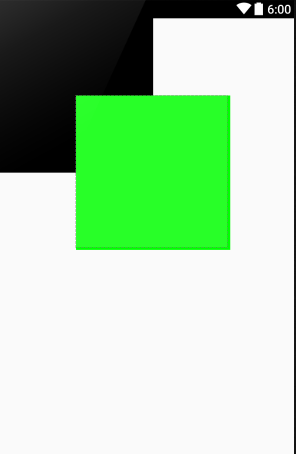 Android 常用布局 FrameLayout、LinearLayout、RelativeLayout 詳解
Android 螢幕尺寸與解析度差異大,因此布局系統肩負了適配與排列的重要任務。早期常見的五大布局中,AbsoluteLayout 已不建議使用;實務上最常接觸的是 Fr