

編輯:關於 Android 程式設計
剛接觸 Android 開發時,很多人都在子線程更新 UI 時撞過這個異常:
android.view.ViewRoot$CalledFromWrongThreadException:
Only the original thread that created a view hierarchy can touch its views.
意思是:只有創建視圖層級的那個線程才能操作它。既然 UI 只能在創建它的主線程中更新,那麼就需要一套機制讓子線程能「通知」主線程更新界面——這正是 Handler 的用武之地。它負責與子線程通訊,在子線程與 UI 線程之間架起橋樑,實現異步更新 UI。
說到 Handler 機制,繞不開四個類:Message、Looper、MessageQueue、Handler。
Message 用於封裝消息,並可指定操作形式。使用時有幾個要點:
Message.obtain() 從消息池複用對象以節省資源;Looper 用於在一個線程中進行消息輪詢,讓普通線程變成能循環工作的 Looper 線程。創建方式是在 run() 中先調用 Looper.prepare(),再調用 Looper.loop():
public class LooperThread extends Thread {
    @Override
    public void run() {
        Looper.prepare();   // 初始化為 Looper 線程
        // ... 實例化 handler
        Looper.loop();      // 循環處理消息
    }
}
從源碼看,prepare() 會創建一個 Looper 實例並存入 ThreadLocal。由於 Looper 構造私有、且基於 ThreadLocal 存儲,每個線程只能有一個 Looper,prepare() 不能被調用兩次。而 loop() 則是一個無窮循環,不斷從 MessageQueue 中取出消息並交給 msg.target.dispatchMessage(msg) 分發——這裡的 target 正是發送消息的 Handler。
至於主線程,系統在啟動時已通過 prepareMainLooper() 為 UI 線程初始化了 Looper,所以我們無需手動調用即可用 getMainLooper() 拿到它。
每個 Looper 內部維護一個 MessageQueue,按時間順序存放待處理消息。
Handler 用於向 MessageQueue 發送和處理 Message 與 Runnable,每個 Handler 實例關聯單個線程及其消息隊列。默認構造時它會綁定當前線程的 Looper:
mLooper = Looper.myLooper();
if (mLooper == null) {
    throw new RuntimeException(
        "Can't create handler inside thread that has not called Looper.prepare()");
}
mQueue = mLooper.mQueue;
因此在子線程中直接 new Handler() 會報錯,除非先調用 Looper.prepare()。這也說明了:一個線程可以有多個 Handler,但只有一個 Looper。
發送消息最終都會走到 sendMessageAtTime(),其中 msg.target = this 把當前 Handler 設為消息的 target,確保 Looper 執行到該消息時能找到對應的 Handler。而 post(Runnable) 本質上也是把 Runnable 封裝進 Message 的 callback 字段。
處理環節由 dispatchMessage() 完成,它按優先級依次判斷:
public void dispatchMessage(Message msg) {
    if (msg.callback != null) {
        handleCallback(msg);        // 優先執行 Runnable 回調
    } else {
        if (mCallback != null) {
            if (mCallback.handleMessage(msg)) {
                return;             // 其次交給 Callback 接口
            }
        }
        handleMessage(msg);         // 最後由自身 handleMessage 處理
    }
}
由此可見,Handler 是在它關聯的 Looper 線程中處理消息的。常見做法就是:在 Activity 中創建 Handler 並把引用傳給工作線程,工作線程完成任務後用 Handler 發送消息,通知主線程更新 UI——這樣便優雅地解決了跨線程更新界面的問題。
 仿今日頭條與QQ側滑、智慧北京的小專案(三):新聞頁面深度解析
本專案的圖片素材均取自今日頭條;QQ 側滑沒有採用 Android 原生的 NavigationDrawer,而是選用第三方 SlidingMenu,原因是該控制項我暫時
 Android 隱藏 API 與 Internal 套件應用:電量排行
Android 中有些功能會使用隱藏 API 或 internal 套件,例如讀取應用程式耗電排行。這類內容通常存在於 BatteryStats、PowerProfile
 Android Fragment 通訊:Activity、Fragment 與 Fragment 之間
Fragment 之間的溝通,是 Android 開發中很常見的需求。最簡單的情況是 Activity 與 Fragment 傳值,進階一點則是 Fragment 與 F
 Android OptionsMenu 選項菜單:從菜單xml到子菜單與圖標顯示
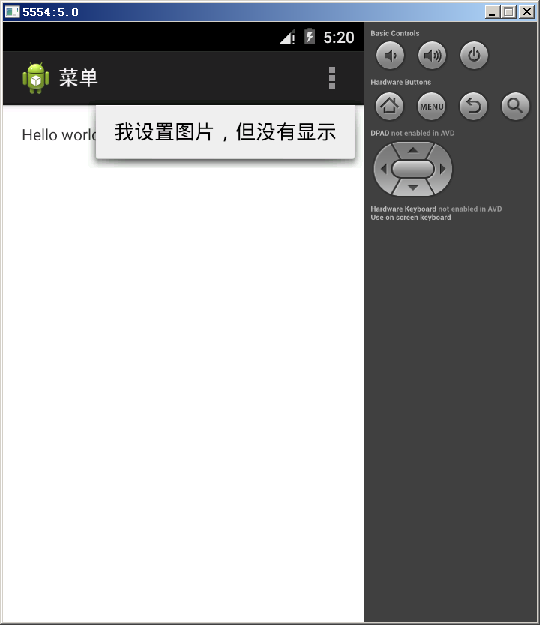
OptionsMenu 是 Android 的系統級菜單,也就是我們平時在手機裡點右上角「三點」或按菜單鍵彈出來的那個東西。這篇筆記把它的完整使用套路走一遍:菜單怎麼定義