

編輯:關於 Android 程式設計
在 Module 下的 build.gradle 中加入以下依賴:
compile 'com.github.youngkaaa:navigation-bottom:1.0.0'

android:title : 這是- 標簽中默認必須要寫的參數,暫時沒用到,可以在類 BottomMenuItem 中通過 getTitle()拿到當前 tab 的 title app:nb_tabActiveResId : 為當前 item(即當前 tab)設置當其選中時的圖片 id。 app:nb_tabInActiveResId : 為當前 item(即當前 tab)設置當其未選中時的圖片 id。 app:nb_insetLeft : 設置當前 Item(即當前 tab)的背景圖片距離左邊緣的距離,具體下面有圖解 app:nb_insetTop : 設置當前 Item(即當前 tab)的背景圖片距離上邊緣的距離,具體下面有圖解 app:nb_insetRight : 設置當前 Item(即當前 tab)的背景圖片距離右邊緣的距離,具體下面有圖解 app:nb_insetBottom : 設置當前 Item(即當前 tab)的背景圖片距離下邊緣的距離,具體下面有圖解
1) 默認內部的 insetLeft,insetRight,insetTop,insetBottom 默認是 12dp。當你設置了 app:nb_insetLeft 、 app:nb_insetTop 、app:nb_insetRight、nb_insetBottom app:nb_insetBottom 時,便以設置的屬性大小為准,當沒有設置時,以默認值 12dp 為准。 這樣的話,當你設置了圖標之後,發現有個別圖標和其他不同大小,可以通過以上四個屬性來微調指定圖標大小,以達到整體一致的目的。 2) 當你設置的 insetLeft 和 insetRight 之和大於一個 Tab 的寬度時,會拋出異常:IllegalArgumentException (xml attribute of "app:insetLeft" or "app:insetRight" is too large!) 3) insetTop 和 insetBottom 同理
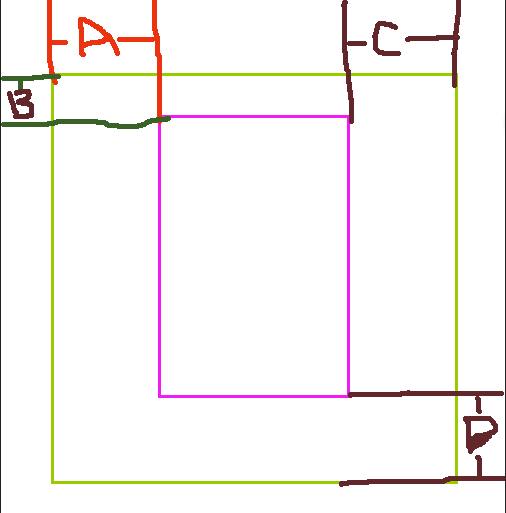
圖中 A、B、C、D 分別對應 insetLeft、nb_insetTop、nb_insetRight、nb_insetBottom。
app:nb_xmlResource : 為 NavigationBottom 設置 menu 文件資源,即上面定義的 menu 資源 id app:nb_defaultIndex : 為 NavigationBottom 設置初始選中的是哪一個 tab。傳入 index 即可,index 類似於數組,從 0 開始。不設置該屬性時,默認為 0 app:nb_scrollDuration : 設置當 NavigationBottom 隱藏所需的時間。即可以設置其下降隱藏的速度。不設置該屬性時,默認為 500ms
MyNavigationBottom 標簽中的 layout_width 最好為 match_parent。當為具體大小時,會拋出異常 : IllegalArgumentException (NavigationBottom's width must be match_parent,which couldn't less than screenSize) 當為 wrap_content 時,內部 onMeasure()中會自動將其調整為 match_parent。 而對於 layout_height 請不要設置為 match_parent ,設置為具體的數值,比如 48dp
1) 在 xml 中定義之後,在代碼中找到它: navigationBottom = (MyNavigationBottom) findViewById(R.id.navigationBtn1); 2) 然後你可以設置監聽事件: navigationBottom.setOnTabListener(new OnTabSelectListener() { @Override public void onTabSelected(int index, View view) { Log.d("kklog", "######onTabSelected index=====>" + index + "######"); Toast.makeText(MainActivity.this, index + "", Toast.LENGTH_SHORT).show(); } }); 3) 當然,還有隱藏的方法: navigationBottom.hide(); 4) 同理,還有顯示的方法: navigationBottom.show(); 5) 最後,當你需要知道當前選中的是哪一個 tab 時,可以這樣做: navigationBottom.getSelectedIndex(); 6) 當你想要和 RecyclerView 產生關聯時,我的做法是:重寫 setOnTouchListener()方法,然後監聽 ACTION_MOVE, 並執行對應操作,我的代碼如下,僅供參考: recyclerView.setOnTouchListener(new View.OnTouchListener() { @Override public boolean onTouch(View view, MotionEvent motionEvent) { x= (int) motionEvent.getX(); y= (int) motionEvent.getY(); switch (motionEvent.getAction()){ case MotionEvent.ACTION_MOVE: int deltaY=y-lastY; if(deltaY>=0){ //down navigationBottom.show(); }else{ //up navigationBottom.hide(); } break; } lastX=x; lastY=y; return false; } });
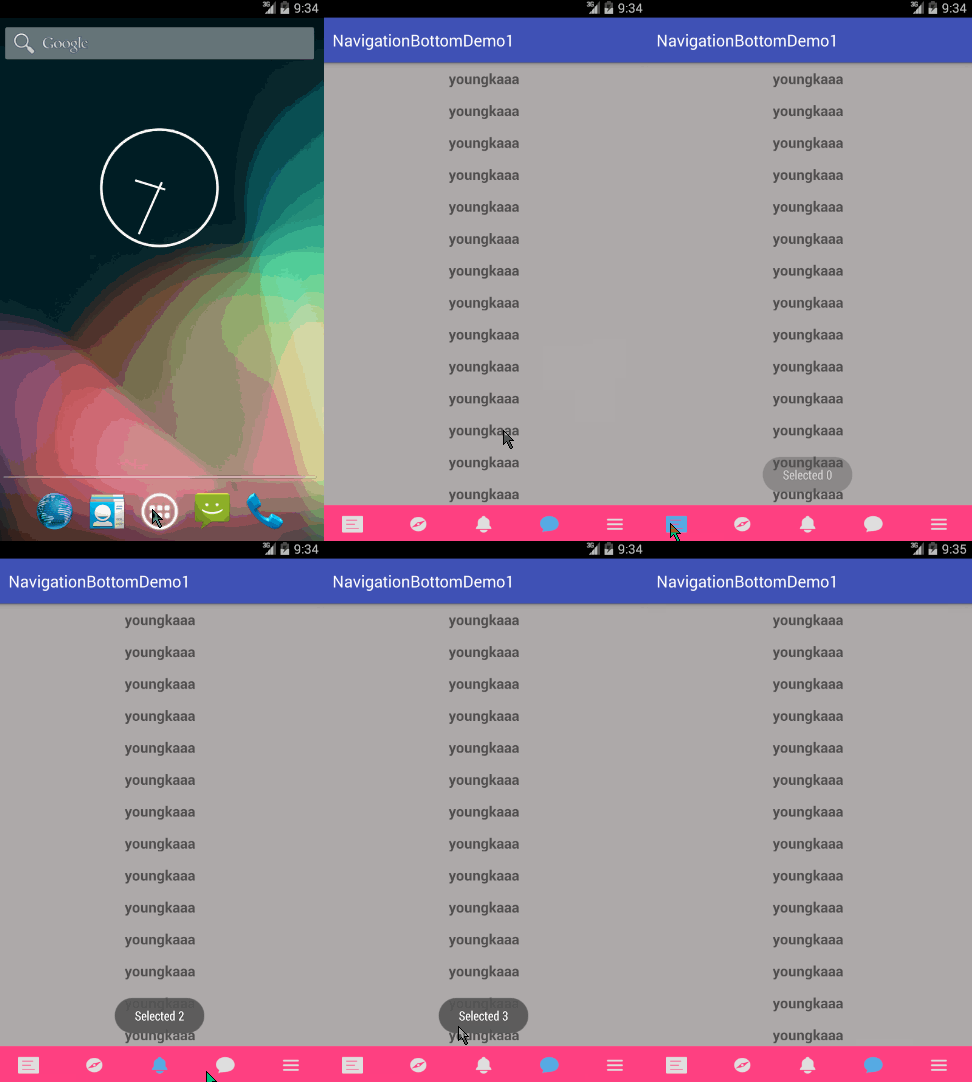
接下來將加入 LayoutBehavior,讓滑動體驗更加順暢,敬請期待!
 Android UI 優化:用 ViewStub 實現布局延遲加載
問題場景 界面裡有些元素並不是首屏就需要:例如「展開更多篩選條件」的面板、只在特定狀態下出現的浮層、用戶點擊後才展示的詳情區塊。如果把它們和主布局一起 inflate,不
 Android 自定義 View 實戰:打造圓盤溫度計
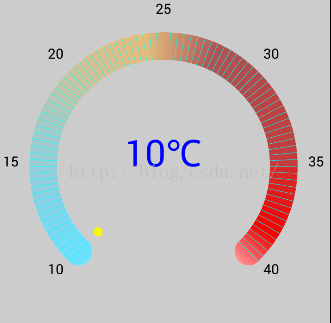
前言 在了解自定義 View 的基礎測量與繪製概念後,可以透過一個更具體的範例來練習。本文以圓盤溫度計為例,展示如何建立一個可互動、可動態更新數值的自定義控制項。 這個
 Android 開發筆記(一百一十九):Toolbar 與新版 SearchView 用法全解
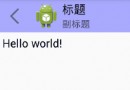
Toolbar 此前在《Android 開發筆記(二十)頂部導航欄》中我們學過 ActionBar,但 ActionBar 實在不太好用:文字風格不能定製、圖標不能替換,
 Android 開發筆記(一百零五):社會化分享的三條實作路線
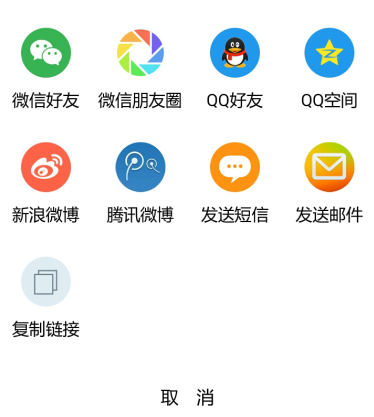
什麼是社會化分享 社會化分享指的是使用者透過網路媒介,把文字、圖片或多媒體資訊散布到自己的社交圈,藉此加速訊息傳播。對 App 來說,社群平台雖多,但真正用戶量夠大的其實