

編輯:關於 Android 程式設計
備註:在 AnimationSet 中,Scale 應該比 Translate 更早加入。
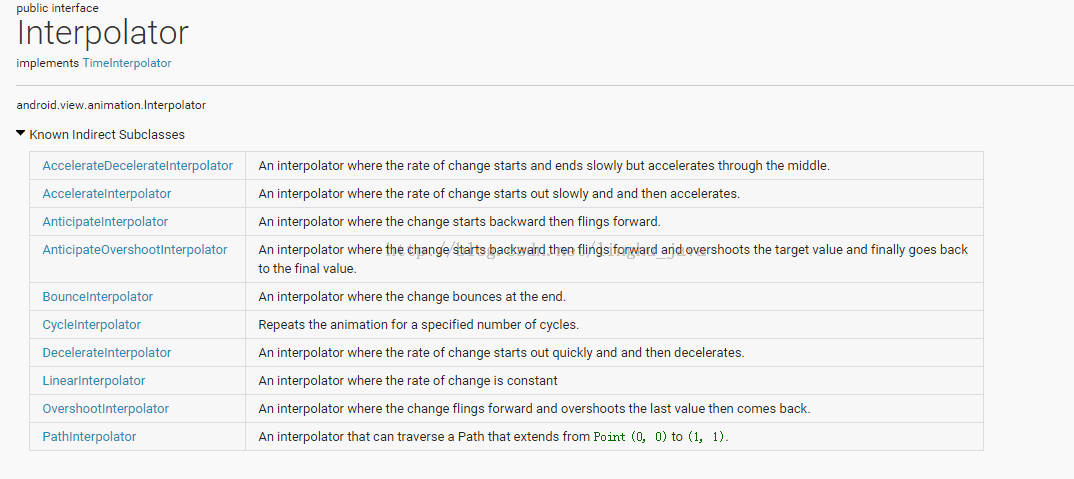
Interpolator 是時間插值類,用來定義動畫變換的速度曲線,能為 alpha/scale/translate/rotate 動畫實現加速、減速、反彈等效果。Interpolator 本身其實是一個空介面,繼承自 TimeInterpolator。TimeInterpolator 允許動畫做非線性運動變換,介面中唯一的方法是 float getInterpolation(float input):傳入值是一個 0.0 到 1.0 之間的浮點數,返回值則可以小於 0.0,也可以大於 1.0——這正是「反彈」類效果能成立的關鍵。
/**
 * An interpolator where the rate of change is constant
 */
@HasNativeInterpolator
public class LinearInterpolator implements Interpolator, NativeInterpolatorFactory {
    public LinearInterpolator() {}

    public LinearInterpolator(Context context, AttributeSet attrs) {}

    public float getInterpolation(float input) {
        return input;
    }

    /** @hide */
    @Override
    public long createNativeInterpolator() {
        return NativeInterpolatorFactoryHelper.createLinearInterpolator();
    }
}
它可以透過 XML 設定屬性,其中 mFactor 預設為 1.0,值越大變化越劇烈:起點更快,終點更慢。getInterpolation() 描述的其實是一條拋物線。
@HasNativeInterpolator
public class DecelerateInterpolator implements Interpolator, NativeInterpolatorFactory {
    private float mFactor = 1.0f;

    public DecelerateInterpolator() {}

    /**
     * @param factor Degree to which the animation should be eased.
     * Setting factor to 1.0f produces an upside-down y=x^2 parabola.
     * Increasing factor above 1.0f exaggerates the ease-out effect.
     */
    public DecelerateInterpolator(float factor) {
        mFactor = factor;
    }

    public DecelerateInterpolator(Context context, AttributeSet attrs) {
        this(context.getResources(), context.getTheme(), attrs);
    }

    /** @hide */
    public DecelerateInterpolator(Resources res, Theme theme, AttributeSet attrs) {
        TypedArray a;
        if (theme != null) {
            a = theme.obtainStyledAttributes(attrs, R.styleable.DecelerateInterpolator, 0, 0);
        } else {
            a = res.obtainAttributes(attrs, R.styleable.DecelerateInterpolator);
        }
        mFactor = a.getFloat(R.styleable.DecelerateInterpolator_factor, 1.0f);
        a.recycle();
    }

    public float getInterpolation(float input) {
        float result;
        if (mFactor == 1.0f) {
            result = (float) (1.0f - (1.0f - input) * (1.0f - input));
        } else {
            result = (float) (1.0f - Math.pow((1.0f - input), 2 * mFactor));
        }
        return result;
    }

    /** @hide */
    @Override
    public long createNativeInterpolator() {
        return NativeInterpolatorFactoryHelper.createDecelerateInterpolator(mFactor);
    }
}
網路上流傳著一套很經典的 easing 公式,以正弦為例:
public class Sine {
    public static float easeIn(float t, float b, float c, float d) {
        return -c * (float) Math.cos(t / d * (Math.PI / 2)) + c + b;
    }
    public static float easeOut(float t, float b, float c, float d) {
        return c * (float) Math.sin(t / d * (Math.PI / 2)) + b;
    }
    public static float easeInOut(float t, float b, float c, float d) {
        return -c / 2 * ((float) Math.cos(Math.PI * t / d) - 1) + b;
    }
}
問題是,這四個參數(當前時間 t、起始值 b、變化量 c、總時長 d)該怎麼跟 Interpolator 的 getInterpolation(float) 對接?
做法很簡單:把總時長 d 固定為 1.0,起始值 b 設為 0.0,結束值設為 1.0(於是變化量 c 也就是 1.0),再把 Interpolator 傳入的 input 當作 t 丟進去,就完全對上了。
/**
 * Created by Qiujuer on 2015/1/5.
 */
public class InSineInterpolator implements Interpolator {
    public static float easeIn(float t, float b, float c, float d) {
        return -c * (float) Math.cos(t / d * (Math.PI / 2)) + c + b;
    }

    @Override
    public float getInterpolation(float input) {
        return easeIn(input, 0, 1, 1);
    }
}
mAnimatorSet.playTogether(aPaintX, aPaintY, aRadius, aBackground);
mAnimatorSet.setInterpolator(new InSineInterpolator());
mAnimatorSet.start();
使用方式和系統自帶的插值器完全一樣。這裡只是個示範,實務中你可以自由封裝,前提是不改動核心的計算邏輯。
 Android 自定義 View:仿 QQ 健康運動介面
QQ 健康中的運動介面具有圓弧進度、步數排名、好友平均步數與底部波紋等元素。這類介面可以通過自定義 View 完成,既能展示數據,也能呈現豐富的視覺效果。 自定義 Vi
 自定義 View 仿 QQ 運動步數圓弧:Canvas 繪圖與屬性動畫實戰
在之前的「Android 超精準計步器開發」專案中,首頁用到了一個自定義控件,效果與 QQ 運動的界面有點類似,還帶有動畫。下面就來講講這個 View 是怎麼一步步繪製出
 Android APK 在 32 位元/64 位元平台的動態庫問題解析
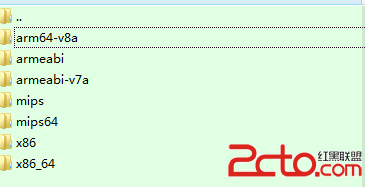
隨著 64 位元 Android 系統日益普及,越來越多 APK 宣稱支援 64 位元,於是就往裡頭塞了個 arm64-v8a 目錄並放入 64 位元的 so。但如果程式
 Android Studio 基本設定整理
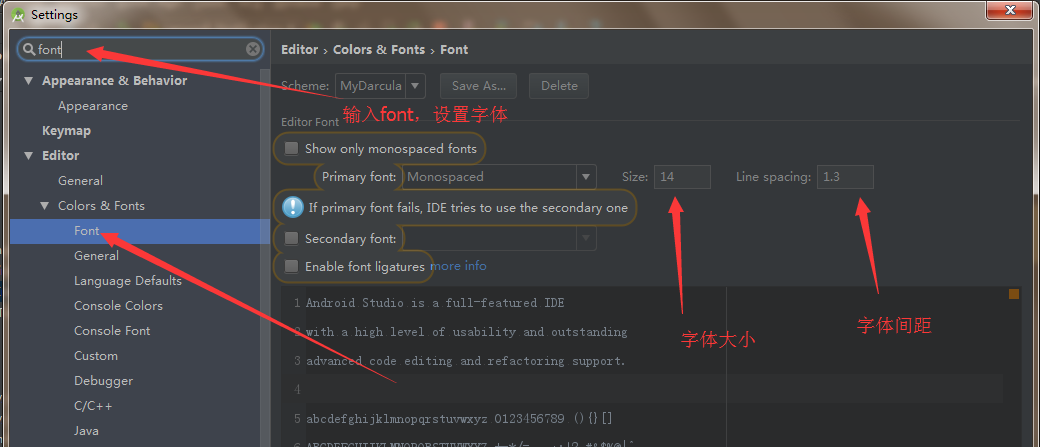
Android Studio 的設定看似瑣碎,卻會直接影響日常開發手感。以下整理幾個最常被調整的項目,方便快速建立適合自己的開發環境。進入設定頁面可以從選單進入 Sett