

編輯:關於 Android 程式設計
整理一些在Android開發中經常會用到的小知識點。

絕對路徑:
/storage/emulated/0/Download/xxx
遍歷:
File file = Environment.getExternalStoragePublicDirectory(Environment.DIRECTORY_DOWNLOADS);
File[] files = file.listFiles();
for (int i = 0; i < files.length; ++i) {
    Log.e(TAG, files[i].getAbsolutePath());
}
@OnClick({ R.id.dialog_dau_share_wx, R.id.dialog_dau_share_wx_timeline,
    R.id.dialog_dau_share_weibo, R.id.dialog_dau_share_qq })
submodule可與git保持即時同步。新增:
git submodule add https://github.com/SpikeKing/DroidPlugin.git DroidPlugin
使用:
git submodule update --init --recursive
導入(路徑多於一個時,前面不加冒號):
include ':app', 'DroidPlugin:project:Libraries:DroidPlugin'
引用:
compile project(':DroidPlugin:project:Libraries:DroidPlugin')
可參考相關教學,透過配置upstream並pull來同步原始專案的最新變更。
使用PackageManager:
private boolean appInstalledOrNot(String uri) {
    PackageManager pm = getPackageManager();
    boolean app_installed;
    try {
        pm.getPackageInfo(uri, PackageManager.GET_ACTIVITIES);
        app_installed = true;
    } catch (PackageManager.NameNotFoundException e) {
        app_installed = false;
    }
    return app_installed;
}
呼叫 invalidate() 即可觸發重繪。
波紋效果(5.0以上)、陰影效果(5.0以下):
android:background="?android:attr/selectableItemBackground"
繼承樣式:
<style name="PersonInfoButton" parent="@android:style/ButtonBar">
    <item name="android:layout_width">@dimen/d80dp</item>
    <item name="android:layout_height">@dimen/d32dp</item>
    <item name="android:textSize">@dimen/d14sp</item>
</style>
注意 parent 為 @android:style/ButtonBar。
預設刪除log.i、.v,也可指定刪除.d、.e:
-assumenosideeffects class android.util.Log { *; }
-assumenosideeffects class android.util.Log {
    public static *** d(...);
    public static *** e(...);
}
使用資料庫時操作略顯繁瑣,可借助Sugar庫簡化:
compile 'com.github.satyan:sugar:1.3'
透過在結尾處添加一個不佔位的零寬度空格("\u200B"):
private void setEditClickable() {
    mEtEditText.setMovementMethod(LinkMovementMethod.getInstance());
    Spannable spannable = new SpannableString("https://www.baidu.com");
    Linkify.addLinks(spannable, Linkify.WEB_URLS);
    // 加上零寬度空格後,才能點擊到最後的位置,否則會觸發連結
    CharSequence text = TextUtils.concat(spannable, "\u200B");
    mEtEditText.setText(text);
}
OK,以上就是這次的Android開發Tips彙編,希望對你的日常開發有所幫助!
 Android 基礎入門教程 10.14:GPS 定位入門實戰
一、定位相關的核心 API 1)LocationManager 它是系統服務,不能直接 new: LocationManager lm = (LocationManage
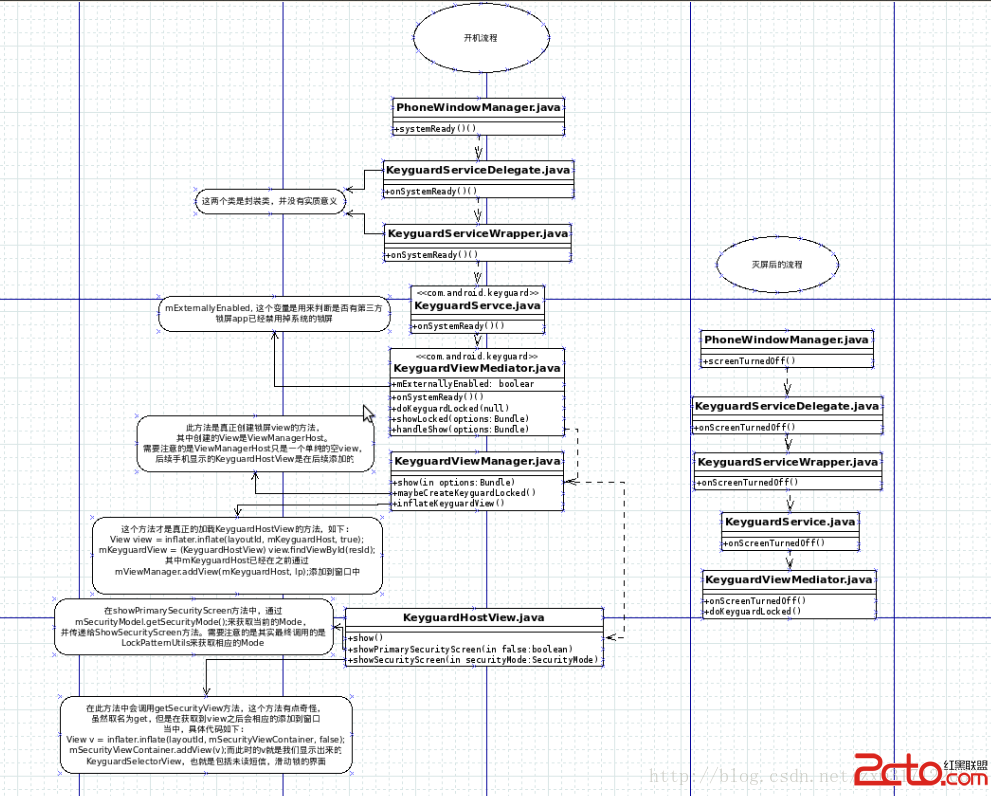 Android 4.4 Keyguard 鎖屏機制心得
在 Android 4.4 中,Keyguard 的實現可以從兩個核心問題理解:第一,最終要顯示的介面是 KeyguardHostView;第二,這個 View 必須被加
 結合 CircleImageView 與 CardView 製作圓形頭像列表
圓形頭像在現今的 App 裡隨處可見,視覺上確實比方形柔和。實作上有兩條路:一是在出圖階段就把素材裁成圓形,二是用自定義 View 在執行期自動把任意圖片裁圓。本文走第二
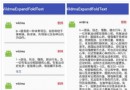 Android 仿朋友圈全文與收起功能的實作
在社群動態、留言與文章列表中,內容長度不一。若全部展開,頁面會很冗長;若一律折疊,又可能讓使用者錯過重點。因此常見做法是超過一定行數時顯示「全文」,點擊後再展開或收起。