

編輯:關於 Android 程式設計
今天碰到一個關於 Button 的問題:Button 上的英文字串會自動變成大寫,執行環境是 Android 5.1。
圖 1:Button

圖 2:TextView

Button 的定義如下:
<Button
    android:id="@+id/addContacts"
    android:layout_height="wrap_content"
    android:layout_width="match_parent"
    android:text="@string/contactList_addContact" />
TextView 的定義如下:
<TextView
    android:gravity="center"
    android:layout_height="0dp"
    android:layout_margin="10dp"
    android:layout_weight="1"
    android:layout_width="match_parent"
    android:text="@string/contactList_addContact"
    android:textSize="24sp" />
兩者引用的是同一個字串 contactList_addContact:
<string name="contactList_addContact">Add</string>結果 Button 顯示 ADD,TextView 顯示 Add。之前還真的沒遇到過,有點悶。更奇怪的是其他 Button 顯示都正常:

這兩個按鈕的定義是:
<LinearLayout
    android:gravity="center"
    android:layout_height="0dp"
    android:layout_margin="10dp"
    android:layout_weight="1"
    android:layout_width="fill_parent"
    android:orientation="horizontal">

    <Button
        android:gravity="center"
        android:id="@+id/btn_cancel"
        android:layout_height="fill_parent"
        android:layout_weight="1"
        android:layout_width="0dp"
        android:text="@string/btn_cancel"
        android:textColor="@color/black" />

    <Button
        android:gravity="center"
        android:id="@+id/btn_save"
        android:layout_height="fill_parent"
        android:layout_weight="1"
        android:layout_width="0dp"
        android:text="@string/btn_save"
        android:textColor="@color/black" />
</LinearLayout>
引用的字串是:
<string name="btn_cancel">Cancel</string>
<string name="btn_save">Save</string>
這兩個之所以「正常」,其實只是因為 Cancel 與 Save 這兩個字的確沒有大小寫混排的問題——它們本來就被強制全大寫了,只是不容易被察覺。
猜測是 Android 5.1 的 SDK 改了 Button 的預設 Style,把 textAllCaps 設為 true。查一下系統原始碼 frameworks/base/core/res/res/values/styles_material.xml 第 233 行:
<style name="TextAppearance.Material.Button">
    <item name="textSize">@dimen/text_size_button_material</item>
    <item name="fontFamily">@string/font_family_button_material</item>
    <item name="textAllCaps">true</item>
    <item name="textColor">?attr/textColorPrimary</item>
</style>
確實把 textAllCaps 設成了 true。這是 Material Design 規範的要求:按鈕文字一律使用大寫,以維持視覺一致性。所以這不是 bug,而是設計決定。
如果設計上必須保留原本的大小寫,只要在該按鈕的定義中加上 android:textAllCaps="false" 即可。這個屬性用來控制是否以全大寫呈現文字:
<Button
    android:id="@+id/addContacts"
    android:layout_height="wrap_content"
    android:layout_width="match_parent"
    android:text="@string/contactList_addContact"
    android:textAllCaps="false" />
改完後的效果:

補充幾個相關做法,視情況挑一種即可:
<item name="android:textAllCaps">false</item>,讓所有 Button 都恢復原樣。button.setAllCaps(false),適合需要動態切換的場景。順帶一提,textAllCaps 只改變繪製時的呈現,實際的 CharSequence 內容並沒有變。所以如果你的邏輯裡有比對 Button 文字字串的程式碼,不會因為這個屬性而受影響。
 Android 實戰(二十六):網絡圖片查看器的本地緩存
上一篇已經能把網絡上的圖片獲取下來了。生活中有這麼些場景:微信聯網打開別人的照片後,即使手機斷網,再去點擊那張圖片仍能完整看到。這並不是重新去網絡獲取,而是微信在首次加載
 Android GET 請求實作登入:把伺服器回傳內容顯示到控制項上
按下登入鈕之後,怎麼把伺服器回傳的資料寫進指定的控制項?在 Android 中又該怎麼實作?本文用實際程式碼走一遍,並示範一個幾乎每個人都會踩到的執行緒錯誤。 Log
 源碼分享:Android 即時通訊與 SNS 開源專案精選
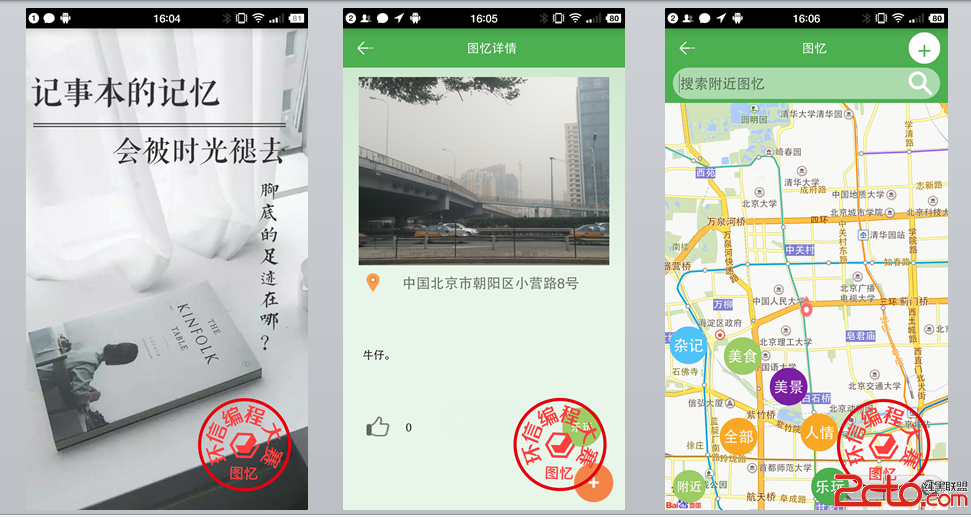
本文整理了一批適合 Android 開發者參考與二次開發的即時通訊與社交類開源專案,內容涵蓋聊天、朋友圈、位置社交、興趣社群、團隊協作等多種常見場景。部分專案已開源於 G
 Android 官方 Training 中文版:管理系統 UI 之隱藏狀態列
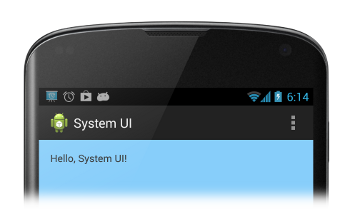
本節將說明如何在不同 Android 版本中隱藏狀態列(Status Bar)。隱藏狀態列能擴大內容顯示區域,為使用者帶來更沉浸式的體驗。 含有狀態列的應用: 隱藏狀態