

編輯:關於 Android 程式設計
Activity 之間傳值最常見的方式是 Intent 攜帶 Bundle。本文用最基礎的字符串傳遞演示完整流程。
Activity 跳轉通過顯式 Intent 完成,數據則用 putExtra() 掛在 Intent 上:
Intent intent = new Intent();
intent.setClass(MainActivity.this, OtherActivity.class);
intent.putExtra("姓名", "我是蘇蘇");
startActivity(intent);
可以把 Intent 的 extras 理解為一個鍵值集合:「姓名」是鍵,「我是蘇蘇」是值,一對一對應。
在目標 Activity 中通過 getIntent().getExtras() 拿到 Bundle,再按鍵取值:
Bundle bundle = getIntent().getExtras();
String name = bundle.getString("姓名");
Toast.makeText(OtherActivity.this, name, Toast.LENGTH_LONG).show();
其他基本類型同理,只是取值方法換一下:
int age = bundle.getInt("年齡");
double height = bundle.getDouble("身高");
boolean isVip = bundle.getBoolean("是否會員");MainActivity:
public class MainActivity extends Activity {

    private Button button;

    @Override
    protected void onCreate(Bundle savedInstanceState) {
        super.onCreate(savedInstanceState);
        setContentView(R.layout.activity_main);

        button = (Button) findViewById(R.id.button1);
        button.setOnClickListener(new OnClickListener() {
            @Override
            public void onClick(View v) {
                Intent intent = new Intent();
                intent.setClass(MainActivity.this, OtherActivity.class);
                intent.putExtra("姓名", "我是蘇蘇");
                startActivity(intent);
            }
        });
    }
}
OtherActivity:
public class OtherActivity extends Activity {

    @Override
    protected void onCreate(Bundle savedInstanceState) {
        super.onCreate(savedInstanceState);
        setContentView(R.layout.activity_other);

        Bundle bundle = getIntent().getExtras();
        if (bundle != null) {
            String name = bundle.getString("姓名");
            Toast.makeText(OtherActivity.this, name, Toast.LENGTH_LONG).show();
        }
    }
}
記得在 AndroidManifest.xml 中註冊 OtherActivity:
<activity android:name="com.example.activity.OtherActivity" />public static final String KEY_NAME = "name",避免兩端字符串不一致導致的隱患。startActivityForResult 加 setResult。 Android ListView 實作下拉刷新與上拉加載更多
本文為大家介紹 Android ListView 下拉刷新與上拉加載更多的實作方法,供大家參考。 一、ListView 優化方式 介面緩存:ViewHolder + co
 魅藍 metal 裝卡教學:雙卡與 TF 卡安裝方式
魅藍 metal 採用與或卡托設計,支援雙卡雙待。安裝 SIM 卡前,需先以卡針取出卡托。卡槽說明靠近機身內側為 SIM1,僅支援 Nano SIM;靠近外側為 SIM2
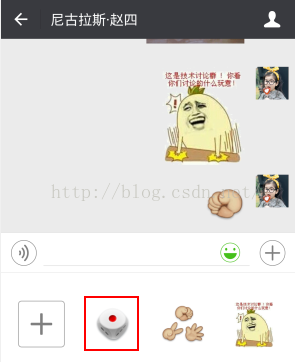 Android 逆向實戰:以 Xposed Hook 定位微信搖骰子隨機函數的完整思路
一、前言 先前一篇已經介紹過 Xposed 這個 Hook 神器,包含框架原理、安裝方式,以及如何撰寫第一個模塊去攔截並改寫系統方法的回傳值。當時也強調了一個關鍵環節:H
 Android 專案中套件名稱(Package)的修改流程
修改套件名稱時,常常會導致 R 檔案報錯,甚至出現 Manifest 檔案中多處文字莫名混亂的狀況。以下記錄一套認為最為簡潔可靠的修改流程。 假設目前的套件名稱為 com