

編輯:關於 Android 程式設計
在 Android 開發裡,文件的讀寫是最基礎也最常見的需求之一。本文整理了從權限申請、路徑獲取到讀寫、緩存與刪除的一系列常用操作,幫助你快速掌握核心要點。
在訪問外部存儲之前,必須先在清單文件中聲明相應權限:
...
需要注意的是,WRITE_EXTERNAL_STORAGE 已經隱含了讀取權限,因此只需申請寫入權限即可同時具備讀取能力。
若要在應用私有空間中定位文件,可以借助 getFilesDir():
File file = new File(context.getFilesDir(), filename);
使用 openFileOutput 即可將字符串寫入文件:
String filename = myfile;
String string = "Hello world!";
FileOutputStream outputStream;
try {
    outputStream = openFileOutput(filename, Context.MODE_PRIVATE);
    outputStream.write(string.getBytes());
    outputStream.close();
} catch (Exception e) {
    e.printStackTrace();
}
借助 File.createTempFile 可以在緩存目錄中創建臨時文件:
public File getTempFile(Context context, String url) {
    File file;
    try {
        String fileName = Uri.parse(url).getLastPathSegment();
        file = File.createTempFile(fileName, null, context.getCacheDir());
    } catch (IOException e) {
        // 創建文件時發生錯誤
    }
    return file;
}
在讀寫外部存儲前,最好先檢測其狀態:
/* SD卡是否可寫 */
public boolean isExternalStorageWritable() {
    String state = Environment.getExternalStorageState();
    if (Environment.MEDIA_MOUNTED.equals(state)) {
        return true;
    }
    return false;
}

/* SD卡是否可讀 */
public boolean isExternalStorageReadable() {
    String state = Environment.getExternalStorageState();
    if (Environment.MEDIA_MOUNTED.equals(state) ||
        Environment.MEDIA_MOUNTED_READ_ONLY.equals(state)) {
        return true;
    }
    return false;
}
如果希望創建一個公共文件,即使應用被卸載後文件依然保留:
public File getAlbumStorageDir(String albumName) {
    // Environment.DIRECTORY_PICTURES 為系統常量,代表圖片文件夾
    File file = new File(Environment.getExternalStoragePublicDirectory(
            Environment.DIRECTORY_PICTURES), albumName);
    if (!file.mkdirs()) {
        Log.e(LOG_TAG, "Directory not created");
    }
    return file;
}
如果希望文件隨應用卸載而被一併刪除,則應使用應用專屬目錄:
public File getAlbumStorageDir(Context context, String albumName) {
    // 若沒有合適的子目錄,可傳遞 null 給 getExternalFilesDir(),
    // 這將返回外部存儲上該應用專用目錄的根目錄
    File file = new File(context.getExternalFilesDir(
            Environment.DIRECTORY_PICTURES), albumName);
    if (!file.mkdirs()) {
        Log.e(LOG_TAG, "Directory not created");
    }
    return file;
}
諸如 DIRECTORY_PICTURES 這類 API 常量提供的目錄名稱至關重要,它們能確保系統正確處理文件。例如,存放在 DIRECTORY_RINGTONES 中的文件會被系統媒體掃描器識別為鈴聲,而非音樂。
最直接的方式是調用文件對象的 delete() 方法:
myFile.delete();
如果文件保存在內部存儲中,也可以通過 Context 調用 deleteFile() 來定位並刪除:
myContext.deleteFile(fileName);
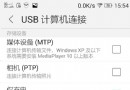 手機接電腦沒反應?MTP、USB除錯與Windows服務排查
手機接PC無法辨識,先檢查通知欄是否僅充電,切換到MTP或USB大容量儲存。若無提示,開啟USB除錯並安裝手機助手驅動。 若仍無效,可能是Windows的Device I
 從零搭建 Android 編譯環境:以全志 A20 與 Android 4.4 為例
要動手編譯整條 Android 原始碼,最花時間的往往不是編譯本身,而是把環境一個一個補齊。這篇把我在全志 A20 平台上從零建起編譯環境的完整過程記錄下來,包含踩到的坑
 打造自定義 TextView 倒計時元件,告別繁瑣的 Handler
從一個常見場景說起 登入頁面裡那個「點擊發送驗證碼後開始倒數」的計時效果,幾乎每個 App 都用得到。與其每次都用老套路去堆 Handler 和線程,不如封裝一個專屬的
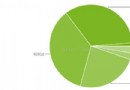 Android 從 1.0 到 6.0:各版本特性與演進全解析
從 2008 年到 2016 年,短短八年間 Android 從 1.0 一路迭代到 6.0。由於升級節奏極快,市面上的設備系統版本五花八門,業界把這種現象稱為「碎片化嚴