

編輯:關於 Android 程式設計
AndroidManifest 裡同時有 android:icon 和 android:logo 兩個屬性,很多人從沒想過它們有何不同,於是也從沒正確用過。搞懂這兩者的分工,ActionBar 的視覺呈現會專業很多。
官方說明大意如下:
An icon representing the activity. The icon is displayed to users when a representation of the activity is required on-screen. For example, icons for activities that initiate tasks are displayed in the launcher window. The icon is often accompanied by a label.
This attribute must be set as a reference to a drawable resource. If it is not set, the icon specified for the application as a whole is used instead.
The activity's icon — whether set here or by the application element — is also the default icon for all the activity's intent filters.
翻譯成白話:icon 代表「這個 Activity」,凡是系統需要一個圖形來指代它時就顯示這張圖,最典型的就是啟動器上的桌面圖標,通常還會搭配一個文字標籤。屬性值必須是 drawable 資源。若 Activity 沒設定,就沿用 application 的 icon。
An icon for the application as whole, and the default icon for each of the application's components. This attribute must be set as a reference to a drawable resource. There is no default icon.
與 Activity 的類似,但有兩個關鍵差異:application 的 icon 沒有預設值;而且它主要用在安裝介面與安裝包縮圖,並不包括桌面與啟動器圖標。桌面上顯示的,是主 Activity(一般叫 MainActivity)的 icon。
實務上的建議是:application 的 icon 用較精緻、細節豐富的方形圖(安裝器裡通常尺寸較大);MainActivity 的 icon 則要符合啟動器圖標的視覺規範。
A logo for the application as whole, and the default logo for activities. This attribute must be set as a reference to a drawable resource. There is no default logo.
logo 不會被當作桌面圖標,它只用於 Activity 的導航列(ActionBar)。而如果同時設定了 icon 與 logo,ActionBar 會完全用 logo 覆蓋 icon。
By default, the system uses your application icon in the action bar. However, if you also specify the logo attribute, then the action bar uses the logo image instead of the icon.
A logo should usually be wider than the icon, but should not include unnecessary text. You should generally use a logo only when it represents your brand in a traditional format that users recognize. A good example is the YouTube app's logo — the logo represents the expected user brand, whereas the app's icon is a modified version that conforms to the square requirement for the launcher icon.
重點整理:
ActionBar actionBar = getActionBar();
actionBar.setDisplayShowTitleEnabled(false);
actionBar.setDisplayShowHomeEnabled(false);
預設情況下,ActionBar 佔據 Activity 頂部並參與布局計算。設為 overlay 模式後,ActionBar 相當於浮在內容之上,不干涉 Activity 的布局,適合實作沉浸式的大圖首頁:
// 在 styles.xml 或 themes.xml 中
<item name="android:windowActionBarOverlay">true</item>

// 或在 Java 中
actionBar.setDisplayOptions(ActionBar.DISPLAY_SHOW_CUSTOM);
換句話說,icon 是「給系統和系統 UI 看的」,logo 是「給 App 內部介面看的」。兩者用途不重疊,最保險的做法是兩個都設,各自用合適的素材。
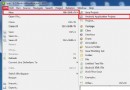 Android 工程目錄結構詳解
下面就一起來建立一個 Android 應用程式,並順道認識一下工程目錄的組成。建立步驟:File -> New -> Android Application
 Android EditText 詳解及示例代碼
EditText 在 API 中的結構 java.lang.Object → android.view.View → android.widget.TextView →
 Android 刮刮樂效果控制項實作分享
本文分享一個以 Android 自定義 View 實作的刮刮卡(刮獎)效果控制項,重點在於用 Canvas 搭配 Xfermode 做出「越刮越透」的視覺,並附上可直接套
 Android 實現圖片與文字上下排列的 RadioButton 布局
在 Android 開發中,經常會用到帶文字和圖片的按鈕。下面介紹如何使用 RadioButton 實現圖片和文字的上下布局(或左右布局),代碼非常簡單,就不多做解釋了。