

編輯:關於 Android 程式設計
所謂跑馬燈效果,就是當文字內容超過控制項能容納的寬度時,讓文字在控制項內水平滾動顯示。要觸發這個效果,前提是文字必須比顯示它的控制項還長,也就是外層控制項無法完整顯示內部文字。
最簡單的做法,是在 TextView 上設定以下幾個屬性:
android:singleLine="true"
android:ellipsize="marquee"
android:focusableInTouchMode="true"
android:focusable="true"
android:marqueeRepeatLimit="marquee_forever"
問題在於:當文字需要一直滾動時,焦點有可能被其他控制項搶走,導致滾動中斷。這時候就得自訂控制項,讓 TextView 永遠「假裝」自己擁有焦點。
package com.xxx.test2;
import android.content.Context;
import android.graphics.Rect;
import android.util.AttributeSet;
import android.widget.TextView;

public class MyTextView extends TextView {
    public MyTextView(Context context, AttributeSet attrs) {
        super(context, attrs);
    }

    protected void onFocusChanged(boolean focused, int direction, Rect previouslyFocusedRect) {
        if (focused) super.onFocusChanged(focused, direction, previouslyFocusedRect);
    }

    @Override
    public void onWindowFocusChanged(boolean focused) {
        if (focused) super.onWindowFocusChanged(focused);
    }

    @Override
    public boolean isFocused() {
        return true; // 永遠回傳 true,假裝這個控制項一直握有焦點
    }
}
接著在布局檔中改用這個自訂控制項:
在 TextView 的原始碼裡,有這麼兩行:
boolean clickable = focusable;
boolean longClickable = focusable;
初始化時 clickable 會被賦上 focusable 的值,但後續還有一段解析屬性的邏輯:
for (int i = 0; i < n; i++) {
    int attr = a.getIndex(i);
    switch (attr) {
        case com.android.internal.R.styleable.View_focusable:
            focusable = a.getBoolean(attr, focusable);
            break;
        case com.android.internal.R.styleable.View_clickable:
            clickable = a.getBoolean(attr, clickable);
            break;
        case com.android.internal.R.styleable.View_longClickable:
            longClickable = a.getBoolean(attr, longClickable);
            break;
    }
}
a.recycle();
setFocusable(focusable);
setClickable(clickable);
預設情況下 TextView 是不可點擊的。很多文章都說只要在 XML 裡加上 android:clickable="true" 就能點擊,但實測會遇到一個矛盾現象。
在布局中設定:
在 Activity 中測試:
final TextView tv1 = (TextView) findViewById(R.id.textView1);
Toast.makeText(MainActivity.this, "duang.." + tv1.isClickable(), 0).show();
tv1.setOnClickListener(new OnClickListener() {
    @Override
    public void onClick(View v) {
        Toast.makeText(MainActivity.this, "我被點擊了" + tv1.isClickable(), 0).show();
    }
});
結果顯示為 duang..false。推測原因是:為 TextView 設定了點擊事件後,被點擊時會改變 isClickable 的值,但能否被點擊又取決於 isClickable,兩者之間存在一個先有雞還是先有蛋的矛盾,值得進一步探究。
 五大 Android 圖片加載庫全面對比:UIL、Volley、Picasso、Fresco 與 Glide
前言 在 Android 上載入網路圖片,長久以來都是件麻煩事:要處理非同步、快取、重試、記憶體回收、列表捲動時的重複請求……還好社群多年耕耘,已經誕生了一批成熟方案。
 Android 自定義 ListView 的視差滾動效果
視差效果常見於首頁頭圖、引導頁與品牌頁面,其核心是讓不同層級的內容以不同速度移動,營造景深與動態感。本文以 ListView 為例,說明如何讓 HeaderView 在使
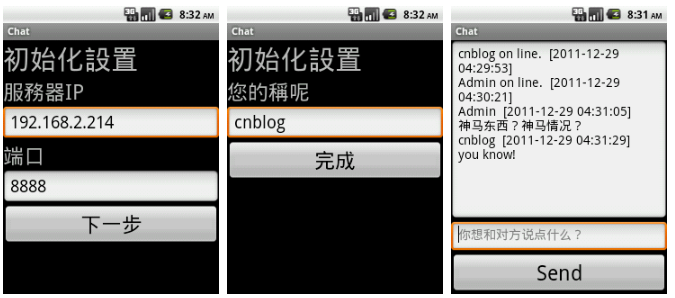 Android 以 Socket 打造多人聊天室:從 ServerSocket 到完整客戶端實作
Socket 是 TCP/IP 協定上的一種通訊機制:在通訊的兩端各建立一個 Socket,從而在兩端之間形成一條網络虛擬鏈路。虛擬鏈路一旦建立,兩端的程式就能透過它雙向
 動手做一個仿淘寶的三級地區選擇器
前陣子用淘寶改地址時,注意到那個地區選擇的滾動效果——每個項目都是從下方飛進來貼住上一個,看起來頗有意思,於是決定自己仿一個來玩玩。 先對照一下效果。淘寶的版本: 我自