

編輯:關於 Android 程式設計
剛入門的時候,遇到相似需求的第一反應往往是複製貼上。短期看來很快,長期卻會累積出可觀的工作量與維護成本:同一段邏輯散落在十個檔案裡,改一處就得改十處。
以下整理五種提升 Android 程式碼 reuse 的做法,由淺入深。為了容易理解,例子都刻意寫得簡單。
include 顧名思義就是「包含」。最典型的場景是 App 的標題列——每個頁面的標題區結構幾乎一樣,卻要在每個 XML 裡重寫一遍。
先建立 layout/include_title.xml:
<RelativeLayout xmlns:android="https://schemas.android.com/apk/res/android"
    android:layout_width="match_parent"
    android:layout_height="50dp"
    android:background="@color/blue">

    <ImageButton
        android:id="@+id/imgbtnback"
        android:layout_width="40dp"
        android:layout_height="fill_parent"
        android:background="@color/transparent"
        android:src="@drawable/fanhui" />

    <TextView
        android:id="@+id/tvtitle"
        android:layout_width="wrap_content"
        android:layout_height="wrap_content"
        android:layout_centerInParent="true"
        android:text="標題"
        android:textColor="@color/white"
        android:textSize="20dp" />
</RelativeLayout>
接著在任何需要的頁面裡一行帶入:
<LinearLayout xmlns:android="https://schemas.android.com/apk/res/android"
    android:layout_width="match_parent"
    android:layout_height="match_parent"
    android:orientation="vertical">

    <include layout="@layout/include_title" />
</LinearLayout>
有些功能幾乎每個頁面都要用,例如 Toast、Dialog。與其在各處重寫,不如封裝進一個基底 Activity,需要時繼承它、直接呼叫方法。
import android.app.Activity;
import android.widget.Toast;

public class BaseActivity extends Activity {

    /** 彈出提示(string 資源 id) */
    public void showToast(int intContent) {
        Toast.makeText(getApplication(), intContent, Toast.LENGTH_SHORT).show();
    }

    /** 彈出提示(字串) */
    public void showToast(String strContent) {
        Toast.makeText(getApplication(), strContent, Toast.LENGTH_SHORT).show();
    }
}
之後任何頁面只要 extends BaseActivity,就能直接 showToast("...")。同名方法的不同參數版本(overloading)讓呼叫端不必記兩套 API。
第二點談的是畫面效果的 reuse,這裡談的是功能邏輯的 reuse。當某個運算或處理被反覆呼叫時,把它抽成獨立類別,就是 MVC 中的 Model 層。
/** 工具類 */
public class Tools {
    public static void outPut(Object obj) {
        System.out.println(obj);
    }
}
需要時直接 Tools.outPut(obj)。用 static 是因為這類方法通常無狀態;若某工具需要持有狀態(例如快取),就該改成單例或交由依賴注入管理。
開發時難免會用到大量顏色值與文字。把它們散落在各個配置檔裡,日後改需求就得全專案搜尋;集中管理則改一處即可,同時也方便做多語系與主題切換。
<!-- res/values/color.xml -->
<resources>
    <color name="transparent">#00000000</color>
    <color name="black">#000000</color>
    <color name="blue">#5DC0F8</color>
</resources>
使用時寫 @color/blue 或 @string/app_name,IDE 也會對這些資源名稱提供 autocomplete 與錯誤檢查。
做到第三、四個專案時你會發現,很多功能與視覺效果彼此高度相似。這時候就該把這些基本程式碼收攏成一個 library module 或 AAR,之後新專案直接依賴,不必重寫。 conceptually 這跟引入開源框架是同一件事,只是來源換成自己的資產。
過度抽象也是一種成本。 reuse 的判斷標準很簡單:當你第二次複製貼上同一段程式時,就是該抽出来的时候。
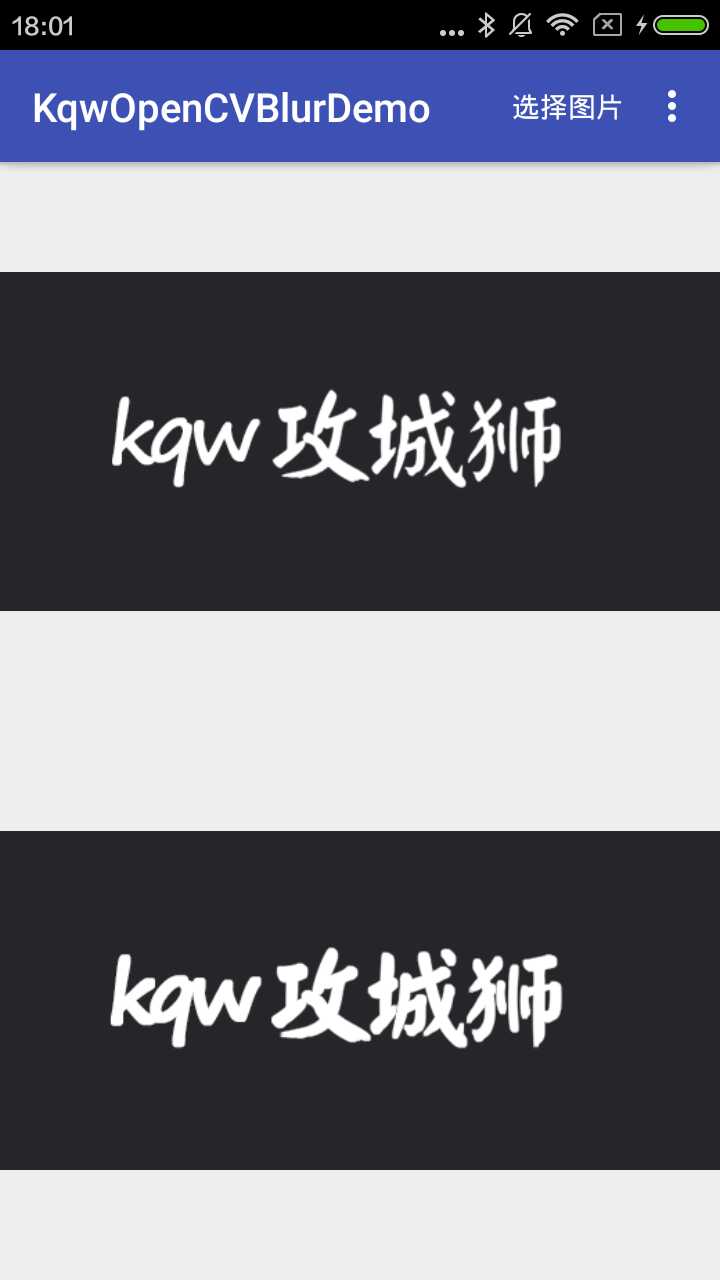 OpenCV 實作圖像亮區擴張(膨脹)與 RxJava 執行緒切換
效果預覽 原理與核心程式碼 專案:KqwOpenCVBlurDemo 亮區擴張也叫膨脹。要實現這樣的效果,我們選取一個合適大小的核(kernel),用被核覆蓋區域中
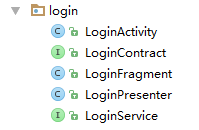 自製 Android Studio MVP 專案模板,告別重複建立類別
最近仿照官方的 MVP 模式進行開發,結構如下: 每個模組都需要寫 Activity、Contract、Fragment、Presenter,實在很麻煩,於是我就在想:
 仿 Holo 風格的滾輪時間選擇器:讓低版本 Android 也能用
Android 4.0 之後才有的 Holo 介面風格,是那個年代 Android 設計語言的轉捩點。問題是市面上的機型版本五花門,若想讓 2.x 的使用者也看到一致的視
 應用內懸浮窗怎麼做?從 WindowManager 到服務與權限的完整拆解
先搞清楚懸浮窗是什麼 懸浮窗本質上就是一個系統級視窗,凌駕於應用之上。Android 把所有的視窗交給 WindowManagerService(WMS)統一管理,對 W