

編輯:關於 Android 程式設計
開發中常需要格式化時間、取得裝置識別碼與系統版本。
public static String getDataTime(String format) {
    SimpleDateFormat df = new SimpleDateFormat(format);
    return df.format(new Date());
}
public static String getPhoneIMEI(Context context) {
TelephonyManager tm = (TelephonyManager)
context.getSystemService(Context.TELEPHONY_SERVICE);
return tm.getDeviceId();
}public static boolean checkNet(Context context) {
ConnectivityManager cm = (ConnectivityManager)
context.getSystemService(Context.CONNECTIVITY_SERVICE);
NetworkInfo info = cm.getActiveNetworkInfo();
return info != null;
}public static void goHome(Context context) {
Intent intent = new Intent(Intent.ACTION_MAIN);
intent.addCategory(Intent.CATEGORY_HOME);
intent.addFlags(Intent.FLAG_ACTIVITY_NEW_TASK);
context.startActivity(intent);
}這些方法可整理成工具類,減少重複程式碼。但涉及隱私或系統權限時,仍需注意平台規範與使用者授權。
 Android 性能優化入門:TraceView 工具篇
Android 性能優化是開發中經常遇到的問題。所謂「工欲善其事,必先利其器」,本文先從工具談起,介紹 Android 性能優化中最得力的幫手——TraceView。 T
 仿微信語音對講:自定義錄音按鈕與策略模式解耦實作
微信的「按住說話」幾乎成了語音輸入的標準交互。它其實不難實現,核心就是一個自定義 Button 攔截觸摸事件,加上一個背景服務等級的錄音流程。本文把這個按鈕封裝成獨立控制
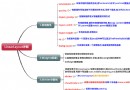 Android LinearLayout 線性布局介紹
LinearLayout 是 Android 中最常用的布局之一,它會將子元件排列成單一方向,可以是水平也可以是垂直。對於表單、清單、橫幅與簡單頁面結構,LinearLa
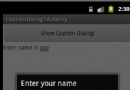 Android 自訂 Dialog 對話框實例:從基礎版到炫酷升級版
在使用 Android SDK 提供的 AlertDialog 時,常常會因為系統版本或第三方 ROM(例如 MIUI)的差異而出現不一致的外觀效果。為了獲得統一且可控的