

編輯:關於 Android 程式設計
動態註冊必須在 Activity 的 onCreate() 執行後才生效,程式沒在跑就收不到廣播。靜態註冊寫在 manifest 中,不依賴程式是否處於執行狀態;代價則是靈活度不如動態註冊。以下用一個每隔三秒發送一次廣播的範例來說明。
package com.example.staticbroadcastreceiverdemo;

import android.app.Activity;
import android.content.Intent;
import android.os.Bundle;
import android.os.Handler;
import android.os.Message;
import android.os.SystemClock;

public class MainActivity extends Activity {

    private Handler myHandler;
    // 用於發送廣播的 Intent
    private Intent myIntent;
    // 子執行緒的執行標記
    private boolean tag = false;

    @Override
    protected void onCreate(Bundle savedInstanceState) {
        super.onCreate(savedInstanceState);
        setContentView(R.layout.fragment_main);

        myIntent = new Intent();
        myIntent.setAction("com.vrinux.static"); // 設定過濾條件

        // Handler 收到子執行緒每 3 秒一次的消息後,就送出一個廣播
        myHandler = new Handler() {
            @Override
            public void handleMessage(Message msg) {
                super.handleMessage(msg);
                int count = msg.arg1;
                myIntent.putExtra("text", "來自 activity 的廣播~ " + count);
                sendBroadcast(myIntent);
            }
        };

        new Thread(new Runnable() {
            int count = 0;

            @Override
            public void run() {
                tag = true;
                while (tag) {
                    Message msg = Message.obtain();
                    msg.arg1 = count;
                    myHandler.sendMessage(msg);
                    SystemClock.sleep(3000);
                    count += 1;
                }
            }
        }).start();
    }

    @Override
    protected void onDestroy() {
        super.onDestroy();
        // Activity 銷毀時把標記設為 false
        // 若不這麼做,程式退出後螢幕上仍會持續跳出 Toast
        // 由此可見:1. 執行緒啟動後不會隨 Activity 銷毀而結束
        //         2. 靜態註冊的廣播不依賴程式是否執行
        if (tag) {
            tag = false;
        }
    }
}
package com.example.staticbroadcastreceiverdemo;

import android.content.BroadcastReceiver;
import android.content.Context;
import android.content.Intent;
import android.util.Log;
import android.widget.Toast;

// 繼承 BroadcastReceiver
public class PlaneBroadcastReceiver extends BroadcastReceiver {

    @Override
    public void onReceive(Context context, Intent intent) {
        Log.i("MainActivity", "PlaneBroadcastReceiver");
        // 取出 Intent 帶來的內容
        String text = intent.getStringExtra("text");
        // 顯示在螢幕上
        Toast.makeText(context, text, Toast.LENGTH_LONG).show();
    }
}
<manifest android:versionCode="1"
    android:versionName="1.0"
    package="com.example.staticbroadcastreceiverdemo"
    xmlns:android="https://schemas.android.com/apk/res/android">

    <uses-sdk android:minSdkVersion="14" android:targetSdkVersion="15" />

    <application>
        <activity android:name=".MainActivity">
            <intent-filter>
                <action android:name="android.intent.action.MAIN" />
                <category android:name="android.intent.category.LAUNCHER" />
            </intent-filter>
        </activity>

        <!-- 註冊廣播接收器並設定過濾條件 -->
        <receiver android:name=".PlaneBroadcastReceiver"
            android:enabled="true"
            android:exported="true">
            <intent-filter>
                <action android:name="com.vrinux.static" />
            </intent-filter>
        </receiver>
    </application>
</manifest>
這個範例也順帶說明了兩件事:執行緒一旦啟動就不會隨著 Activity 銷毀而結束,需要自行用旗標控制;而靜態註冊的接收器在程式未啟動時同樣能收到自送的自訂廣播。實務上要留意,Android 8.0 之後對隱含廣播的靜態註冊有嚴格限制,自訂 action 若要在背景接收,仍需搭配動態註冊或改用 JobScheduler、WorkManager 等方案。
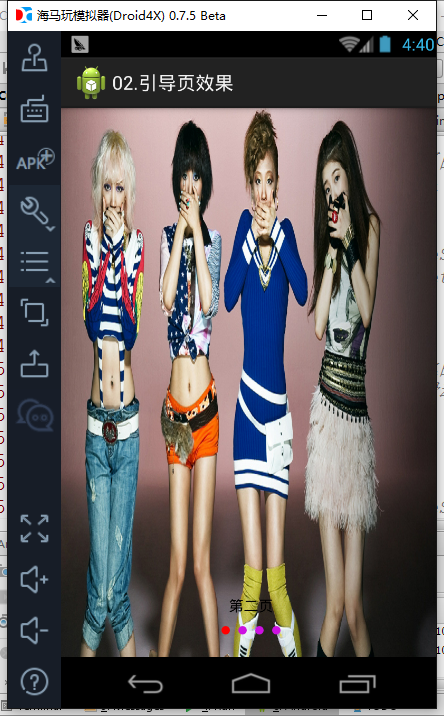 Android ViewPager 打造引導頁與圓點指示器完整實踐
對熟悉 Android 開發的朋友來說,ViewPager 幾乎是家喻戶曉的元件,它的運作邏輯與 ListView 有許多相通之處,有興趣的讀者可以對照先前的《ListV
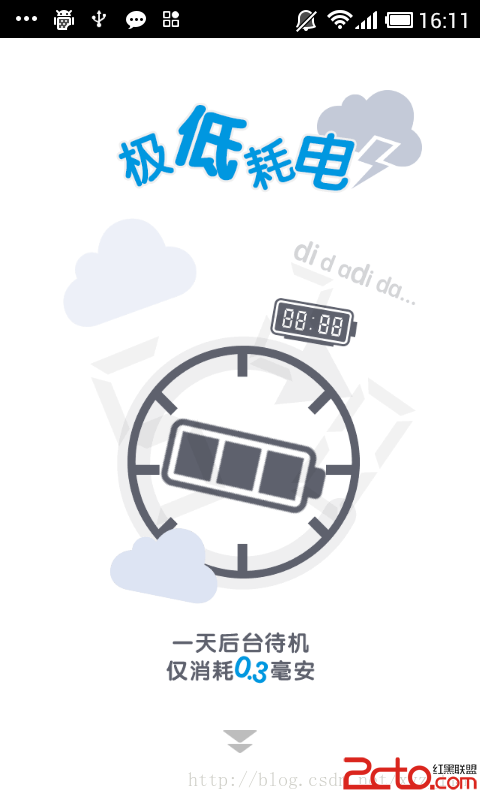 Android UI 開發(四十三):用 Property Animation 重現墨跡天氣 3.0 引導頁動畫
先前寫過《墨跡天氣 3.0 引導界面及動畫實現》,那篇使用的是 View Animation;本篇改用 Property Animation 重做一遍。Property
 Android 基礎整合專案:節日群發助手(三)
本篇目標延續前兩篇的聯絡人讀取、SQLite 存取與 ListView 全選功能,本篇完成節日群發助手的第三個畫面:解析 Intent 傳入的聯絡人 ID、讀取祝福語、切
 自定義狀態切換控件:SwitchButton 與 SegmentControl 的三種實現
開關與頁面/狀態切換在 Android 中隨處可見,原生也有 RadioGroup、TabHost 等方案。本文換個角度,參照 iOS 兩種常見樣式——SwitchBut