

編輯:關於 Android 程式設計
除了快取之外,還有幾件事能改善 GC 壓力與 Bitmap 復用效率,而最佳策略會隨 Android 版本而異。
在 Android 2.2(API 8)之前,GC 觸發時主線程會完全停住,造成明顯卡頓並影響操作手感。Android 2.3 起導入並行 GC,只要 Bitmap 不再被引用,記憶體就能很快回收。
更關鍵的是像素資料的位置:在 Android 2.3.3(API 10)之前,Bitmap 物件本身位於 Java heap,但像素資料在底層記憶體,回收時機不可預期,很容易導致應用超出記憶體上限而崩潰。Android 3.0 之後,兩者都改放在 Java heap 中。
這個年代顯示大圖極易觸發 OutOfMemoryError,因此建議主動呼叫 recycle() 盡快釋放。但前提必須是「確定該 Bitmap 再也不會被使用」,否則後續繪製時會得到 Canvas: trying to use a recycled bitmap 的例外。
以下用參考計數的方式追蹤狀態:同時滿足「顯示計數與快取計數皆為 0」且「Bitmap 非 null 且未回收」時才執行釋放。
private int mCacheRefCount = 0;
private int mDisplayRefCount = 0;

// 顯示狀態改變
public void setIsDisplayed(boolean isDisplayed) {
    synchronized (this) {
        if (isDisplayed) {
            mDisplayRefCount++;
            mHasBeenDisplayed = true;
        } else {
            mDisplayRefCount--;
        }
    }
    checkState();
}

// 快取狀態改變
public void setIsCached(boolean isCached) {
    synchronized (this) {
        if (isCached) mCacheRefCount++;
        else mCacheRefCount--;
    }
    checkState();
}

private synchronized void checkState() {
    if (mCacheRefCount <= 0 && mDisplayRefCount <= 0
            && mHasBeenDisplayed && hasValidBitmap()) {
        getBitmap().recycle();
    }
}

private synchronized boolean hasValidBitmap() {
    Bitmap bitmap = getBitmap();
    return bitmap != null && !bitmap.isRecycled();
}
Android 3.0(API 11)新增了 BitmapFactory.Options.inBitmap 欄位。若設定此欄位,decode 方法會嘗試復用一張既有 Bitmap 來承載新內容,等於跳過配置與釋放的開銷。限制是:在 Android 4.4(API 19)之前,只有尺寸完全相同的 Bitmap 才能被復用。
首先在 Bitmap 被 LruCache 淘汰時,把它存入一個軟參考的集合,保留復用機會:
Set<SoftReference<Bitmap>> mReusableBitmaps;
private LruCache<String, BitmapDrawable> mMemoryCache;

if (Utils.hasHoneycomb()) {
    mReusableBitmaps = Collections.synchronizedSet(
            new HashSet<SoftReference<Bitmap>>());
}

mMemoryCache = new LruCache<String, BitmapDrawable>(mCacheParams.memCacheSize) {
    @Override
    protected void entryRemoved(boolean evicted, String key,
                                BitmapDrawable oldValue, BitmapDrawable newValue) {
        if (RecyclingBitmapDrawable.class.isInstance(oldValue)) {
            ((RecyclingBitmapDrawable) oldValue).setIsCached(false);
        } else if (Utils.hasHoneycomb()) {
            // 加入軟參考集合,供日後 inBitmap 使用
            mReusableBitmaps.add(new SoftReference<>(oldValue.getBitmap()));
        }
    }
};
解碼時嘗試掛上 inBitmap:
private static void addInBitmapOptions(BitmapFactory.Options options, ImageCache cache) {
    // inBitmap 只作用於 mutable Bitmap,因此強制解碼器回傳 mutable
    options.inMutable = true;
    if (cache != null) {
        Bitmap inBitmap = cache.getBitmapFromReusableSet(options);
        if (inBitmap != null) {
            options.inBitmap = inBitmap;
        }
    }
}

/** 在可復用集合中尋找一張符合條件的 Bitmap */
protected Bitmap getBitmapFromReusableSet(BitmapFactory.Options options) {
    Bitmap bitmap = null;
    if (mReusableBitmaps != null && !mReusableBitmaps.isEmpty()) {
        synchronized (mReusableBitmaps) {
            final Iterator<SoftReference<Bitmap>> iterator = mReusableBitmaps.iterator();
            Bitmap item;
            while (iterator.hasNext()) {
                item = iterator.next().get();
                if (item != null && item.isMutable()) {
                    if (canUseForInBitmap(item, options)) {
                        bitmap = item;
                        iterator.remove();   // 用掉就不再保留
                        break;
                    }
                } else {
                    iterator.remove();       // 參考已被清除
                }
            }
        }
    }
    return bitmap;
}
最後是尺寸判斷,這裡正好體現版本差異:
static boolean canUseForInBitmap(Bitmap candidate, BitmapFactory.Options targetOptions) {
    if (Build.VERSION.SDK_INT >= Build.VERSION_CODES.KITKAT) {
        // 4.4 之後:只要新 Bitmap 的位元組數不超過候選者即可
        int width = targetOptions.outWidth / targetOptions.inSampleSize;
        int height = targetOptions.outHeight / targetOptions.inSampleSize;
        int byteCount = width * height * getBytesPerPixel(candidate.getConfig());
        return byteCount <= candidate.getAllocationByteCount();
    }
    // 較舊版本:寬高必須完全相同,且 inSampleSize 為 1
    return candidate.getWidth() == targetOptions.outWidth
            && candidate.getHeight() == targetOptions.outHeight
            && targetOptions.inSampleSize == 1;
}

static int getBytesPerPixel(Config config) {
    if (config == Config.ARGB_8888) return 4;
    if (config == Config.RGB_565) return 2;
    if (config == Config.ARGB_4444) return 2;
    if (config == Config.ALPHA_8) return 1;
    return 1;
}
今天的 Android 專案已不需要處理 API 10 以下的 recycle() 邏輯。實務上的優先順序是:先依需求下採樣(inSampleSize)把圖片縮到真正需要的尺寸、選用 RGB_565 等較省的色彩配置、把快取交給 LruCache 或成熟映像庫,並在清單中於 Android 12 以上宣告 android:largeHeap 前先審慎評估。inBitmap 的細節仍值得理解,因為它說明了「記憶體復用」這件事為何能省下大量配置開銷。
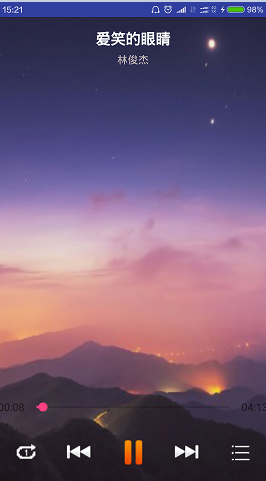 Android 練習項目:Mp3 播放器實現(二)播放控制與模式切換
折騰了幾天之後,迎來 Mp3 播放器的第二篇。上一篇完成了歌曲掃描與列表展示,這一篇主要解決播放控制:播放/暫停、上一首、下一首,以及順序播放、列表循環、單曲循環、隨機播
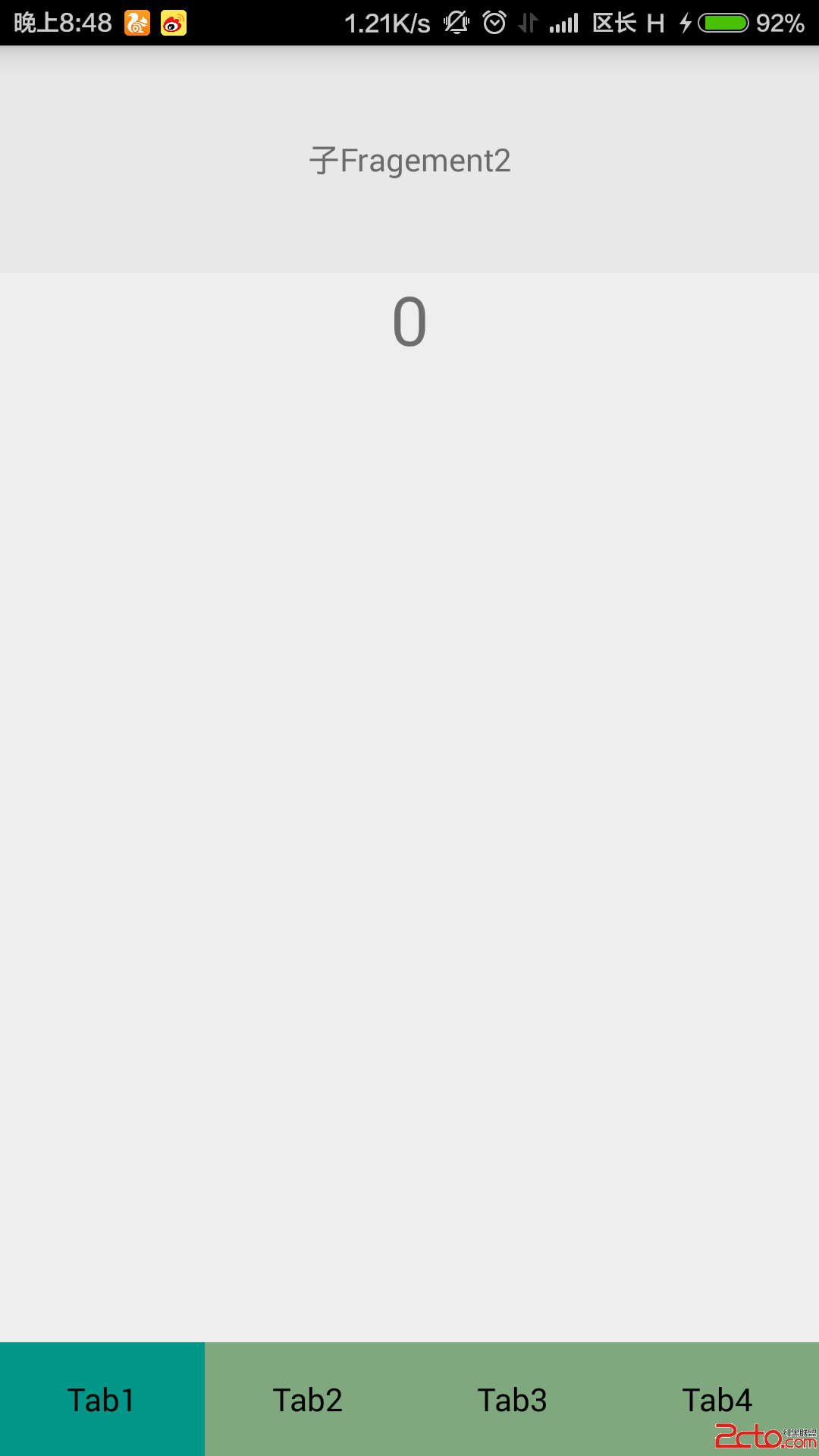 用 ViewPager 實作底部 Tab:改造一個組件就夠了
QQ、微信這類一線 App 為了與 iOS 的視覺語言保持一致,多採用底部導航。Android 並不排斥這種設計,本篇就用 ViewPager 把效果做出來,順便示範 V
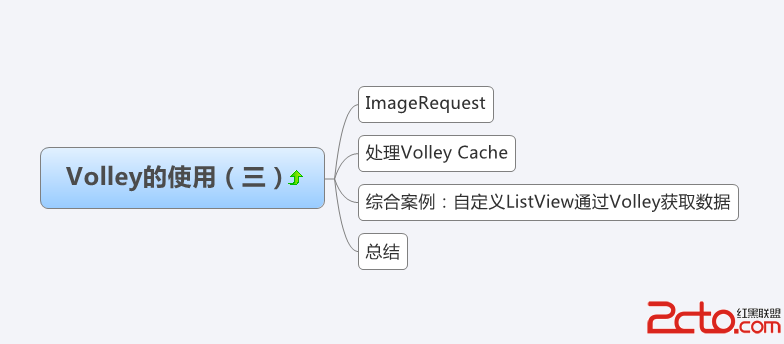 Android Volley 框架深入:圖片加載與緩存機制全解
Volley 的學習接近尾聲。之所以拆成多篇來寫、細節講得比較碎,是因為後面還要接觸幾個 Android 網絡框架——把 Volley 真正吃透,再去看它們會輕鬆很多。本
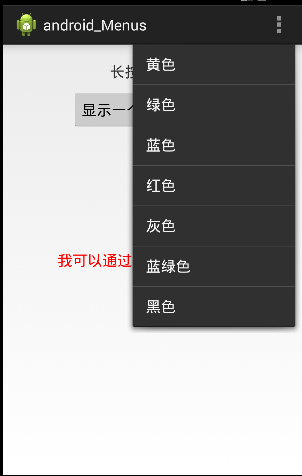 Android UI 控件之菜單(Menu)全解
(一)概述 這一章來聊聊 Android 裡的 Menu。系統提供的菜單主要有三類: OptionMenu:選項菜單,最常見的一種,早期通過 Menu 鍵調出 SubM