

編輯:關於 Android 程式設計
理解 Fragment 生命週期,最直覺的方式就是看兩張流程圖,再搭配實際跑一次 log。
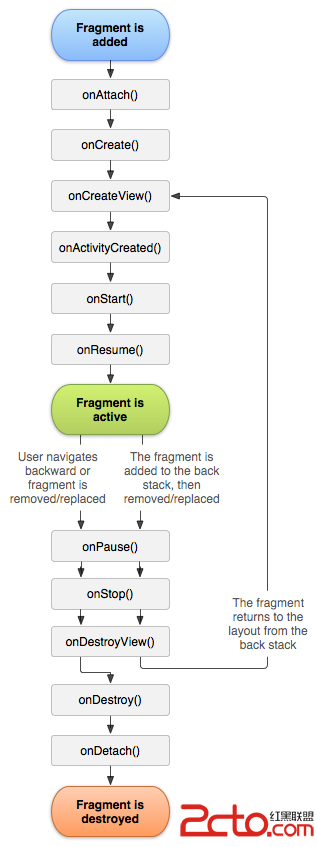
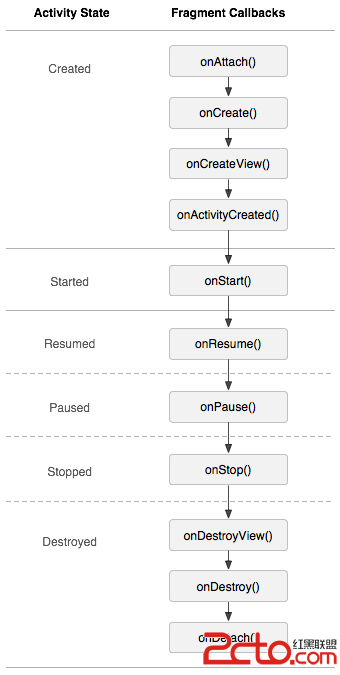
以下用實際 log 走訪各種操作情境,會更清楚每個回呼的觸發時機。
11-29 14:26:35.095: D/AppListFragment(7649): onAttach
11-29 14:26:35.095: D/AppListFragment(7649): onCreate
11-29 14:26:35.095: D/AppListFragment(7649): onCreateView
11-29 14:26:35.100: D/AppListFragment(7649): onActivityCreated
11-29 14:26:35.120: D/AppListFragment(7649): onStart
11-29 14:26:35.120: D/AppListFragment(7649): onResume
11-29 14:27:35.185: D/AppListFragment(7649): onPause
11-29 14:27:35.205: D/AppListFragment(7649): onSaveInstanceState
11-29 14:27:35.205: D/AppListFragment(7649): onStop
11-29 14:33:13.240: D/AppListFragment(7649): onStart
11-29 14:33:13.275: D/AppListFragment(7649): onResume
11-29 14:33:33.655: D/AppListFragment(7649): onPause
11-29 14:33:33.655: D/AppListFragment(7649): onStop
11-29 14:33:33.660: D/AppListFragment(7649): onDestroyView
11-29 14:33:55.820: D/AppListFragment(7649): onCreateView
11-29 14:33:55.825: D/AppListFragment(7649): onActivityCreated
11-29 14:33:55.825: D/AppListFragment(7649): onStart
11-29 14:33:55.825: D/AppListFragment(7649): onResume
11-29 14:34:26.590: D/AppListFragment(7649): onPause
11-29 14:34:26.880: D/AppListFragment(7649): onSaveInstanceState
11-29 14:34:26.880: D/AppListFragment(7649): onStop
11-29 14:36:51.940: D/AppListFragment(7649): onStart
11-29 14:36:51.940: D/AppListFragment(7649): onResume
11-29 14:37:03.020: D/AppListFragment(7649): onPause
11-29 14:37:03.155: D/AppListFragment(7649): onStop
11-29 14:37:03.155: D/AppListFragment(7649): onDestroyView
11-29 14:37:03.165: D/AppListFragment(7649): onDestroy
11-29 14:37:03.165: D/AppListFragment(7649): onDetach
相較於 Activity,Fragment 多了 onAttach、onActivityCreated、onDestroyView、onDetach 等回呼,能與 Activity 完整對接。掌握這些時機,才能在正確的地方做資源初始化與釋放。
 Android 畫板實作:使用 SurfaceView 與 Path 繪圖
想製作簡單的 Android 畫板,可以使用 SurfaceView 搭配 Path 與 Paint。它適合需要持續繪圖的場景,能減少主檢視繪製壓力。 核心元件 Sur
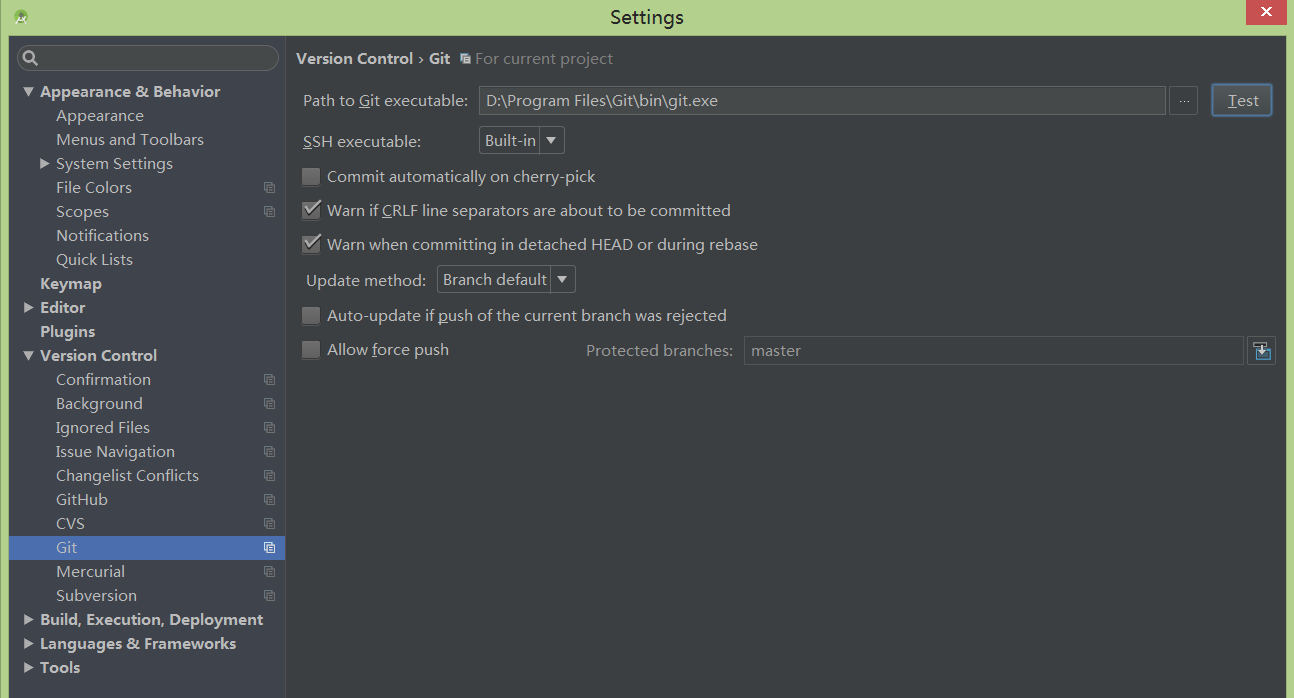 Android Studio 專案提交到 GitHub 的完整流程
Git 與 GitHub 的關係 Git 是分散式版本控制系統,適合管理從小型到大型專案的歷史變更。GitHub 則是提供 Git 服務的網站,讓開發者不必自行架設伺服器
 紅米Pro與樂視2 Pro對比 兩款十核機誰更強
紅米Pro昨日正式亮相,這款售價1499元的紅米新品,很快就被拿來和樂視2 Pro做比較。到底紅米Pro和樂視2 Pro哪個更好?下面小編就帶來詳細對比。 樂視2 Pro
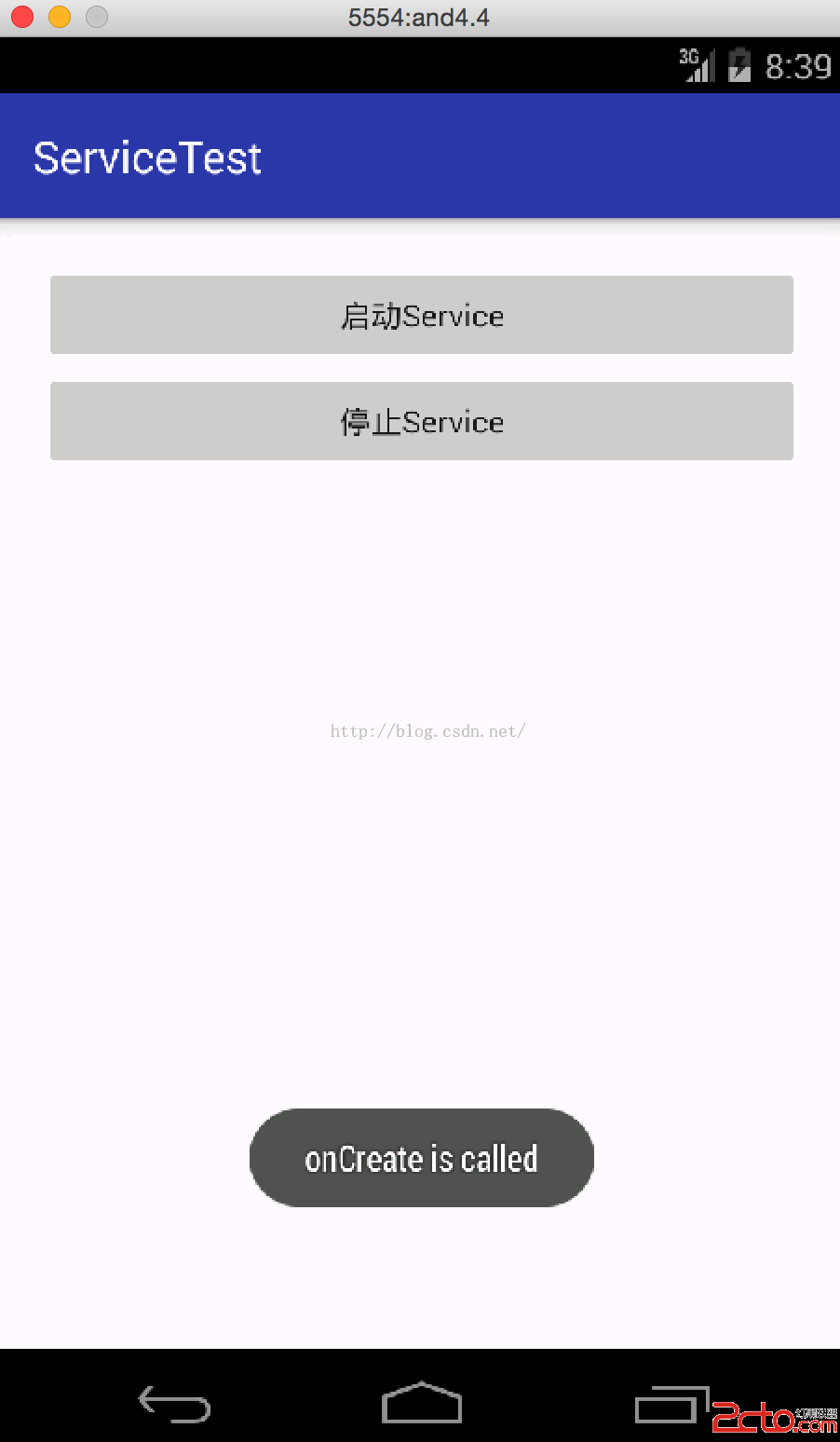 Android Service 初體驗:啟動、綁定與前台服務
Service 是 Android 四大元件之一,主要用於在背景執行不需要使用者互動的工作,例如播放音樂、下載檔案或執行長時間運算。與 Activity 不同,Servi