

編輯:關於 Android 程式設計
這份筆記把常用佈局與控制元件的屬性整理成可速查的形式,適合寫 XML 時對照。
orientation 決定排列方向,horizontal 為水平、vertical 為垂直。
layout_weight 用來分配剩餘空間:水平佈局時分配的是寬度,垂直佈局時分配的是高度。
使用 weight 時有一個必要條件:該方向的尺寸不能寫成 match_parent 或 fill_parent,否則比例計算會失效。慣例是寫 0dp,讓 View 完全靠 weight 撐開。
用 <TabRow> 標籤定義一行,多個 TabRow 組成多列。
缺陷在於列與列的對齊關係會互相影響——第一列的欄位寬度會牽動底下所有列,很難做出真正獨立的表格效果。需要複雜表格時應改用 TableLayout 或 GridLayout。
核心是描述 View 之間的相對關係。
相對於父容器:layout_centerInParent(是否置中)、layout_alignParentTop / layout_alignParentBottom / layout_alignParentLeft / layout_alignParentRight(是否貼齊父容器各邊)、layout_centerVertical(垂直居中)、layout_centerHorizontal(水平居中)。
相對於其他 View:layout_above="@view"(在誰的上面)、layout_below="@view"(在誰的下面)、layout_toLeftOf="@view"(在誰的左邊)、layout_toRightOf="@view"(在誰的右邊)。
邊緣對齊:layout_alignTop / layout_alignBottom / layout_alignLeft / layout_alignRight,讓某邊與指定 View 的對應邊齊平。
使用相對定位時,被參照的 View 必須先宣告,否則會找不到資源 ID。
TextView 文字元件:text 顯示的文字、textSize 文字大小、textColor 文字顏色、background 背景。
EditText 輸入框:hint 輸入提示文字(未輸入時顯示的灰色佔位文字)。
layout_width 與 layout_height 控制 View 尺寸,取值 match_parent(匹配父元件)或 wrap_content(包住內容)。
layout_weight 為權重,orientation 為佈局方向。
外边距(margin)是 View 與其外部的距離:layout_margin 設定四周,layout_marginTop / layout_marginBottom / layout_marginLeft / layout_marginRight 分別設定單邊。
內距(padding)是內容與 View 邊界的距離:padding 設定四周,paddingTop / paddingBottom / paddingLeft / paddingRight 分別設定單邊。
兩者的差異在實務上很關鍵:margin 是「我與別人的距離」,會影響外部配置;padding 是「我與我內容的距離」,會縮小可用內容區域但不影響外部配置。
位置關係:layout_above(在某 View 之上)、layout_below(之下)、layout_toLeftOf(之左)、layout_toRightOf(之右)。
對齊關係:layout_alignTop、layout_alignBottom、layout_alignLeft、layout_alignRight。
貼齊父容器:layout_alignParentTop、layout_alignParentBottom、layout_alignParentLeft、layout_alignParentRight。
居中:layout_centerInParent、layout_centerHorizontal、layout_centerVertical。
TableLayout 是表格佈局,其中每一行由 <TableRow> 表示。TableRow 上的 gravity 常用來讓單元格內容居中。
TableLayout 還有三個列控制屬性:android:stretchColumns(可拉伸的欄)、android:shrinkColumns(可收縮的欄)、android:collapseColumns(隱藏的欄),數值為欄的序號,可指定多個以逗號分隔。
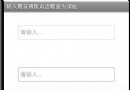 Android EditText 樣式客製:去邊框與動態變色邊框
EditText 的外觀在產品設計稿中經常被要求調整,最常見的兩個需求是「拿掉預設邊框」與「聚焦時改變邊框顏色」。以下整理實作方式。 一、移除邊框 把 backgroun
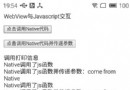 Android 總結之 WebView 與 Javascript 互相呼叫
在混合式 App 中,常會使用 WebView 呈現 H5 頁面。若需要讓原生 Android 與網頁 JavaScript 互相傳遞資料,可透過 addJavascri
 Android SQLite 實戰(中):用 SQLiteOpenHelper 完成建庫與版本升級
上一篇把 SQLite 的基本概念與型別對應梳理過一遍,這一篇就直接動手:怎麼把資料庫建出來,又怎麼在它「已經存在但版本號變了」的時候安全升級。 為什麼首選 SQLit
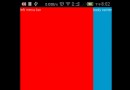 自製 Android 抽屜式側滑選單:手勢判斷、動畫與回彈實作
Android 內建的 SlidingDrawer 與 DrawerLayout 都能做出抽屜效果的選單,但實際專案裡,需求往往會被這些現成元件的行為綁住,很難完全對齊設