

編輯:關於 Android 程式設計
Android 內建的 SlidingDrawer 與 DrawerLayout 都能做出抽屜效果的選單,但實際專案裡,需求往往會被這些現成元件的行為綁住,很難完全對齊設計稿。這時候自訂元件反而更可控——所有細節都在自己手裡,能依需求隨時調整。而要做到順手的手感,核心幾乎都落在對 OnTouch 事件的細緻處理上。
先看一下整體效果:
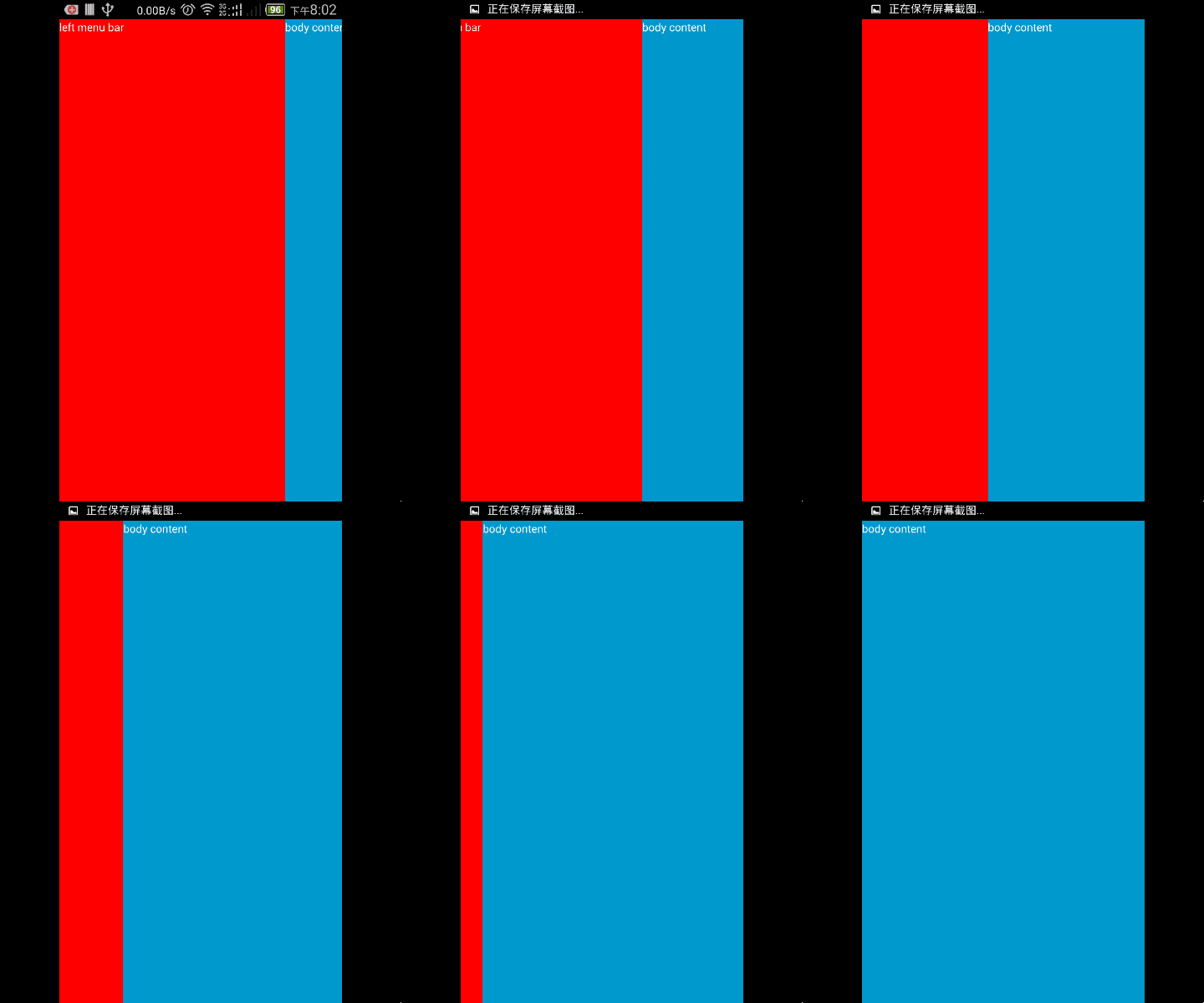
滑動的加速度與回彈效果都有實作,具體手感仍需實際安裝後體驗。
程式碼從 MainActivity 延伸出兩個類別:MainController 負責控制層(手勢判斷、狀態機、動畫推進),MainView 負責展示層(視圖建立與位置更新)。這種切分讓手勢邏輯與視圖結構彼此解耦,後續要換版面或換動畫曲線都不必動到彼此。
 package com.example.wz;

 import com.example.wz.controller.MainController;
 import com.example.wz.util.MyLog;
 import com.example.wz.view.MainView;
 import android.app.Activity;
 import android.os.Bundle;
 import android.view.MotionEvent;

 public class MainActivity extends Activity {
     public MyLog log = new MyLog(this, true);

     @Override
     protected void onCreate(Bundle savedInstanceState) {
         super.onCreate(savedInstanceState);
         log.e("歡迎你加入測試項目.");
         link();
     }

     public MainController mainController;
     public MainView mainView;

     private void link() {
         this.mainController = new MainController(this);
         this.mainView = new MainView(this);
         this.mainController.thisView = this.mainView;
         this.mainView.thisController = this.mainController;
         this.mainView.initViews();
     }

     @Override
     public boolean onTouchEvent(MotionEvent event) {
         super.onTouchEvent(event);
         return mainController.onTouchEvent(event);
     }
 }
這個類別是整個效果的核心。它用四組狀態來描述當前情況:觸控狀態(TouchStatus)、本體狀態(BodyStatus)、抽屜狀態(DrawStatus)、以及手指所在區域(AreaStatus)。以狀態機而非零散布林旗標來管理,是避免手勢邏輯互相打架的關鍵。
 package com.example.wz.controller;

 import android.view.GestureDetector;
 import android.view.GestureDetector.SimpleOnGestureListener;
 import android.view.MotionEvent;
 import com.example.wz.MainActivity;
 import com.example.wz.util.MyLog;
 import com.example.wz.util.OpenLooper;
 import com.example.wz.util.OpenLooper.LoopCallback;
 import com.example.wz.view.MainView;

 public class MainController {
     public MyLog log = new MyLog(this, true);
     public MainActivity mainActivity;
     public MainController thisController;
     public MainView thisView;
     public GestureDetector mGesture;

     public MainController(MainActivity mainActivity) {
         this.mainActivity = mainActivity;
         this.thisController = this;
         mGesture = new GestureDetector(mainActivity, new GestureListener());
         openLooper = new OpenLooper();
         openLooper.createOpenLooper();
         loopCallback = new ListLoopCallback(openLooper);
         openLooper.loopCallback = loopCallback;
     }

     public class TouchStatus {
         public int None = 4, Down = 1, Horizontal = 2, Vertical = 3, Up = 4;
         public int state = None;
     }
     public TouchStatus touchStatus = new TouchStatus();

     public class BodyStatus {
         public int Fixed = 0, Dragging = 1, Homing = 2, FlingHoming = 3, BoundaryHoming = 4;
         public int state = Fixed;
     }
     public BodyStatus bodyStatus = new BodyStatus();

     public class DrawStatus {
         public int Closed = 0, Open = 1, GoClosing = 2, GoOpening = 3;
         public int state = Closed;
     }
     public DrawStatus drawStatus = new DrawStatus();

     public class AreaStatus {
         public int A = 0, B = 1;
         public int state = A;
     }
     public AreaStatus areaStatus = new AreaStatus();

     public float touch_pre_x;
     public float touch_pre_y;
     public float currentTranslateX;

     public boolean onTouchEvent(MotionEvent event) {
         int action = event.getAction();
         float x = event.getX();
         float y = event.getY();

         if (action == MotionEvent.ACTION_DOWN) {
             this.touch_pre_x = x;
             this.touch_pre_y = y;
             if (touchStatus.state == touchStatus.None) {
                 touchStatus.state = touchStatus.Down;
                 log.e("Down ");
                 if (x > thisView.maxTranslateX) {
                     areaStatus.state = areaStatus.B;
                 } else if (x <= thisView.maxTranslateX) {
                     areaStatus.state = areaStatus.A;
                 }
             }
         } else if (action == MotionEvent.ACTION_MOVE) {
             float dy = (y - touch_pre_y);
             float dx = (x - touch_pre_x);
             if (touchStatus.state == touchStatus.Down) {
                 // 位移超過門檻(20px)才判定手勢方向
                 if (dx * dx + dy * dy > 400) {
                     if (dx * dx > dy * dy) {
                         touchStatus.state = touchStatus.Horizontal;
                     } else {
                         touchStatus.state = touchStatus.Vertical;
                     }
                     touch_pre_x = x;
                     touch_pre_y = y;
                     log.e("ACTION_MOVE ");
                 }
             } else if (touchStatus.state == touchStatus.Horizontal) {
                 currentTranslateX += dx;
                 this.touch_pre_x = x;
                 this.touch_pre_y = y;
                 if (currentTranslateX - thisView.maxTranslateX <= 0 && currentTranslateX >= 0) {
                     setPosition();
                 }
                 log.e("Horizontal");
                 bodyStatus.state = bodyStatus.Dragging;
             } else if (touchStatus.state == touchStatus.Vertical) {
                 log.e("Vertical");
                 bodyStatus.state = bodyStatus.Dragging;
             }
         } else if (action == MotionEvent.ACTION_UP) {
             log.e("ACTION_UP");
             if (bodyStatus.state == bodyStatus.Dragging) {
                 if (touchStatus.state == touchStatus.Horizontal) {
                     bodyStatus.state = bodyStatus.Homing;
                     openLooper.start();
                 } else if (touchStatus.state == touchStatus.Vertical) {
                     if (drawStatus.state == drawStatus.Open && areaStatus.state == areaStatus.B) {
                         bodyStatus.state = bodyStatus.Homing;
                         drawStatus.state = drawStatus.GoClosing;
                         openLooper.start();
                     }
                 }
             } else if (touchStatus.state == touchStatus.Down && areaStatus.state == areaStatus.B) {
                 bodyStatus.state = bodyStatus.Homing;
                 drawStatus.state = drawStatus.GoClosing;
                 openLooper.start();
             }
             touchStatus.state = touchStatus.Up;
         }
         mGesture.onTouchEvent(event);
         return true;
     }

     /** 快速滑動(Fling)偵測 */
     class GestureListener extends SimpleOnGestureListener {
         @Override
         public boolean onFling(MotionEvent e1, MotionEvent e2,
                                float velocityX, float velocityY) {
             if (velocityX * velocityX + velocityY * velocityY > 250000) {
                 if (velocityX * velocityX > velocityY * velocityY) {
                     log.e("velocityX--" + velocityX);
                     if (drawStatus.state == drawStatus.Closed && velocityX < 0) {
                     } else if (drawStatus.state == drawStatus.Open && velocityX > 0) {
                     } else {
                         dxSpeed = velocityX;
                         bodyStatus.state = bodyStatus.FlingHoming;
                         openLooper.start();
                     }
                 } else {
                     log.e("velocityY");
                 }
             }
             return true;
         }

         public void onLongPress(MotionEvent event) { }
         public boolean onDoubleTap(MotionEvent event) { return false; }
         public boolean onDoubleTapEvent(MotionEvent event) { return false; }
         public boolean onSingleTapUp(MotionEvent event) { return false; }

         @Override
         public boolean onSingleTapConfirmed(MotionEvent event) { return false; }

         public boolean onScroll(MotionEvent e1, MotionEvent e2,
                                 float distanceX, float distanceY) { return false; }
     }

     /** 依目前位移同步兩個 View 的位置,做出視差感 */
     public void setPosition() {
         thisView.v1.setTranslationX(currentTranslateX - thisView.maxTranslateX);
         thisView.v2.setTranslationX(Math.abs(currentTranslateX));
     }

     float transleteSpeed = 3f;
     OpenLooper openLooper = null;
     LoopCallback loopCallback = null;

     public class ListLoopCallback extends LoopCallback {
         public ListLoopCallback(OpenLooper openLooper) {
             openLooper.super();
         }

         @Override
         public void loop(double ellapsedMillis) {
             if (bodyStatus.state == bodyStatus.Homing) {
                 hommingView((float) ellapsedMillis);
             } else if (bodyStatus.state == bodyStatus.FlingHoming) {
                 flingHomingView((float) ellapsedMillis);
             }
         }
     }

     public float ratio = 0.0008f;

     /** 依甩動速度一路滑到底 */
     public void flingHomingView(float ellapsedMillis) {
         float distance = (float) ellapsedMillis * transleteSpeed;
         boolean isStop = false;

         if (drawStatus.state == drawStatus.Closed) {
             drawStatus.state = drawStatus.GoOpening;
         } else if (drawStatus.state == drawStatus.Open) {
             drawStatus.state = drawStatus.GoClosing;
         }

         if (drawStatus.state == drawStatus.GoClosing) {
             this.currentTranslateX -= distance;
             if (this.currentTranslateX <= 0) {
                 this.currentTranslateX = 0;
                 drawStatus.state = drawStatus.Closed;
                 isStop = true;
                 log.e("-------------1");
             }
         } else if (drawStatus.state == drawStatus.GoOpening) {
             this.currentTranslateX += distance;
             if (this.currentTranslateX >= thisView.maxTranslateX) {
                 this.currentTranslateX = thisView.maxTranslateX;
                 drawStatus.state = drawStatus.Open;
                 isStop = true;
                 log.e("-------------2");
             }
         }
         setPosition();
         if (isStop) {
             openLooper.stop();
         }
     }

     public float dxSpeed;

     /** 模擬摩擦力,讓甩動速度逐漸衰減 */
     public void dampenSpeed(long deltaMillis) {
         if (this.dxSpeed != 0.0f) {
             this.dxSpeed *= (1.0f - 0.002f * deltaMillis);
             if (Math.abs(this.dxSpeed) < 50f) {
                 this.dxSpeed = 0.0f;
             }
         }
     }

     /** 放開手指後,依目前位置決定要收攏還是展開 */
     public void hommingView(float ellapsedMillis) {
         float distance = (float) ellapsedMillis * transleteSpeed;
         boolean isStop = false;

         if (drawStatus.state == drawStatus.Closed
                 && this.currentTranslateX < thisView.maxTranslateX / 5) {
             this.currentTranslateX -= distance;
             if (this.currentTranslateX <= 0) {
                 this.currentTranslateX = 0;
                 drawStatus.state = drawStatus.Closed;
                 isStop = true;
             }
         } else if (drawStatus.state == drawStatus.Closed
                 && this.currentTranslateX >= thisView.maxTranslateX / 5) {
             this.currentTranslateX += distance;
             if (this.currentTranslateX >= thisView.maxTranslateX) {
                 this.currentTranslateX = thisView.maxTranslateX;
                 drawStatus.state = drawStatus.Open;
                 isStop = true;
             }
         } else if (drawStatus.state == drawStatus.Open
                 && this.currentTranslateX < thisView.maxTranslateX / 5 * 4) {
             this.currentTranslateX -= distance;
             if (this.currentTranslateX <= 0) {
                 this.currentTranslateX = 0;
                 drawStatus.state = drawStatus.Closed;
                 isStop = true;
             }
         } else if (drawStatus.state == drawStatus.Open
                 && this.currentTranslateX >= thisView.maxTranslateX / 5 * 4) {
             this.currentTranslateX += distance;
             if (this.currentTranslateX >= thisView.maxTranslateX) {
                 this.currentTranslateX = thisView.maxTranslateX;
                 drawStatus.state = drawStatus.Open;
                 isStop = true;
             }
         } else if (drawStatus.state == drawStatus.GoClosing) {
             this.currentTranslateX -= distance;
             if (this.currentTranslateX <= 0) {
                 this.currentTranslateX = 0;
                 drawStatus.state = drawStatus.Closed;
                 isStop = true;
             }
         }

         setPosition();
         if (isStop) {
             openLooper.stop();
             log.e("looper stop...");
         }
     }
 }
這裡有兩個值得注意的設計:一是「門檻比例」——當位移未超過展開距離的 1/5 就自動收回,超過 4/5 就自動展開,中間則依原狀態回彈,這個 20% 的死區是手感舒適與否的關鍵;二是「甩動優先」——只要速度足夠大,直接無視目前位置一路滑到底,符合多數使用者對側滑選單的期待。
 package com.example.wz.view;

 import android.graphics.Color;
 import android.util.DisplayMetrics;
 import android.view.ViewGroup.LayoutParams;
 import android.widget.RelativeLayout;
 import android.widget.TextView;
 import com.example.wz.MainActivity;
 import com.example.wz.R;
 import com.example.wz.controller.MainController;
 import com.example.wz.util.MyLog;

 public class MainView {
     public MyLog log = new MyLog(this, true);
     public MainActivity mainActivity;
     public MainController thisController;
     public MainView thisView;

     public MainView(MainActivity mainActivity) {
         this.mainActivity = mainActivity;
         this.thisView = this;
     }

     public DisplayMetrics displayMetrics;
     public float screenWidth;
     public float screenHeight;
     public float density;
     public float maxTranslateX;

     public RelativeLayout maxView;
     public RelativeLayout v1;
     public RelativeLayout v2;

     public void initViews() {
         this.displayMetrics = new DisplayMetrics();
         this.mainActivity.getWindowManager().getDefaultDisplay()
                 .getMetrics(this.displayMetrics);
         this.screenHeight = this.displayMetrics.heightPixels;
         this.screenWidth = this.displayMetrics.widthPixels;
         this.density = this.displayMetrics.density;
         // 抽屜展開寬度為螢幕的 80%
         this.maxTranslateX = this.screenWidth * 0.8f;

         this.mainActivity.setContentView(R.layout.activity_main);
         this.maxView = (RelativeLayout) this.mainActivity.findViewById(R.id.maxView);

         // 抽屜本體
         v1 = new RelativeLayout(mainActivity);
         v1.setBackgroundColor(Color.RED);
         RelativeLayout.LayoutParams params1 = new RelativeLayout.LayoutParams(
                 (int) this.maxTranslateX, LayoutParams.MATCH_PARENT);
         this.maxView.addView(v1, params1);
         TextView t1 = new TextView(mainActivity);
         t1.setText("left menu bar");
         t1.setTextColor(Color.WHITE);
         v1.addView(t1);
         v1.setTranslationX(0 - this.maxTranslateX); // 初始藏在左側

         // 內容區
         v2 = new RelativeLayout(mainActivity);
         v2.setBackgroundColor(Color.parseColor("#0099cd"));
         RelativeLayout.LayoutParams params2 = new RelativeLayout.LayoutParams(
                 (int) this.screenWidth, LayoutParams.MATCH_PARENT);
         this.maxView.addView(v2, params2);
         v2.setTranslationX(0);
         TextView t2 = new TextView(mainActivity);
         t2.setText("body content");
         t2.setTextColor(Color.WHITE);
         v2.addView(t2);
     }
 }
把開關與 tag 集中管理,正式環境只要把 isGlobalTurnOn 關掉就能全部靜音,不必到處刪除 log 呼叫。
 package com.example.wz.util;

 import android.util.Log;

 public class MyLog {
     public static boolean isGlobalTurnOn = true;
     public boolean isTurnOn = true;
     public String tag = null;

     public MyLog(String tag, boolean isTurnOn) {
         this.tag = tag;
         this.isTurnOn = isTurnOn;
     }

     public MyLog(Object clazz, boolean isTurnOn) {
         this.tag = clazz.getClass().getSimpleName();
         this.isTurnOn = isTurnOn;
     }

     public void v(String message) { this.v(this.tag, message); }
     public void d(String message) { this.d(this.tag, message); }
     public void i(String message) { this.i(this.tag, message); }
     public void w(String message) { this.w(this.tag, message); }
     public void e(String message) { this.e(this.tag, message); }

     public void v(String tag, String message) {
         if (isTurnOn && isGlobalTurnOn) { Log.v(tag, message); }
     }
     public void d(String tag, String message) {
         if (isTurnOn && isGlobalTurnOn) { Log.d(tag, message); }
     }
     public void i(String tag, String message) {
         if (isTurnOn && isGlobalTurnOn) { Log.i(tag, message); }
     }
     public void w(String tag, String message) {
         if (isTurnOn && isGlobalTurnOn) { Log.w(tag, message); }
     }
     public void e(String tag, String message) {
         if (isTurnOn && isGlobalTurnOn) { Log.e(tag, message); }
     }
 }
這個類別封裝了兩種逐影推進的機制:API 16(JELLY_BEAN)以上使用 Choreographer,能與系統的 vsync 同步,動畫更順;舊版本則退回用 Handler 的 post 迴圈。每個影格都會把「距上一影格的毫秒數」回傳給 callback,讓動畫以時間而非影格數為基準推進,這樣在不同刷新率的裝置上速度才會一致。
 package com.example.wz.util;

 import android.annotation.TargetApi;
 import android.os.Build;
 import android.os.Handler;
 import android.os.SystemClock;
 import android.view.Choreographer;

 public class OpenLooper {
     public LegacyAndroidSpringLooper legacyAndroidSpringLooper = null;
     public ChoreographerAndroidSpringLooper choreographerAndroidSpringLooper = null;
     public LoopCallback loopCallback = null;

     public void createOpenLooper() {
         if (Build.VERSION.SDK_INT >= Build.VERSION_CODES.JELLY_BEAN) {
             choreographerAndroidSpringLooper = new ChoreographerAndroidSpringLooper();
         } else {
             legacyAndroidSpringLooper = new LegacyAndroidSpringLooper();
         }
     }

     public void start() {
         if (choreographerAndroidSpringLooper != null) {
             choreographerAndroidSpringLooper.start();
         } else if (legacyAndroidSpringLooper != null) {
             legacyAndroidSpringLooper.start();
         }
     }

     public void stop() {
         if (choreographerAndroidSpringLooper != null) {
             choreographerAndroidSpringLooper.stop();
         } else if (legacyAndroidSpringLooper != null) {
             legacyAndroidSpringLooper.stop();
         }
     }

     public class LoopCallback {
         public void loop(double ellapsedMillis) { }
     }

     public void loop(double ellapsedMillis) {
         if (this.loopCallback != null) {
             this.loopCallback.loop(ellapsedMillis);
         }
     }

     /** 舊版本:以 Handler 的 post 迴圈逐影推進 */
     public class LegacyAndroidSpringLooper {
         public Handler mHandler;
         public Runnable mLooperRunnable;
         public boolean mStarted;
         public long mLastTime;

         public LegacyAndroidSpringLooper() {
             initialize(new Handler());
         }

         public void initialize(Handler handler) {
             mHandler = handler;
             mLooperRunnable = new Runnable() {
                 @Override
                 public void run() {
                     if (!mStarted) { return; }
                     long currentTime = SystemClock.uptimeMillis();
                     loop(currentTime - mLastTime);
                     mHandler.post(mLooperRunnable);
                 }
             };
         }

         public void start() {
             if (mStarted) { return; }
             mStarted = true;
             mLastTime = SystemClock.uptimeMillis();
             mHandler.removeCallbacks(mLooperRunnable);
             mHandler.post(mLooperRunnable);
         }

         public void stop() {
             mStarted = false;
             mHandler.removeCallbacks(mLooperRunnable);
         }
     }

     /** API 16+:與 vsync 同步的逐影回呼 */
     @TargetApi(Build.VERSION_CODES.JELLY_BEAN)
     public class ChoreographerAndroidSpringLooper {
         public Choreographer mChoreographer;
         public Choreographer.FrameCallback mFrameCallback;
         public boolean mStarted;
         public long mLastTime;

         public ChoreographerAndroidSpringLooper() {
             initialize(Choreographer.getInstance());
         }

         public void initialize(Choreographer choreographer) {
             mChoreographer = choreographer;
             mFrameCallback = new Choreographer.FrameCallback() {
                 @Override
                 public void doFrame(long frameTimeNanos) {
                     if (!mStarted) { return; }
                     long currentTime = SystemClock.uptimeMillis();
                     loop(currentTime - mLastTime);
                     mLastTime = currentTime;
                     mChoreographer.postFrameCallback(mFrameCallback);
                 }
             };
         }

         public void start() {
             if (mStarted) { return; }
             mStarted = true;
             mLastTime = SystemClock.uptimeMillis();
             mChoreographer.removeFrameCallback(mFrameCallback);
             mChoreographer.postFrameCallback(mFrameCallback);
         }

         public void stop() {
             mStarted = false;
             mChoreographer.removeFrameCallback(mFrameCallback);
         }
     }
 }
整體而言,自製抽屜並不難,難的是把細節打磨到位:方向判斷的位移門檻、甩動的速度門檻、回彈的臨界比例、以及動畫推進的時間基準。這四個數字決定了 90% 的手感。實際動手時,建議先把這幾個值抽成常數集中管理,再逐一微調,會比散落在各處好調整得多。
轉載自:https://blog.csdn.net/qxs965266509
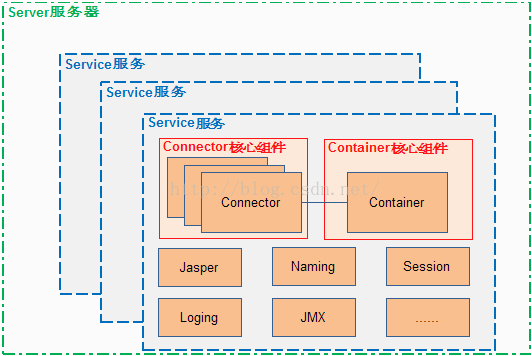 粗淺看 Tomcat 系統架構:Connector、Container 與生命週期
Tomcat 的原始碼龐雜,但模組化做得相當徹底。只要抓住最關鍵的幾個模組,就等於掐住了它的「七寸」。 一、整體結構 從架構圖不難看出,Tomcat 的心臟是兩個元件
 Android 圖片拖拽功能實例與 scaleType 詳解
圖片的拖動是一個實用且常見的功能。由於手機螢幕尺寸有限,往往無法一次顯示一張較大的圖片,此時就可以透過拖動來查看圖片的各個部分。下面透過一個範例學習如何實現圖片拖動。範例
 Android 新手入門(8):ListView 與 ArrayAdapter 的第一個列表
ListView 是 Android 裡最經典的列表控件,各種選單、設定頁、訊息清單幾乎都離不開它。先看一眼成品: 一、列表的三個要素 ListView:負責把資料
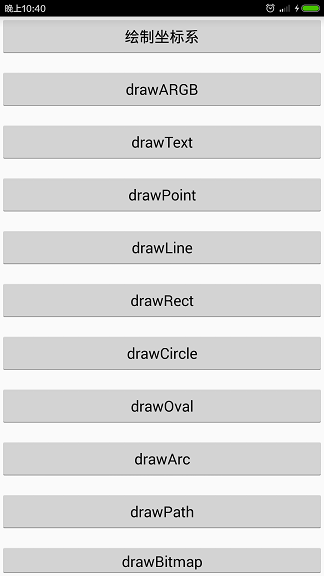 Android Canvas 繪圖詳解:點、線、矩形、圓、路徑與 Bitmap
Canvas 是 Android 自訂 View 與遊戲繪圖的基礎。它提供多種 drawXXX 方法,可以畫點、線、矩形、圓、弧、路徑與圖片。要熟練使用 Canvas,需