

編輯:關於 Android 程式設計
做客戶端開發時,最基礎也最高頻的需求就是跟伺服器交換數據。下面這份 ApacheHttpClient 工具類把 GET 與 POST 兩種同步請求都封裝好了,簡單、直接,複用起來很方便。
/**
 * 以同步方式發送 Http 請求
 */
public class ApacheHttpClient {

    /**
     * 發送 GET 請求
     * @param uri 請求地址
     * @return 伺服器響應內容
     */
    public String httpGet(String uri) {
        String response = null;
        HttpClient httpClient = new DefaultHttpClient();
        HttpGet httpGet = new HttpGet(uri);
        try {
            // execute 方法會發送請求並回傳 HttpResponse
            HttpResponse httpResponse = httpClient.execute(httpGet);
            int statusCode = httpResponse.getStatusLine().getStatusCode();
            if (statusCode == HttpStatus.SC_OK) {
                response = EntityUtils.toString(httpResponse.getEntity());
            } else {
                response = "返回碼:" + statusCode;
            }
        } catch (Exception e) {
            e.printStackTrace();
        }
        return response;
    }

    /**
     * 以 POST 方式發送請求
     * @param uri    請求地址
     * @param params 參數,POST 需用 NameValuePair 列表儲存
     * @return 伺服器響應內容
     */
    public String httpPost(String uri, List<NameValuePair> params) throws Exception {
        String response = null;
        HttpClient httpClient = new DefaultHttpClient();
        HttpPost httpPost = new HttpPost(uri);
        try {
            // 設定請求參數,注意顯式指定 UTF-8,避免中文亂碼
            httpPost.setEntity(new UrlEncodedFormEntity(params, HTTP.UTF_8));

            HttpResponse httpResponse = httpClient.execute(httpPost);
            int statusCode = httpResponse.getStatusLine().getStatusCode();
            if (statusCode == HttpStatus.SC_OK) {
                response = EntityUtils.toString(httpResponse.getEntity());
            } else {
                response = "返回碼:" + statusCode;
            }
        } catch (Exception e) {
            e.printStackTrace();
        }
        return response;
    }
}
GET 只要傳網址;POST 需要把參數裝進 List<NameValuePair>:
List<NameValuePair> params = new ArrayList<>();
params.add(new BasicNameValuePair("username", "admin"));
params.add(new BasicNameValuePair("password", "123456"));
String result = new ApacheHttpClient().httpPost(url, params);
<uses-permission android:name="android.permission.INTERNET" />。EntityUtils.toString(entity, "UTF-8"),否則中文容易變亂碼。 Android ListView 分類清單的簡易實作
在許多應用中,例如城市選擇、商品分類或設定分組,常會需要讓 ListView 顯示類似「分類標題 + 子項目」的結構。相比嵌套多個 ListView 或使用複雜控制項,一
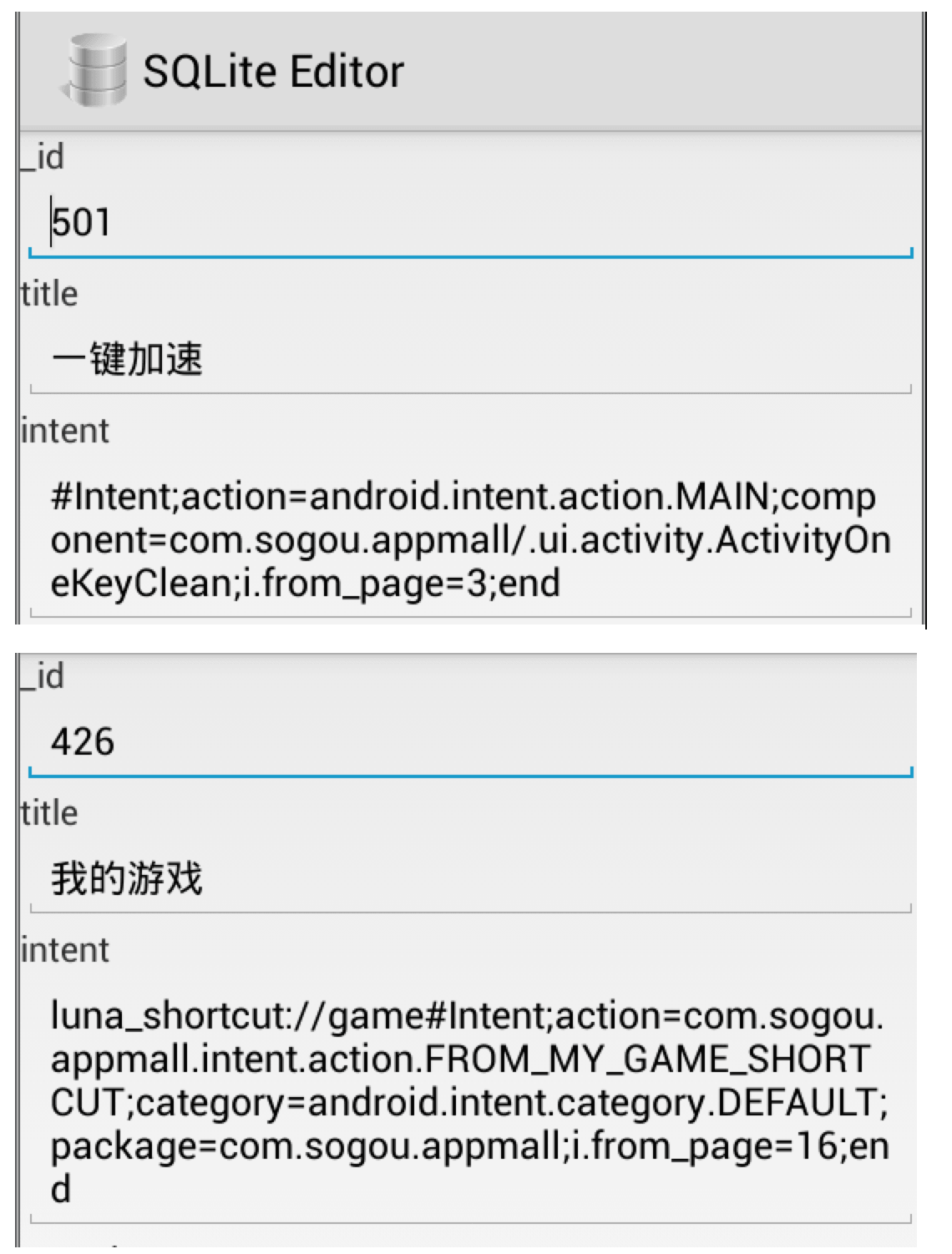 Android 桌面快捷方式全攻略:從 Launcher3 資料庫看增刪改查與相容性
為什麼快捷方式這麼麻煩 為了讓使用者更快開啟應用,App 常需要在桌面產生一顆快捷方式。如果面前只有原生桌面,這件事很簡單——呼叫系統 API 就好。但現實是各家廠商深度
 Android 簡易實戰教程(十八):ListView 顯示與 SimpleAdapter 入門
ListView 的適配器有好幾種:ArrayAdapter、BaseAdapter、SimpleAdapter 等等。本篇先熱身,用最簡單的 SimpleAdapter
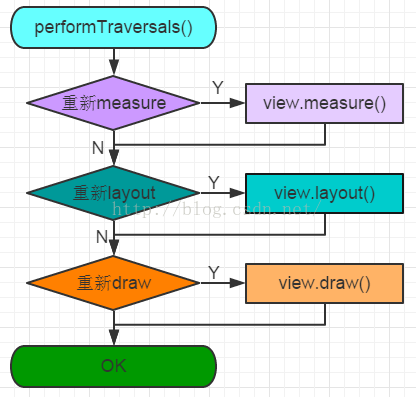 Android View 繪製流程:從 measure、layout 到 draw
Android 的畫面並非瞬間出現,而是經過一連串測量、佈局與繪製。理解這個流程,能幫助開發者解決自定義 View 顯示異常、位置錯誤或效能問題。 測量:measure