

編輯:關於 Android 程式設計
在了解 android:allowBackup 屬性含義的過程中,順手發現了 Lint 的幾個實用指令,記錄於此。
lint --show AllowBackup輸出內容大致如下:
AllowBackup
-----------
Summary: Ensure that allowBackup is explicitly set in the application's manifest

Priority: 3 / 10
Severity: Warning
Category: Security

The allowBackup attribute determines if an application's data can be backed
up and restored. By default, this flag is set to true.

When this flag is set to true, application data can be backed up and restored
by the user using adb backup and adb restore. This may have security
consequences for an application. adb backup allows users who have enabled USB
debugging to copy application data off of the device. Once backed up, all
application data can be read by the user. adb restore allows creation of
application data from a source specified by the user. Following a restore,
applications should not assume that the data, file permissions, and directory
permissions were created by the application itself.

Setting allowBackup="false" opts an application out of both backup and restore.

To fix this warning, decide whether your application should support backup and
explicitly set android:allowBackup=(true|false).

More information:
https://developer.android.com/reference/android/R.attr.html#allowBackuplint --show不帶參數直接執行 --show,會把 Lint 內建的所有檢查項目說明一次印出,很適合當作待查清單逐項掃過。
lint --help列出各項參數與用法。
Lint 不只是「有紅線就修」的工具,它每條警告背後都附了完整的安全或效能說明,本身就是一份值得細讀的 Android 開發檢查指南。以上僅為拋磚引玉,更多好用的用法就留給各位自行挖掘了。
 自定義 View 打造垂直跑馬燈:完整思路與程式碼解析
先看效果: 畫面中間的色塊是影片轉 GIF 造成的失真,可以忽略。 大家都熟悉,水平方向的跑馬燈用 Android 原生的 TextView 加上跑馬燈屬性就能搞定;但
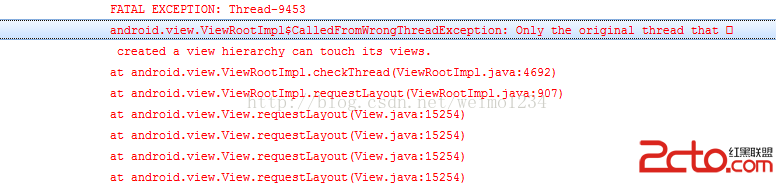 Android Handler 詳解:為什麼更新 UI 非它不可
Handler 是什麼 Handler 是 Android 提供的一套消息處理機制,同時也是更新 UI 的官方通道。我們可以用它發送消息,也可以用它處理消息。 為什麼需要
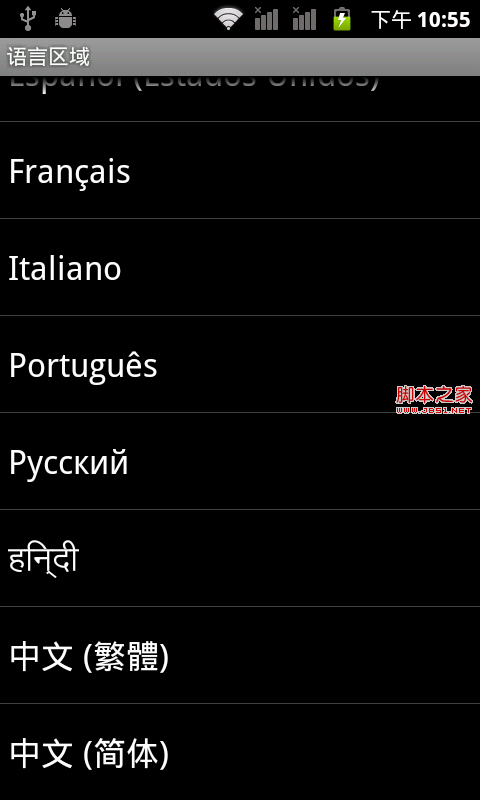 為 Android 系統新增一門語言顯示支援的實作教學
Android 從 2.3 開始已支援五十種以上的語言,但「系統有這個 locale」和「這個語言的字型真的存在」是兩件不同的事。有一次接到需求,客戶要求系統能正確顯示
 Android 自訂透明 Dialog 樣式 Activity 完整實作教學
做 Android 時常會碰到這樣的場景:想彈出一個類似對話框的視窗,但又希望能像 Activity 一樣完整掌握生命週期、獨立接收 Intent 參數、自己處理返回鍵。