

編輯:關於 Android 程式設計
作用:LayoutInflater 的作用類似於 findViewById(),兩者的不同點在於:LayoutInflater 是用來找 res/layout/ 下的 XML 版面配置檔並將其實例化;而 findViewById() 是找 XML 版面配置檔下的具體 widget 控制項(如 Button、TextView 等)。
具體作用如下:
1、對於一個未被載入或想要動態載入的界面,需要使用 LayoutInflater.inflate() 來載入;
2、對於一個已載入的界面,則可使用 Activity.findViewById() 方法取得其中的界面元素。
使用方式:
LayoutInflater 是一個抽象類別,取得其實例有三種方式:
// 1. 呼叫 Activity 的 getLayoutInflater()
LayoutInflater inflater = getLayoutInflater();
// 2. 透過 LayoutInflater.from(context)
LayoutInflater inflater = LayoutInflater.from(context);
// 3. 透過 getSystemService
LayoutInflater inflater = (LayoutInflater) context.getSystemService(Context.LAYOUT_INFLATER_SERVICE);
inflate 方法有幾種多載形式,回傳值均為 View 物件:
public View inflate (int resource, ViewGroup root)
public View inflate (XmlPullParser parser, ViewGroup root)
public View inflate (XmlPullParser parser, ViewGroup root, boolean attachToRoot)
public View inflate (int resource, ViewGroup root, boolean attachToRoot)
示意程式碼:
LayoutInflater inflater = (LayoutInflater) getSystemService(LAYOUT_INFLATER_SERVICE);
View view = inflater.inflate(R.layout.custom, (ViewGroup) findViewById(R.id.test));
// 注意:要從 inflate 後的 view 取得子元件,而非直接 findViewById
EditText editText = (EditText) view.findViewById(R.id.content);
上述程式碼指定了第二個參數 ViewGroup root,當然也可以設為 null。以下整理 getSystemService() 常見參數的種類:
WINDOW_SERVICE:WindowManager,管理開啟的視窗程式。
LAYOUT_INFLATER_SERVICE:LayoutInflater,取得 XML 裡定義的 view。
ACTIVITY_SERVICE:ActivityManager,管理應用程式的系統狀態。
POWER_SERVICE:PowerManager,電源服務。
ALARM_SERVICE:AlarmManager,鬧鐘服務。
NOTIFICATION_SERVICE:NotificationManager,狀態欄服務。
KEYGUARD_SERVICE:KeyguardManager,鍵盤鎖服務。
LOCATION_SERVICE:LocationManager,位置服務(如 GPS)。
SEARCH_SERVICE:SearchManager,搜索服務。
VEBRATOR_SERVICE:Vebrator,手機震動服務。
CONNECTIVITY_SERVICE:Connectivity,網路連接服務。
WIFI_SERVICE:WifiManager,Wi-Fi 服務。
TELEPHONY_SERVICE:TelephonyManager,電話服務。
Code Demo:
Context mContext = MainActivity.this;
LayoutInflater inflater = (LayoutInflater) mContext.getSystemService(LAYOUT_INFLATER_SERVICE);
View layout = inflater.inflate(R.layout.custom_dialog, null);
TextView text = (TextView) layout.findViewById(R.id.text);
text.setText("Hello, Welcome to Mr Wei's blog!");
ImageView image = (ImageView) layout.findViewById(R.id.image);
image.setImageResource(R.drawable.icon);
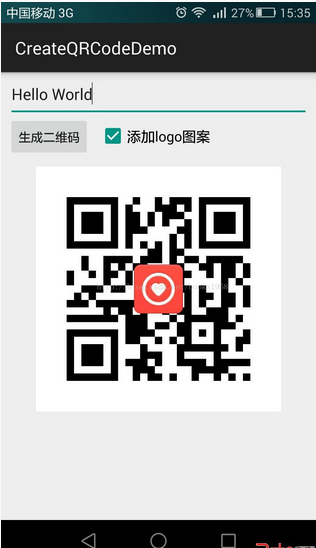 Android 使用 ZXing 生成二維碼(支持添加中心 Logo)
ZXing 是 Google 開源的一個經典庫,既能生成二維碼,也能掃描二維碼。本文聚焦第一部分——生成二維碼並支持在中心嵌入 Logo。先上效果圖:ZXing 相關文件
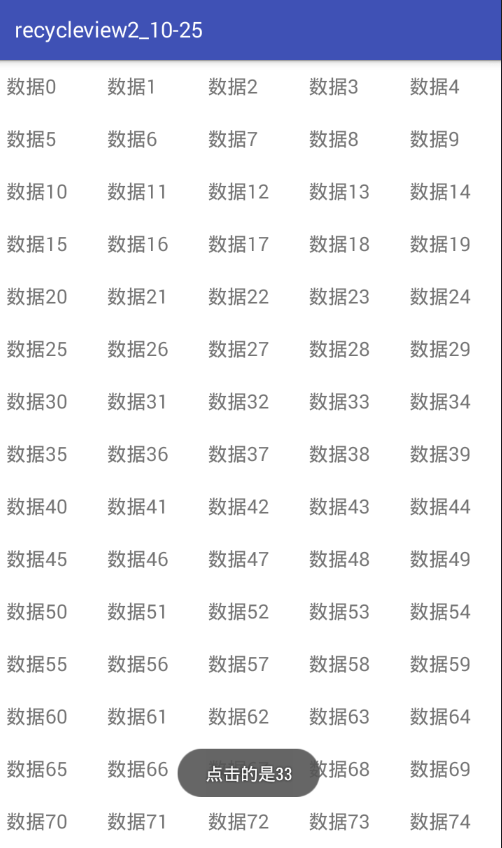 Android RecyclerView 的應用與點擊事件詳解
Android RecyclerView 的應用與點擊事件 先看效果圖: 其中長按可以刪除對應條目。下面看具體代碼。 MainActivity 類 public cl
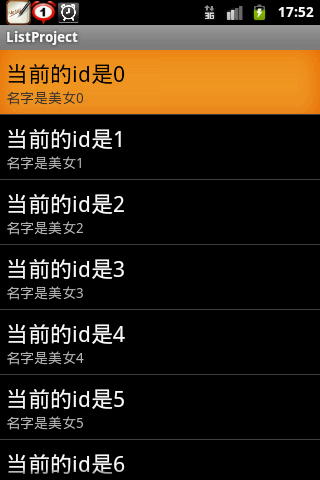 Android ListView 自訂項目版面與資料綁定教學
SimpleAdapter 基本概念 ListView 顯示資料時,通常需要 Adapter 將資料集轉換為列表項目。若每個項目只需要顯示文字,可使用 SimpleAda
 微信朋友圈怎麼只發純文字?長按相機鍵就能做到
微信除了聊天,朋友圈也是很多人每天記錄生活的地方。不過有時候只想寫兩句心情,不想配圖,卻發現按下相機一定要選照片——其實這是介面的小陷阱,只要多按一會兒就好。 只發文字、