

編輯:關於 Android 程式設計
用手機拍攝的相片,其實際像素方向與顯示方向常常不同。相機為了省下實體旋轉的時間,會把方向資訊寫進 EXIF 中,由檢視程式負責旋正。若你自己解碼 Bitmap 卻沒讀這項資訊,就會出現「照片躺著」的經典問題。
public static int getExifOrientation(String filepath) {
    int degree = 0;
    ExifInterface exif = null;
    try {
        exif = new ExifInterface(filepath);
    } catch (IOException ex) {
        Log.d(TAG, "cannot read exif " + ex);
    }

    if (exif != null) {
        int orientation = exif.getAttributeInt(ExifInterface.TAG_ORIENTATION, -1);
        if (orientation != -1) {
            switch (orientation) {
                case ExifInterface.ORIENTATION_ROTATE_90:
                    degree = 90;
                    break;
                case ExifInterface.ORIENTATION_ROTATE_180:
                    degree = 180;
                    break;
                case ExifInterface.ORIENTATION_ROTATE_270:
                    degree = 270;
                    break;
            }
        }
    }
    return degree;
}
拿到 degree 後,用 Matrix 對 Bitmap 做旋轉:
Matrix matrix = new Matrix();
matrix.postRotate(degree);
Bitmap corrected = Bitmap.createBitmap(bitmap, 0, 0, bitmap.getWidth(), bitmap.getHeight(), matrix, true);
或者設定在 BitmapFactory.Options 上,讓解碼時直接套用(API 10 以上):
BitmapFactory.Options opts = new BitmapFactory.Options();
opts.inPreferredConfig = Bitmap.Config.ARGB_8888;
// 搭配 ExifInterface 取得的 degree 後,再以 Matrix 旋轉
android.permission.READ_EXTERNAL_STORAGE(Android 11 之後還需 READ_MEDIA_IMAGES);若資料來源是串流,可改用 ExifInterface(InputStream)(API 24 以上)。androidx.exifinterface.media.ExifInterface,相容性比 framework 版本好得多,能在 API 低於 24 的環境讀取串流,建議優先採用。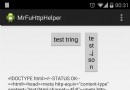 動手打造屬於自己的Http網絡框架(一):基於AsyncTask的實現思路
一、開篇說明 近段時間我一直在鑽研Http網絡請求框架的實現原理。這篇文章記錄的是我從零開始搭建的一個簡易框架,它目前主要面向學習與理解用途;若真要投入實際項目,還需要在
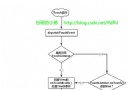 【自定義 View 系列】04:Touch 事件分發機制全解析
本篇分三個層次展開:先看 View 如何處理 Touch,再看 ViewGroup 的事件分發,最後討論滑動衝突的解法。 閱讀源碼時我習慣邊看邊加註釋,以下把關鍵方法提取
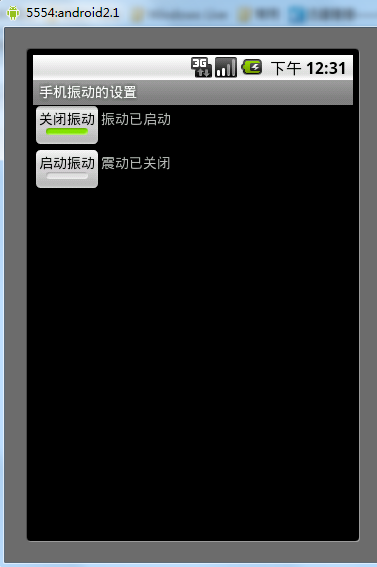 Android 手機振動設定:Vibrator 的兩種觸發模式
振動回饋是行動介面中很重要的一環,無論是遊戲反饋、通知提醒還是操作確認,都能有效提升使用者的觸感體驗。Android 中負責這件事的是 Vibrator 服務。 本文示範
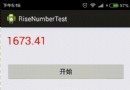 Android 自定義 RiseNumberTextView:打造資產數字增長動畫
從支付寶資產頁得到的靈感許多金融類 App 在進入資產頁面時,會讓金額從一個起始值平滑增長到最終數字,這種動態效果能提升頁面的儀式感與可讀性。本文以自定義 TextVie