

編輯:關於 Android 程式設計
先看一下最終效果:
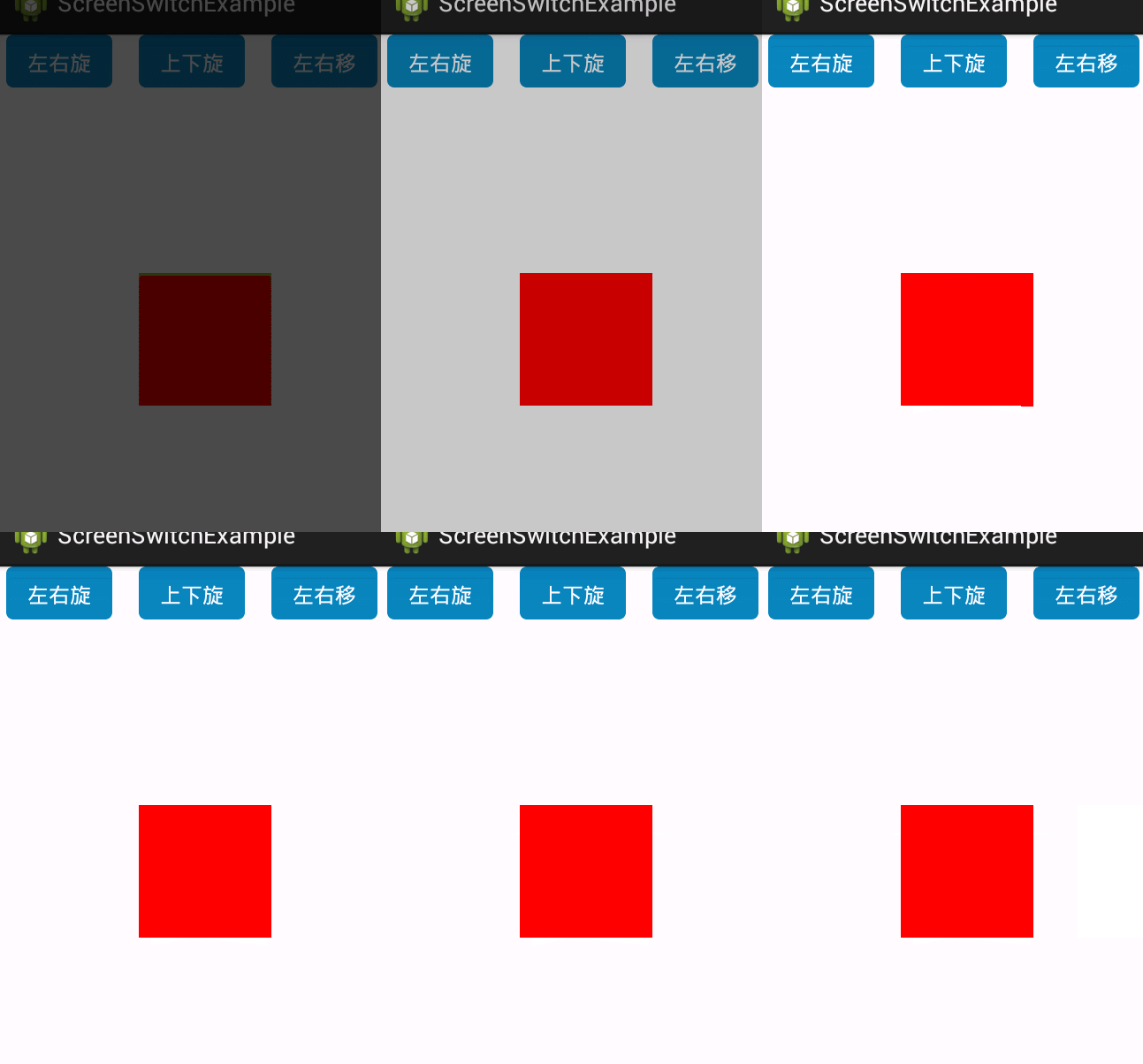
這裡的 GIF 是用 GifCam 錄製的,可到 https://download.csdn.net/detail/baidu_nod/7628461 下載。
系統提供的 RotateAnimation 只能做平面內的旋轉,想要那種「卡片翻面」的立體感,就得自己繼承 Animation,直接操作 Camera 與 Matrix。以下示範三個自訂動畫類別。
先準備一個會畫出方框的自訂 View,方便觀察旋轉與位移的邊界:
public class MyView extends View {

    private Paint mPaint;
    int width = 0;
    int height = 0;

    public MyView(Context context, AttributeSet attrs) {
        super(context, attrs);
        mPaint = new Paint();
        mPaint.setStrokeWidth(5);
        mPaint.setColor(Color.RED);
        this.setBackgroundColor(Color.RED);
        width = context.getResources().getDimensionPixelSize(R.dimen.width);
        height = context.getResources().getDimensionPixelSize(R.dimen.height);
    }

    @Override
    protected void onDraw(Canvas canvas) {
        super.onDraw(canvas);
        // width 300 height 300
        canvas.drawLine(0, 0, width, 0, mPaint);
        canvas.drawLine(width, 0, width, height, mPaint);
        canvas.drawLine(width, height, 0, height, mPaint);
        canvas.drawLine(0, height, 0, 0, mPaint);
        canvas.save();
    }
}
關鍵在於 camera.rotateY(degrees)——繞 Y 軸旋轉,視覺上就呈現左右翻轉的效果。另外這裡刻意在 interpolatedTime > 0.5f 時把角度減去 180,讓翻過中線之後改朝另一面呈現,模擬真實卡片的兩面觀感。
public class RotateLeftRightAnimation extends Animation {

    private final float mFromDegrees;
    private final float mToDegrees;
    private final float mCenterX;
    private final float mCenterY;
    private final float mDepthZ;
    private final boolean mReverse;
    private Camera mCamera;
    private InterpolatedTimeListener listener;

    public RotateLeftRightAnimation(float fromDegrees, float toDegrees,
                                    float centerX, float centerY,
                                    float depthZ, boolean reverse) {
        mFromDegrees = fromDegrees;
        mToDegrees = toDegrees;
        mCenterX = centerX;
        mCenterY = centerY;
        mDepthZ = depthZ;
        mReverse = reverse;
    }

    public static interface InterpolatedTimeListener {
        public void interpolatedTime(float interpolatedTime);
    }

    public void setInterpolatedTimeListener(InterpolatedTimeListener listener) {
        this.listener = listener;
    }

    @Override
    public void initialize(int width, int height, int parentWidth, int parentHeight) {
        super.initialize(width, height, parentWidth, parentHeight);
        mCamera = new Camera();
    }

    @Override
    protected void applyTransformation(float interpolatedTime, Transformation t) {
        if (listener != null) {
            listener.interpolatedTime(interpolatedTime);
        }

        final float fromDegrees = mFromDegrees;
        float degrees = fromDegrees + ((mToDegrees - fromDegrees) * interpolatedTime);

        // 過半之後改走另一面
        boolean overHalf = (interpolatedTime > 0.5f);
        if (overHalf) {
            degrees = degrees - 180;
        }

        final float centerX = mCenterX;
        final float centerY = mCenterY;
        final Camera camera = mCamera;
        final Matrix matrix = t.getMatrix();

        camera.save();
        if (mReverse) {
            camera.translate(0.0f, 0.0f, mDepthZ * interpolatedTime);
        } else {
            camera.translate(0.0f, 0.0f, mDepthZ * (1.0f - interpolatedTime));
        }
        camera.rotateY(degrees);   // 這個 Y 軸旋轉就是左右旋轉
        camera.getMatrix(matrix);
        camera.restore();

        // 先移到原點旋轉,再移回原本位置
        matrix.preTranslate(-centerX, -centerY);
        matrix.postTranslate(centerX, centerY);
    }
}
如果要做的是上下翻轉,只要把 camera.rotateY(degrees) 改成 camera.rotateX(degrees) 即可,其餘邏輯完全通用。
位移動畫更單純,不需要 Camera,直接在 Matrix 上做 postTranslate:
public class MoveAnimation extends Animation {

    private Camera mCamera;
    private float mMoveDistance;
    private InterpolatedTimeListener listener;

    public MoveAnimation(float moveDistance) {
        mMoveDistance = moveDistance;
    }

    public static interface InterpolatedTimeListener {
        public void interpolatedTime(float interpolatedTime);
    }

    public void setInterpolatedTimeListener(InterpolatedTimeListener listener) {
        this.listener = listener;
    }

    @Override
    public void initialize(int width, int height, int parentWidth, int parentHeight) {
        super.initialize(width, height, parentWidth, parentHeight);
        mCamera = new Camera();
    }

    @Override
    protected void applyTransformation(float interpolatedTime, Transformation t) {
        if (listener != null) {
            listener.interpolatedTime(interpolatedTime);
        }

        final Camera camera = mCamera;
        final Matrix matrix = t.getMatrix();

        camera.save();
        camera.getMatrix(matrix);
        camera.restore();

        matrix.postTranslate(mMoveDistance, 0);
    }
}
final MyView myView = (MyView) findViewById(R.id.myview);

Button btn = (Button) findViewById(R.id.btn_move);
btn.setOnClickListener(new View.OnClickListener() {
    @Override
    public void onClick(View v) {
        MoveAnimation anim = new MoveAnimation(200);
        anim.setDuration(500);
        myView.startAnimation(anim);
    }
});

Button btn_up_down_rotate = (Button) findViewById(R.id.btn_up_down_rotate);
btn_up_down_rotate.setOnClickListener(new View.OnClickListener() {
    @Override
    public void onClick(View v) {
        RotateUpDownAnimation anim = new RotateUpDownAnimation(
                0, 180, v.getWidth() / 2, v.getHeight() / 2, 0, false);
        anim.setDuration(500);
        myView.startAnimation(anim);
    }
});

Button btn_left_right_rotate = (Button) findViewById(R.id.btn_left_right_rotate);
btn_left_right_rotate.setOnClickListener(new View.OnClickListener() {
    @Override
    public void onClick(View v) {
        RotateLeftRightAnimation anim = new RotateLeftRightAnimation(
                0, 180, v.getWidth() / 2, v.getHeight() / 2, 0, false);
        anim.setDuration(500);
        myView.startAnimation(anim);
    }
});
preTranslate 與 postTranslate 成對出現是這類自訂動畫的固定套路:Matrix 的乘法順序會直接影響結果,先把座標系原點移到旋轉中心、執行旋轉、再平移回來,才能保證物件繞著自己的中心轉而不是繞畫布原點飛出去。
另外,InterpolatedTimeListener 這個自訂回呼是個很好用的小技巧。它能讓動畫在執行的每一幀把當前的 interpolatedTime 回傳給外部,我們就可以同步驅動其他屬性(例如漸變透明度、文字內容切換),做出多屬性聯動的複合效果。
 Android 浮層上下滑動實作:事件攔截、動畫與三種顯示狀態
浮層滑動的需求 浮層常用於展示更多內容或操作面板。若浮層需要支援上下滑動,通常會設計三種狀態:全部顯示、顯示一半與隱藏。為了讓內部仍可捲動,必須在事件分發時妥善攔截與放行
 Android 實戰教程第十四話:模仿金山助手打造桌面 Widget 小工具
這一話的目標是從零做出一個可以放進桌面、能定時更新的 App Widget,做法參照 Google 官方 API 的說明,介面則模仿金山助手那種程序管理小工具。 先看官
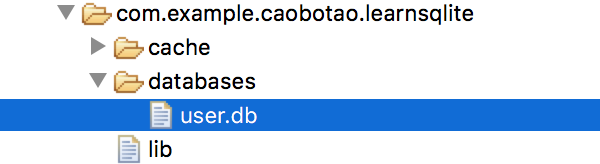 Android 資料儲存:SQLite 資料庫使用詳解
SQLite 是一款開源的嵌入式關聯式資料庫,第一個 Alpha 版本發布於 2000 年。它在可攜性、易用性、緊湊性、高效性與可靠性方面都有突出表現。 在 Androi
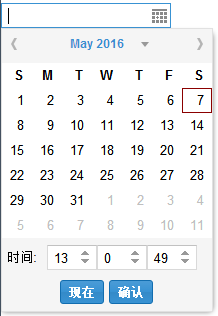 ExtJS 自定義控件之一:DateTimeField 日期時間控件
這一年我一直在用 ExtJS 5.0 開發系統,經常遇到需要選擇日期時間的場景。比如預定場地時,就必須讓用戶選擇預定的日期和時間。 可惜 ExtJS 5.0 並沒有內建一