

編輯:關於 Android 程式設計
本文將透過 RadioGroup 搭配 RadioButton 來實作「組內單選」。所謂 RadioGroup,就是把多個 RadioButton 進行分組,讓它們能被統一管理與控制,確保同一時間只有一個選項被選中。此外,我們還會示範如何設定預設選中項,並即時取得選中的值。
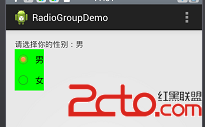
效果圖如下:
1. activity_main.xml
2. strings.xml
RadioGroupDemo 請選擇你的性別: Settings 男 女
3. MainActivity.java
protected void onCreate(Bundle savedInstanceState) { super.onCreate(savedInstanceState); setContentView(R.layout.activity_main); defaultStr = this.getResources().getString(R.string.please_selected); seletedTv = (TextView) this.findViewById(R.id.diplay_seleted_item_tv); sexRg = (RadioGroup) this.findViewById(R.id.sex_rg); manRb = (RadioButton) this.findViewById(R.id.man_rb); womanRb = (RadioButton) this.findViewById(R.id.woman_rb); manRb.setChecked(true); seletedTv.setText(defaultStr + manRb.getText().toString()); sexRg.setOnCheckedChangeListener(new OnCheckedChangeListener(){ @Override public void onCheckedChanged(RadioGroup rg, int checkedId) { // TODO Auto-generated method stub if(checkedId == manRb.getId()){ seletedTv.setText(defaultStr + manRb.getText().toString()); }else if(checkedId == womanRb.getId()){ seletedTv.setText(defaultStr + womanRb.getText().toString()); }else{ seletedTv.setText(defaultStr); } } }); }
重點在於:透過 manRb.setChecked(true) 設定預設選中「男」;再透過 setOnCheckedChangeListener 監聽選擇變化,即時把目前選中的選項文字顯示到上方的 TextView。這樣就完成了一個帶有預設值的單選組。
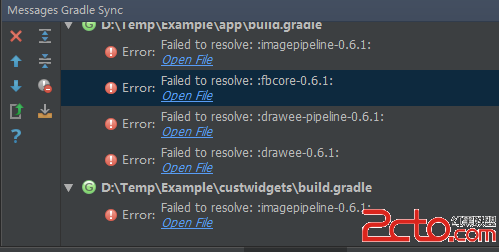 Android Studio 多 Module 導入本地 AAR 庫
當專案需要自訂或修改過的 AAR 庫,又不方便發佈到 jCenter 或自建 Maven 倉庫時,可以直接在專案內載入本地 AAR。 單一 App 的常見做法 在 Gra
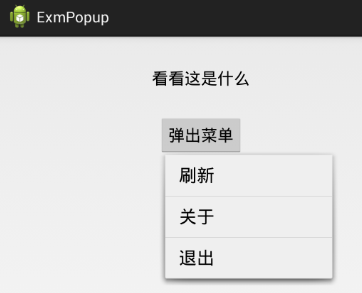 Android 彈出選單實作:PopupMenu 與 ListPopupWindow 全面比較
PopupMenu 基本用法PopupMenu 會顯示在參照控件附近,位置隨控件變化。常用流程包括建立物件、載入菜單資源、設定點擊監聽器,以及呼叫 show 顯示。新版
 Android RecyclerView 使用入門:從依賴到自訂 Adapter
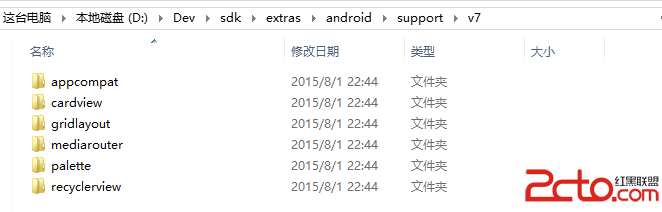
RecyclerView 是 support-v7 中的新元件。 RecyclerView 可以用來取代 ListView 與 GridView。顧名思義,它會自動回
 Android 微信自動搶紅包插件的優化與實作思路
本文僅從技術研究角度,探討 Android 自動化服務與無障礙功能的應用。此類功能會依賴系統通知、無障礙服務與特定 App 版本,實際使用時需注意平台規範與使用者授權。