

編輯:關於 Android 程式設計
若要保存大量重複或結構化的資料,資料庫是最合適的選擇。Android 中 SQLite 相關的 API 都集中在 android.database.sqlite 套件裡,學習曲線平緩,但幾個慣例若不遵守,後續維護會很痛苦。
// 繼承 SQLiteOpenHelper 類
public class DictionaryOpenHelper extends SQLiteOpenHelper {
public static final String DABASENAME = "dictionary";
private static final int DATABASE_VERSION = 1;
private SQLiteDatabase mDatabase;
private Context mContext;

// 定義 table 相關的內容
/*
 * 實現 BaseColumns 接口,內部類中會有一個關鍵字 _ID。android 中的一些類希望有 _ID,
 * 例如 cursor,但它不是必須的,但能夠幫助數據庫和 android 框架更好地協調
 */
public static class DictionaryEntry implements BaseColumns {
    public static final String TAB_NAME = "words";
    public static final String COLUMN_WORD = "word";
    public static final String COLUMN_DEFINATION = "defination";
}

// 用於創建數據庫
private static final String SQL_CREATE_ENTRIES =
    "CREATE TABLE " + DictionaryEntry.TAB_NAME + "(" +
    DictionaryEntry._ID + " INTEGER PRIMARY KEY," +
    DictionaryEntry.COLUMN_WORD + "," +
    DictionaryEntry.COLUMN_DEFINATION + ")";

public DictionaryOpenHelper(Context context) {
    super(context, DABASENAME, null, DATABASE_VERSION);
}
讓資料表定義實作 BaseColumns 是官方建議的做法,這樣 Cursor 等元件能與 Android 框架更好地協調。
// 當第一創建數據庫時會被調用
@Override
public void onCreate(SQLiteDatabase db) {
    // db.execSQL(SQL_CREATE_ENTRIES);
    // 讀取文件並添加多行
    loadDictionary();
}

private void loadDictionary() {
    new Thread(new Runnable() {
        @Override
        public void run() {
            // TODO Auto-generated method stub
            loadWords();
        }
    });
}

private void loadWords() {
    // 讀取資源
    final Resources resources = mContext.getResources();
    InputStream inputStream = resources.openRawResource(R.raw.definitions);
    Scanner scanner = new Scanner(inputStream);
    while (scanner.hasNextLine()) {
        String string = scanner.nextLine();
        String[] strings = string.split("-");
        if (strings.length < 2) {
            continue;
        }
        loadWord(strings[0].trim(), strings[1].trim());
    }
}

// 添加行
private void loadWord(String word, String defination) {
    ContentValues contentValues = new ContentValues();
    contentValues.put(DictionaryEntry.COLUMN_WORD, DictionaryEntry.COLUMN_DEFINATION);
    mDatabase.insert(DictionaryEntry.TAB_NAME, null, contentValues);
}

// 當數據庫升級的時候會被調用
@Override
public void onUpgrade(SQLiteDatabase db, int oldVersion, int newVersion) {
    // TODO Auto-generated method stub
    db.execSQL(SQL_CREATE_ENTRIES);
    onCreate(db);
}
兩點提醒:資料庫檔案存放在內部儲存,其他應用程式無法存取,安全性有基本保障;另外,getWritableDatabase() 與 getReadableDatabase() 涉及磁碟 I/O,不該放在主執行緒做長時間操作,應改用 AsyncTask 或 IntentService 之類的後台機制。
// 1. 創建 ContentValues 對象並添加信息
ContentValues contentValues = new ContentValues();
contentValues.put(DictionaryEntry.COLUMN_WORD, DictionaryEntry.COLUMN_DEFINATION);
// 2. 添加到數據庫中
mDatabase.insert(DictionaryEntry.TAB_NAME, null, contentValues);
使用 query() 檢索資料,回傳一個 Cursor 物件:
mDatabase.query(
    table,        // table 名
    columns,      // 返回的關鍵字
    selection,    // where 語句的關鍵字
    selectionArgs,// where 的值
    groupBy,      // 用於聲明怎麼去組織行
    having,       // 用於聲明哪個行組應該包含到 Cursor 中
    orderBy);     // 按哪個關鍵字排序
刪除資料時必須提供 selection 條件,否則會清掉整張表:
mDatabase.delete(
    table,      // table 名
    whereClause,// 用於操作的 WHERE 子句
    whereArgs); // WHERE 子句的參數
更新資料則用 update():
mDatabase.update(
    table,      // 要更新的 table 名
    values,     // ContentValues 的對象,用於指定更新的數據
    whereClause,// where 子句,用於指定哪一個行(記錄)需要修改
    whereArgs); // where 子句的值
Android SDK 內建 sqlite3 工具,可以直接查看資料庫表中的內容,操作全在命令列完成:
~$ adb devices
List of devices attached
emulator-5554   device

~$ adb -s emulator-5554 shell
#sqlite3 /data/data/com.example.mydictionary/databases/dictionary
sqlite> .table
進到 sqlite 提示符號後,就能用 SQL 語法檢視與修改資料。這個工具在驗證 insert 是否真的成功時特別有用,比反覆加 Log 有效率得多。
參考資料:
https://developer.android.com/training/basics/data-storage/databases.html
https://developer.android.com/guide/topics/data/data-storage.html
 Android APK 打包全流程拆解:從 aapt 到 zipalign
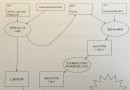
先看全局 Android 的打包過程,一張流程圖說得最清楚。這張圖引自《Android 開發權威指南》,把各工具的先後關係交代得很明白: 簡單講:aapt 把資源編譯成
 即時股票 App 實作:行情抓取、定時刷新與大額委託提醒
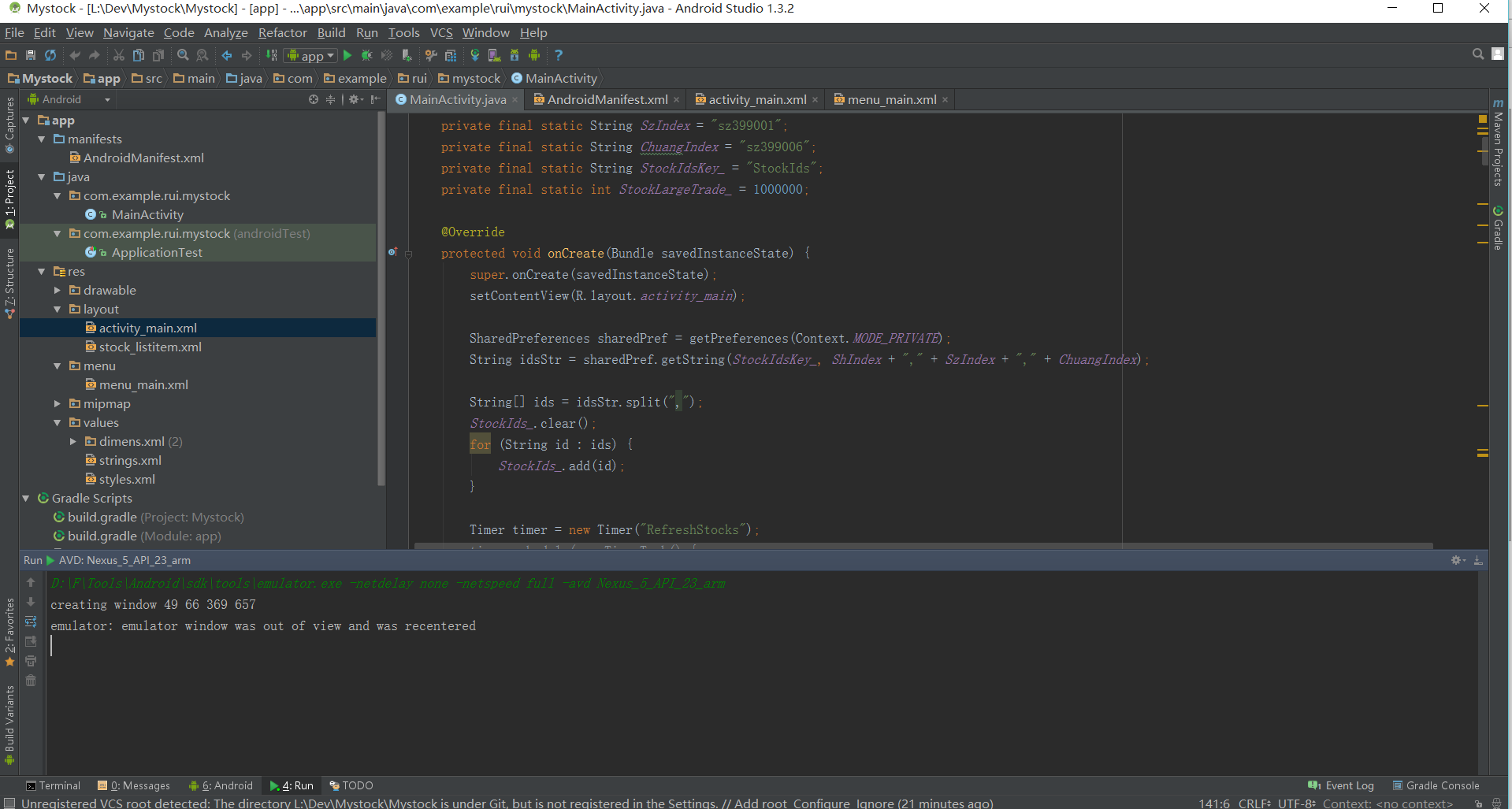
做為 Android 練手專案,股票行情 App 是個相當合適的題目——它同時涵蓋網路請求、定時任務、資料解析、清單呈現、本地儲存與通知推播,幾乎把日常開發會用到的元件都
 Android 事件總線 EventBus 3.0 講解與實踐
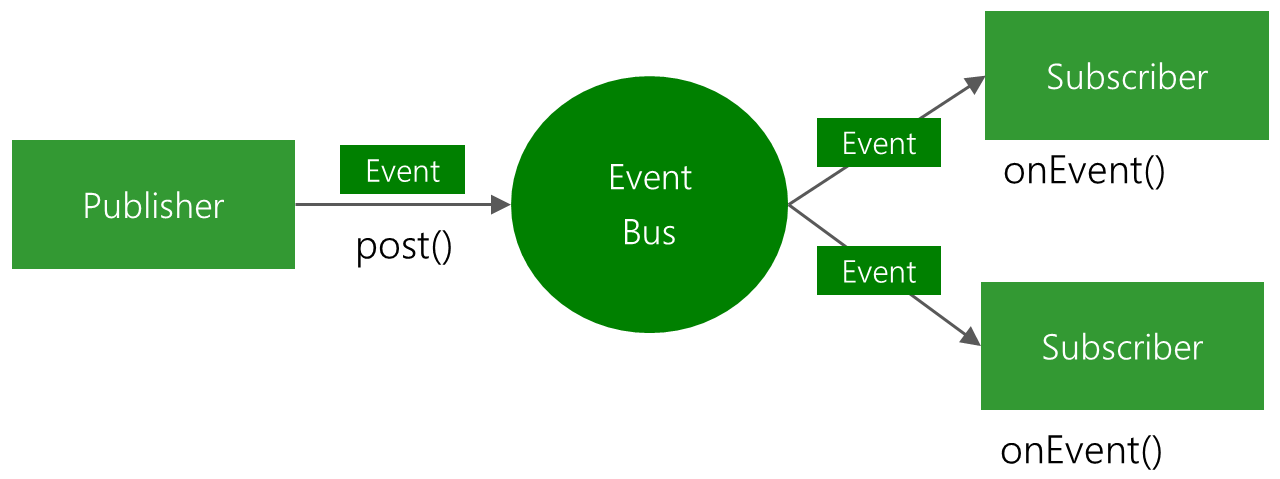
說到 EventBus,相信大家都不會陌生。它是一款針對 Android 優化的發布/訂閱事件總線,主要用來替代 Intent、Handler、BroadCast,在
 Android 4.2.2 SurfaceFlinger 啟動流程詳解(一)
延續前面幾篇介紹 Android Framework 源碼閱讀基礎知識(主要與 C++ 相關)的文章,本篇開始將和大家一起學習並總結 SurfaceFlinger 模組在