

編輯:關於 Android 程式設計
做過項目的人都遇過這樣的需求:讓某個控件持續閃爍以引起注意,或者讓圖標左右搖擺增加趣味性。這類效果本質上是「動畫續播」與「動畫循環」,Android 提供了兩種實現思路。
所謂續播,就是先播放動畫 A,A 結束後接著播放動畫 B。
分別定義兩個動畫,為 A 設置 AnimationListener,在 onAnimationEnd 回調中啟動 B:
animation1.setAnimationListener(new Animation.AnimationListener() {
    @Override
    public void onAnimationStart(Animation animation) { }

    @Override
    public void onAnimationRepeat(Animation animation) { }

    @Override
    public void onAnimationEnd(Animation animation) {
        animation2.start();
    }
});
這種方式更簡潔:寫一個動畫集 AnimationSet,在其中定義 A 和 B,並為 B 設置 android:startOffset,其值等於前一個動畫所需的播放時長。
<?xml version="1.0" encoding="utf-8"?>
<set xmlns:android="https://schemas.android.com/apk/res/android">

    <alpha
        android:fromAlpha="0.1"
        android:toAlpha="1.0"
        android:duration="3000" />

    <alpha
        android:fromAlpha="1.0"
        android:toAlpha="0.1"
        android:startOffset="3000"
        android:duration="3000" />

</set>
其中 android:startOffset="3000" 表示延遲 3 秒後再執行第二個動畫。如果把這行去掉,兩個動畫就會同時播放,你將完全看不到預期的漸變效果。
閃爍、搖擺這類效果都需要動畫反覆執行,同樣有兩種做法。
定義動畫 A(透明度 0→1)與動畫 B(透明度 1→0),分別監聽,A 結束執行 B,B 結束執行 A,以此類推形成無限循環。這種方式控制粒度細,但代碼相對繁瑣。
更推薦的做法是直接利用 Animation 提供的重複機制。
閃爍效果(亮→暗→亮,循環往復):
// 閃爍
AlphaAnimation alphaAnimation1 = new AlphaAnimation(0.1f, 1.0f);
alphaAnimation1.setDuration(3000);
alphaAnimation1.setRepeatCount(Animation.INFINITE);
alphaAnimation1.setRepeatMode(Animation.REVERSE);
iv.setAnimation(alphaAnimation1);
alphaAnimation1.start();
搖擺效果(左右晃動):
// 搖擺
TranslateAnimation translateAnimation = new TranslateAnimation(150f, 350f, 50, 50);
translateAnimation.setDuration(1000);
translateAnimation.setRepeatCount(Animation.INFINITE);
translateAnimation.setRepeatMode(Animation.REVERSE);
iv.setAnimation(translateAnimation);
translateAnimation.start();
兩個關鍵方法說明:
實際開發裡,我們通常直接在布局或 anim 資源文件中定義動畫,讓代碼保持乾淨:
<?xml version="1.0" encoding="utf-8"?>
<set xmlns:android="https://schemas.android.com/apk/res/android"
    android:interpolator="@android:anim/accelerate_interpolator"
    android:shareInterpolator="true">

    <rotate
        android:fromDegrees="0"
        android:toDegrees="7"
        android:pivotX="50%"
        android:pivotY="50%"
        android:repeatCount="infinite"
        android:repeatMode="reverse"
        android:duration="200" />

</set>
其中 android:repeatMode="reverse" 定義了動畫播放完後反向重播,配合 infinite 就能實現持續的左右搖擺。
續播放適用 AnimationSet + startOffset,循環播放優先用 setRepeatCount 與 setRepeatMode。把動畫定義在 XML 中不僅讓代碼更清晰,也方便設計人員直接調整參數。
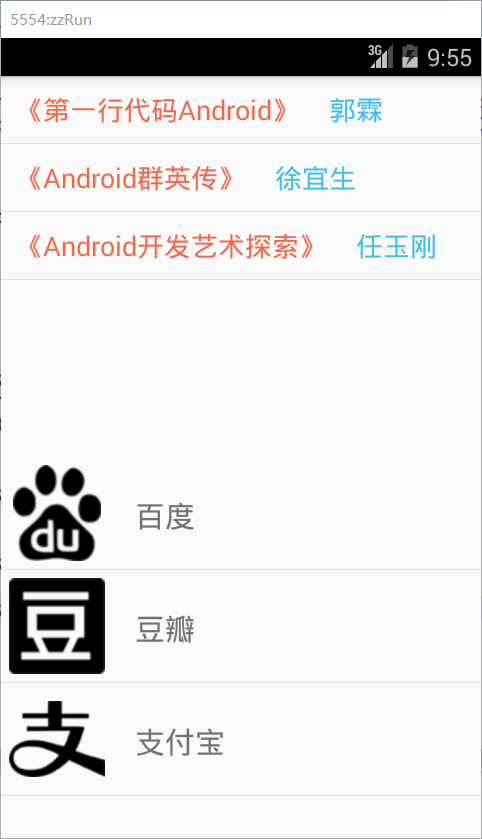 一個萬能 BaseAdapter,搞定兩個 ListView 復用
做 Android 開發時,我們經常會遇到一個頁面裡出現多個 ListView、且數據類型各異的情況。如果為每個列表都寫一個 Adapter,代碼會變得冗餘難維護。本文就
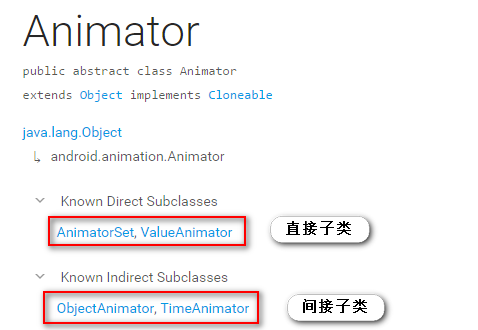 帶你看原始碼學屬性動畫(一):相關類總覽
從 Android 3.0(API level 11)開始,Google 為平台加入了屬性動畫(Property Animation)。這是一套強大的框架,讓開發者幾乎可
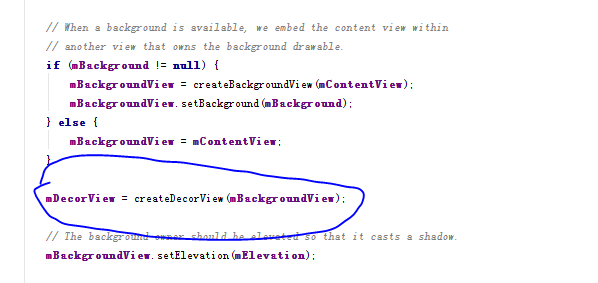 Android PopupWindow 使用詳解與 6.0 源碼差異
本文參考〈Android PopupWindow 用法解析〉一文進行學習,透過實例與源碼分析掌握了 PopupWindow 的使用方式。原文最後「補充案例:彈窗不消失,但
 從四個方法理清 Android 觸摸事件的分發與消費機制
提到 Android 的觸摸事件處理,很多人第一反應就是那幾個「令人頭疼」的方法: @Override public boolean onTouchEvent(Moti