

編輯:關於 Android 程式設計
要讓自己的 App 能被系統當成「瀏覽器」跳出來選擇,關鍵全在 AndroidManifest.xml 裡的 intent-filter 配置。以下是自製瀏覽器時常用的完整寫法:
<intent-filter>
    <category android:name="android.intent.category.DEFAULT" />
</intent-filter>

<intent-filter>
    <category android:name="android.intent.category.DEFAULT" />
    <category android:name="android.intent.category.BROWSABLE" />
    <data android:scheme="http" />
    <data android:scheme="https" />
    <data android:scheme="about" />
    <data android:scheme="javascript" />
</intent-filter>

<intent-filter>
    <category android:name="android.intent.category.BROWSABLE" />
    <category android:name="android.intent.category.DEFAULT" />
    <data android:scheme="http" />
    <data android:scheme="https" />
    <data android:scheme="inline" />
    <data android:mimeType="text/html" />
    <data android:mimeType="text/plain" />
    <data android:mimeType="application/xhtml+xml" />
    <data android:mimeType="application/vnd.wap.xhtml+xml" />
</intent-filter>

<intent-filter>
    <category android:name="android.intent.category.DEFAULT" />
    <category android:name="android.intent.category.LAUNCHER" />
    <category android:name="android.intent.category.BROWSABLE" />
</intent-filter>

<intent-filter>
    <category android:name="android.intent.category.DEFAULT" />
    <category android:name="android.intent.category.BROWSABLE" />
    <data android:scheme="" />
    <data android:scheme="http" />
    <data android:scheme="https" />
</intent-filter>

<intent-filter>
    <category android:name="android.intent.category.DEFAULT" />
</intent-filter>

<meta-data android:name="android.app.searchable"
    android:resource="@xml/searchable" />
第一段是最基本的 DEFAULT 宣告,讓這個 Activity 可以作為隱含 Intent 的預設接收者。
第二段宣告能處理的 URL scheme。加上 BROWSABLE 是關鍵——它代表這個元件可以從瀏覽器或其他 App 被安全地啟動,例如點網頁連結。除了 http/https,瀏覽器通常還要能處理 about:(about:blank 這類內部頁)與 javascript:(書籤小工具)。
第三段把 scheme 與 mimeType 一起宣告,涵蓋 html、純文字與兩種 XHTML 的 MIME 型別,再加上 inline scheme,用來處理直接以內容型別呼叫的情況(例如開啟本機的 .html 檔)。
第四段加上 LAUNCHER,讓這個 Activity 出現在桌面啟動器上,使用者能直接點開。
第五段保留一個空 scheme 搭配 http/https,是為了兼容某些會傳入空 scheme 的呼叫來源,屬於防禦性配置。
最後的 meta-data 指向 @xml/searchable,宣告這個 Activity 可被搜尋,瀏覽器的網址列搜尋與歷史紀錄功能就靠它。
intent-filter 的組合是 AND 邏輯。同一個 <intent-filter> 內的 action、category、data 必須同時滿足才會匹配;不同 <intent-filter> 之間則是 OR。所以看到同一個 Activity 底下掛了一堆重複的 filter,通常就是為了覆蓋不同組合,並非寫錯。
宣告得越廣,責任越大。把 BROWSABLE 開給外部,等於讓任何 App 或網頁都能用 Intent 打開你的 Activity。處理傳入的 URI 時務必做輸入驗證,別直接把外部字串塞進 WebView 或檔案路徑,否則容易衍生 XSS 與路徑穿越問題。
 Android TableLayout 常用屬性介紹
collapseColumnscollapseColumns 可依列索引隱藏指定欄位。若不設定此屬性,表格會完整顯示。若設定為 0,2,則第 0 與第 2 欄會被隱藏。s
 Android 自定義 View 入門(一):從自訂屬性到 onMeasure 與 onDraw
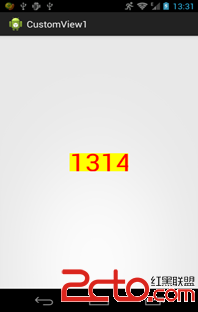
本講主題:自定義 View,且要求能夠在佈局檔案中重複使用。 整體步驟 1. 定義自定義屬性;2. 在構造方法中讀取這些屬性;3. 重寫 onMeasure(可選,但實
 Unity 滑頁嵌套實作:解決 ScrollRect 橫向與縱向捲動衝突
簡介 在 Unity 的 UGUI 系統中,ScrollRect 是製作捲動列表與滑頁界面的常用元件。不過,當橫向滑頁裡又需要嵌入縱向滑頁時,兩層 ScrollRect
 Android DIY 之路(一):指定區域多圖片合成、縮放、鏡像與旋轉
最近的工作一直圍繞手機端 DIY 玩法展開,網上資料不多,於是把遇到的功能拆成模塊逐個分享。今天講的是圖片(其實換成任意 View 也通用,常見場景還有 EditText