

編輯:關於 Android 程式設計
1. 加入樣板頁時,可以將圖片粘貼到網站中,建議新建一個資料夾分類,讓結構更清晰。
2. 在網站中新建一個樣板頁(.master),加入樣式。主標題可寫在 div 之外,並加入一個 Image 控制項,將 ImageUrl 設為內嵌圖片。樣式的長寬最好在設計視圖中調整好。
3. 修改原本繼承其他網頁樣板的程式碼:
protected void Page_PreInit(object sender, EventArgs e) {
    this.MasterPageFile = "~/MasterPage2.master";
}
1. 在 ProcessRequest 事件中撰寫回饋頁面。
2. 在 Web.config 的 system.web 下的 handlers 中,add 自己的 verb、path(被訪問的後綴名,可隨便寫)與 type(具體類的完整路徑)。程式碼如下:
public class MyHttpHandler : IHttpHandler // 注意是 IHttpHandler
{
    public bool IsReusable {
        get { return false; }
    }

    public void ProcessRequest(HttpContext context) {
        // 這是回傳請求的頁面,仍用 HttpResponse 的實例去 Write 網頁
        // 對於錯誤報告、Session 驗證等不回饋前台的場景很有效
        HttpResponse response = context.Response;
        response.Write("<html>");
        response.Write("<head>");
        response.Write("<title>這是來自 MyHandler 的回應</title>");
        response.Write("</head>");
        response.Write("<body>");
        response.Write("<h1 style=\"color:red\">這是來自 MyHandler 的回應</h1>");
        response.Write("</body>");
        response.Write("</html>");
    }
}
一般方法是繼承 IHttpModule,其中包含 BeginRequest(在客戶端的 Http 請求到達具體頁面之前,先觸發該模組事件)與 EndRequest(在最後的請求中才觸發,常用於放置頁腳的版權資訊,每頁必有)等事件。這些事件都發生在 HTML 頁面之外。
在 Init 中寫初始化,連續兩次按 Tab 鍵即可生成方法:
public class MyHttpModule : IHttpModule
{
    public void Dispose() { return; }

    public void Init(HttpApplication context) {
        context.BeginRequest += new EventHandler(context_BeginRequest);
        context.EndRequest += new EventHandler(context_EndRequest);
        context.AcquireRequestState += new EventHandler(context_AcquireRequestState);
    }

    // 在請求 default 頁面之前進行,可用作全站驗證(需在 config 的 handlers 中註冊)
    void context_BeginRequest(object sender, EventArgs e) {
        HttpApplication application = sender as HttpApplication;
        HttpResponse response = application.Response;
        response.Write("<h1 style=\"color: red\">這是一個來自 HTTP 模組的題頭</h1>");
    }

    // Session 驗證:判斷是否為登入頁,避免重定向造成死循環
    void context_AcquireRequestState(object sender, EventArgs e) {
        HttpApplication application = sender as HttpApplication;
        string filepath = application.Request.FilePath;
        string FileName = VirtualPathUtility.GetFileName(filepath);
        if (FileName == "UserLogin.aspx") return;

        System.Web.SessionState.HttpSessionState session = application.Session;
        if (null == session["username"]) {
            // 使用 Server.Transfer 替代 Response.Redirect
            // 前者在後綴名不變的情況下直接顯示轉移網頁的內容,不會再次經過 Http 模組
            application.Server.Transfer("~/UserLogin.aspx");
        }
    }

    // 在 HTML 題尾輸出版權資訊
    void context_EndRequest(object sender, EventArgs e) {
        HttpApplication application = sender as HttpApplication;
        HttpResponse response = application.Response;
        response.Write("<h1 style=\"color: blue\">這是一個來自 HTTP 模組的版權資訊</h1>");
    }
}
若在 AcquireRequestState 中使用 Response.Redirect 重定向到登入頁,由於每個頁面都會重複進行 Session 驗證,而此時 Session 為空,便會不断跳回自己,造成死循環。解決方法有兩種:一是用 Server.Transfer 取代 Response.Redirect(它不會再次模擬客戶端提交,因此不會再次經過 Http 模組);二是在驗證前先判斷是否為登入頁,若是則直接返回。這正是實作單點登錄的實用技巧。
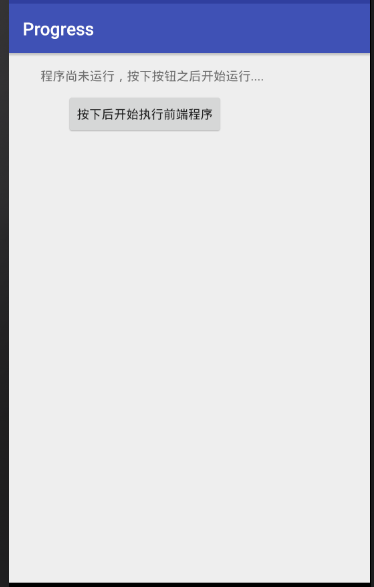 Android 模擬「加載中」效果實作:ProgressDialog 搭配子執行緒
平時沒事寫了個小程式,想做出點擊按鈕後出現「加載中」提示的效果。做法其實很直觀:用 ProgressDialog 彈出一個轉圈的等待視窗,再開一條子執行緒去模擬耗時任務,
 手機QQ字體與顏色怎麼改 個性化設定教學
手機QQ的聊天字體看膩了想換換?字體顏色能不能調整?下面小編就把兩件事分別說明。 如何修改手機QQ字體顏色 可透過文件管理器進入 E:System→Apps→Tencen
 Android 圖片輪播廣告:滑動切換標題與焦點小圓點的實現
在許多應用的首頁,都會看到可以左右滑動、自動循環的圖片輪播效果,底部往往還帶有隨頁面切換而變化的標題與指示小圓點。本文以谷歌 v4 包中的 ViewPager 為基礎,一
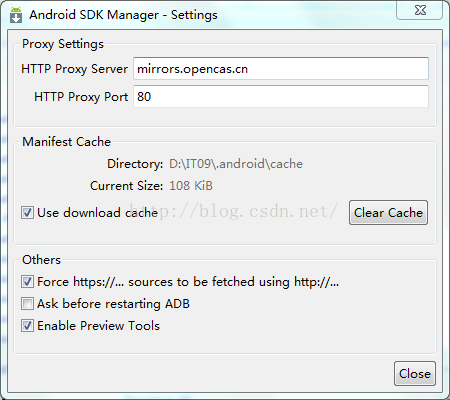 Delphi XE Android 開發筆記:環境設定、感測器、Intent 與常用元件
使用 Delphi XE 系列開發 Android 時,除了 Object Pascal 語法外,也需要熟悉 SDK/NDK 設定、應用程式啟動畫面、檔案部署、感測器、I