

編輯:關於 Android 程式設計
使用 Android 的 Canvas drawText 繪制文本時,即使 text 中包含 \r\n,畫出來也不會換行。這時就需要借助 TextPaint 配合 StaticLayout 來實現。
TextPaint textPaint = new TextPaint();
textPaint.setARGB(0xFF, 0, 0, 0);
textPaint.setTextSize(20.0F);
textPaint.setAntiAlias(true);
StaticLayout layout = new StaticLayout("abc\r\n123", textPaint, 300,
        Alignment.ALIGN_NORMAL, 1.0F, 0.0F, true);
cv.save();
cv.translate(20, 20); // 從 20, 20 開始畫
layout.draw(cv);
cv.restore(); // 別忘了 restore
關鍵在於:StaticLayout 會根據指定的寬度自動處理換行,把 \r\n 正確解析為多行文本,再通過 layout.draw(canvas) 繪制出來。使用時記得配合 canvas 的 save/restore 來保護畫布狀態。
 自定義 View 實作 Android 九宮格解鎖
先看效果 版面檔 整頁只有一個自訂 View,其餘什麼都沒有: <RelativeLayout xmlns:android=https://schemas.an
 Android 4.4 NotificationManagerService 原理剖析:NotificationListenerService 的啟動、回調與失效陷阱
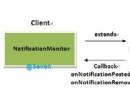
前言 上一篇已經把 NotificationListenerService(以下簡稱 NLS)的使用方式與常見問題整理過,本篇要往下挖一層:它到底是怎麼跑起來的,那些惱人
 Android 自定義雙日期選擇器:一個 Dialog 選完起止日期
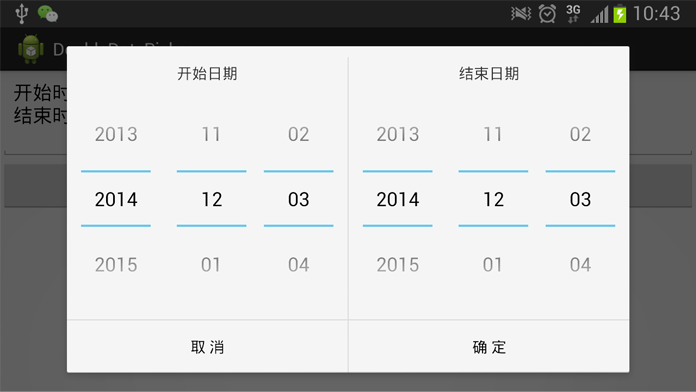
做預訂、報表、查詢類的業務時,總會遇到「請選擇開始日期與結束日期」的需求。系統自帶的 DatePickerDialog 一次只能選一個日期,用戶得彈兩次窗,體驗割裂;尤其
 ConstraintLayout 入門:用約束打造扁平化布局
序 在 Google I/O 大會上,除了 Android Studio 2.2 預覽版,還帶來了一個基於約束的布局庫。 簡單說,它是 RelativeLayout 的進