

編輯:關於 Android 程式設計
靜默安裝需要系統權限,因此前提條件是手機已 root(若為系統應用並加入 INSTALL_PACKAGES 權限,則不需 root)。以下先說明一般安裝方式,再說明靜默安裝。
public static boolean installNormal(Context context, String filePath) {
    Intent i = new Intent(Intent.ACTION_VIEW);
    File file = new File(filePath);
    if (file == null || !file.exists() || !file.isFile() || file.length() <= 0) {
        return false;
    }
    i.setDataAndType(Uri.parse("file://" + filePath),
            "application/vnd.android.package-archive");
    i.addFlags(Intent.FLAG_ACTIVITY_NEW_TASK);
    context.startActivity(i);
    return true;
}
靜默安裝的本質是透過 shell 執行 pm install 命令。核心方法如下:
public static int installSilent(Context context, String filePath) {
    return installSilent(context, filePath, "-r");
}

/**
 * 透過 root 靜默安裝套件。
 * 注意:不要在使用者介面執行緒呼叫,可能耗時。
 * 若為系統應用,需在 manifest 加入
 * android.permission.INSTALL_PACKAGES,則無需 root。
 *
 * @return INSTALL_SUCCEEDED 代表成功,其他值代表各種失敗原因
 */
public static int installSilent(Context context, String filePath, String pmParams) {
    if (filePath == null || filePath.length() == 0) {
        return INSTALL_FAILED_INVALID_URI;
    }
    File file = new File(filePath);
    if (file == null || file.length() <= 0 || !file.exists() || !file.isFile()) {
        return INSTALL_FAILED_INVALID_URI;
    }

    // 若為系統應用則不需 root,但需在 manifest 加入 INSTALL_PACKAGES 權限
    StringBuilder command = new StringBuilder()
            .append("LD_LIBRARY_PATH=/vendor/lib:/system/lib pm install ")
            .append(pmParams == null ? "" : pmParams).append(" ")
            .append(filePath.replace(" ", "\\ "));
    CommandResult commandResult = DwShell.execCommand(command.toString(),
            !isSystemApplication(context), true);
    if (commandResult.successMsg != null
            && (commandResult.successMsg.contains("Success")
                || commandResult.successMsg.contains("success"))) {
        return INSTALL_SUCCEEDED;
    }

    // 依 errorMsg 內容判斷並回傳對應的失敗碼
    // 例如 INSTALL_FAILED_ALREADY_EXISTS、INSTALL_FAILED_INVALID_APK、
    // INSTALL_FAILED_INSUFFICIENT_STORAGE 等,此處省略逐一比對的細節
    return INSTALL_FAILED_OTHER;
}
其中執行的 shell 命令封裝如下:
public static CommandResult execCommand(String[] commands, boolean isRoot, boolean isNeedResultMsg) {
    int result = -1;
    if (commands == null || commands.length == 0) {
        return new CommandResult(result, null, null);
    }

    Process process = null;
    BufferedReader successResult = null;
    BufferedReader errorResult = null;
    StringBuilder successMsg = null;
    StringBuilder errorMsg = null;
    DataOutputStream os = null;
    try {
        process = Runtime.getRuntime().exec(isRoot ? COMMAND_SU : COMMAND_SH);
        os = new DataOutputStream(process.getOutputStream());
        for (String command : commands) {
            if (command == null) {
                continue;
            }
            // 不用 os.writeBytes,避免中文編碼錯誤
            os.write(command.getBytes());
            os.writeBytes(COMMAND_LINE_END);
            os.flush();
        }
        os.writeBytes(COMMAND_EXIT);
        os.flush();

        result = process.waitFor();
        if (isNeedResultMsg) {
            successMsg = new StringBuilder();
            errorMsg = new StringBuilder();
            successResult = new BufferedReader(new InputStreamReader(process.getInputStream()));
            errorResult = new BufferedReader(new InputStreamReader(process.getErrorStream()));
            String s;
            while ((s = successResult.readLine()) != null) {
                successMsg.append(s);
            }
            while ((s = errorResult.readLine()) != null) {
                errorMsg.append(s);
            }
        }
    } catch (IOException e) {
        e.printStackTrace();
    } catch (Exception e) {
        e.printStackTrace();
    } finally {
        try {
            if (os != null) os.close();
            if (successResult != null) successResult.close();
            if (errorResult != null) errorResult.close();
        } catch (IOException e) {
            e.printStackTrace();
        }
        if (process != null) {
            process.destroy();
        }
    }
    return new CommandResult(result,
            successMsg == null ? null : successMsg.toString(),
            errorMsg == null ? null : errorMsg.toString());
}
關鍵在於:組出 pm install 命令後,透過 Runtime 執行 shell(必要時以 root 權限),再依命令輸出的成功訊息或錯誤訊息回傳對應的安裝結果碼。這樣便能對指定 APK 進行無互動的靜默安裝。
 Android 系統源碼解析:ActivityManagerService(AMS)的角色與通信機制
在多篇文章中我們都提到過 ActivityManagerService。它是系統啟動時加載的一個服務線程,運行在 system_server 進程中,主要負責管理系統中的
 Android Material Design 風格常用控件實戰整理
Material Design 為 Android 提供了豐富的視覺與交互規範。本文整理常用控件的使用方式,包括 Toolbar、DrawerLayout、Recycle
 Android 性能分析工具 TraceView 使用與指標解析
TraceView 是 Android 平台上常見的方法級效能分析工具,它能以圖形方式呈現應用程式在一段時間內的方法呼叫與執行時間,協助開發者快速找出卡頓原因。
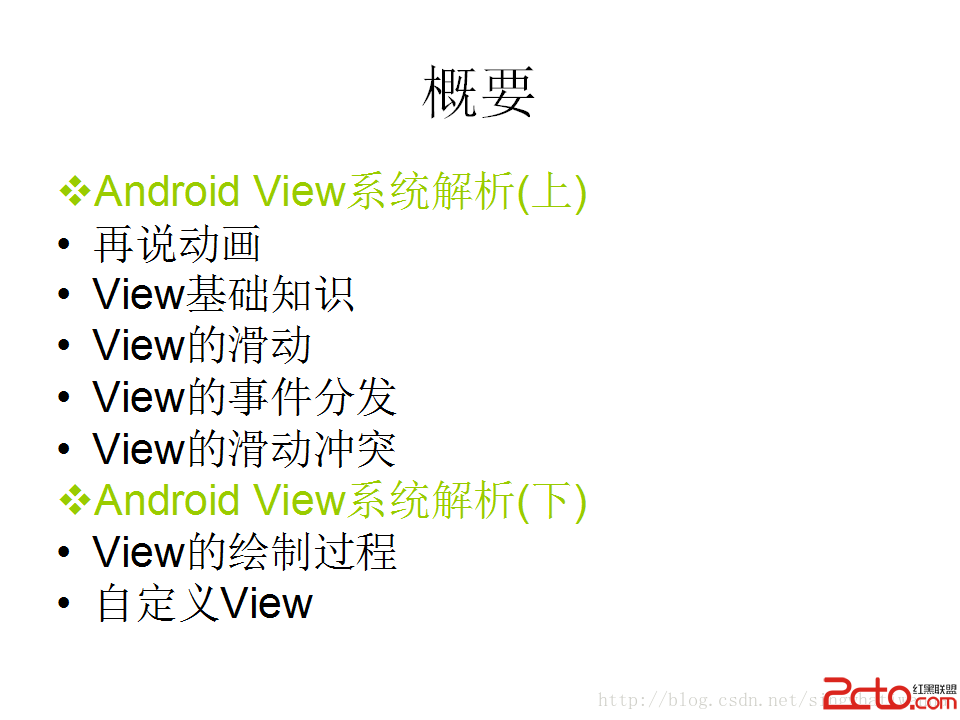 Android View 系統解析(上):從 View 樹到測量、佈局、繪製三大流程
寫 Android 介面久了,難免會遇到一些「表面寫得出來、深究卻說不清」的問題:為什麼自訂 View 的 onMeasure 不寫就顯示不出來?requestLayou