

編輯:關於 Android 程式設計
如今手機應用已滲透到各行各業,數量難以計數,其中大多數應用都會用到網路與伺服器交互。那麼在 Android 中訪問網路有哪些方式呢?以下總結了六種:
(1)針對 TCP/IP 的 Socket、ServerSocket;
(2)針對 UDP 的 DatagramSocket、DatagramPacket。這裡需要特別注意:由於 Android 設備通常是手持終端,IP 都是隨著上網動態分配的,並非固定,因此開發時與普通互聯網應用略有差異。
(3)針對直接 URL 的 HttpURLConnection。
(4)Google 集成了 Apache HTTP 客戶端,可使用 HTTP 進行網路編程。
(5)使用 WebService。Android 可透過開源套件如 jackson 支援 Xmlrpc 與 Jsonrpc,也可用 Ksoap2 來實現 Webservice。
(6)直接使用 WebView 視圖元件顯示網頁。基於 WebView 開發時,Google 已提供一個基於 chrome-lite 的網頁瀏覽器,可直接上網瀏覽網頁。
客戶端程式碼:
 public class TestNetworkActivity extends Activity implements OnClickListener{
     private Button connectBtn;
     private Button sendBtn;
     private TextView showView;
     private EditText msgText;
     private Socket socket;
     private Handler handler;

     @Override
     protected void onCreate(Bundle savedInstanceState) {
         super.onCreate(savedInstanceState);
         setContentView(R.layout.test_network_main);
         connectBtn = (Button) findViewById(R.id.test_network_main_btn_connect);
         sendBtn = (Button) findViewById(R.id.test_network_main_btn_send);
         showView = (TextView) findViewById(R.id.test_network_main_tv_show);
         msgText = (EditText) findViewById(R.id.test_network_main_et_msg);
         connectBtn.setOnClickListener(this);
         sendBtn.setOnClickListener(this);
         handler = new Handler(){
             @Override
             public void handleMessage(Message msg) {
                 super.handleMessage(msg);
                 String data = msg.getData().getString("msg");
                 showView.setText("來自伺服器的訊息:"+data);
             }
         };
     }

     @Override
     public void onClick(View v) {
         if(v == connectBtn){ connectServer(); }
         if(v == sendBtn){ String msg = msgText.getText().toString(); send(msg); }
     }

     /** 連接伺服器的方法 */
     public void connectServer(){
         try {
             socket = new Socket("192.168.1.100",4000);
             System.out.println("連接伺服器成功");
             recevie();
         } catch (Exception e) {
             System.out.println("連接伺服器失敗"+e);
             e.printStackTrace();
         }
     }

     /** 發送訊息的方法 */
     public void send(String msg){
         try {
             PrintStream ps = new PrintStream(socket.getOutputStream());
             ps.println(msg);
             ps.flush();
         } catch (IOException e) {
             e.printStackTrace();
         }
     }

     /** 讀取伺服器傳回的方法 */
     public void recevie(){
         new Thread(){
             public void run(){
                 while(true){
                     try {
                         InputStream is = socket.getInputStream();
                         BufferedReader br = new BufferedReader(new InputStreamReader(is));
                         String str = br.readLine();
                         Message message = new Message();
                         Bundle bundle = new Bundle();
                         bundle.putString("msg", str);
                         message.setData(bundle);
                         handler.sendMessage(message);
                     } catch (IOException e) {
                         e.printStackTrace();
                     }
                 }
             }
         }.start();
     }
 }
 public class TestURLActivity extends Activity implements OnClickListener {
     private Button connectBtn;
     private Button urlConnectionBtn;
     private Button httpUrlConnectionBtn;
     private Button httpClientBtn;
     private ImageView showImageView;
     private TextView showTextView;
     private WebView webView;

     @Override
     protected void onCreate(Bundle savedInstanceState) {
         super.onCreate(savedInstanceState);
         setContentView(R.layout.test_url_main);
         connectBtn = (Button) findViewById(R.id.test_url_main_btn_connect);
         urlConnectionBtn = (Button) findViewById(R.id.test_url_main_btn_urlconnection);
         httpUrlConnectionBtn = (Button) findViewById(R.id.test_url_main_btn_httpurlconnection);
         httpClientBtn = (Button) findViewById(R.id.test_url_main_btn_httpclient);
         showImageView = (ImageView) findViewById(R.id.test_url_main_iv_show);
         showTextView = (TextView) findViewById(R.id.test_url_main_tv_show);
         webView = (WebView) findViewById(R.id.test_url_main_wv);
         connectBtn.setOnClickListener(this);
         urlConnectionBtn.setOnClickListener(this);
         httpUrlConnectionBtn.setOnClickListener(this);
         httpClientBtn.setOnClickListener(this);
     }

     @Override
     public void onClick(View v) {
         // 直接使用 URL 物件進行連接
         if (v == connectBtn) {
             try {
                 URL url = new URL("https://192.168.1.100:8080/myweb/image.jpg");
                 InputStream is = url.openStream();
                 Bitmap bitmap = BitmapFactory.decodeStream(is);
                 showImageView.setImageBitmap(bitmap);
             } catch (Exception e) { e.printStackTrace(); }
         }
         // 直接使用 URLConnection 物件進行連接
         if (v == urlConnectionBtn) {
             try {
                 URL url = new URL("https://192.168.1.100:8080/myweb/hello.jsp");
                 URLConnection connection = url.openConnection();
                 InputStream is = connection.getInputStream();
                 byte[] bs = new byte[1024];
                 int len = 0;
                 StringBuffer sb = new StringBuffer();
                 while ((len = is.read(bs)) != -1) {
                     String str = new String(bs, 0, len);
                     sb.append(str);
                 }
                 showTextView.setText(sb.toString());
             } catch (Exception e) { e.printStackTrace(); }
         }
         // 直接使用 HttpURLConnection 物件進行連接
         if (v == httpUrlConnectionBtn) {
             try {
                 URL url = new URL("https://192.168.1.100:8080/myweb/hello.jsp?username=abc");
                 HttpURLConnection connection = (HttpURLConnection) url.openConnection();
                 connection.setRequestMethod("GET");
                 if (connection.getResponseCode() == HttpURLConnection.HTTP_OK) {
                     String message = connection.getResponseMessage();
                     showTextView.setText(message);
                 }
             } catch (Exception e) { e.printStackTrace(); }
         }
         // 使用 ApacheHttp 客戶端進行連接(重要方法)
         if (v == httpClientBtn) {
             try {
                 HttpClient client = new DefaultHttpClient();
                 HttpPost httpPost = new HttpPost("https://192.168.1.100:8080/myweb/hello.jsp");
                 List dataList = new ArrayList();
                 dataList.add(new BasicNameValuePair("username", "aaaaa"));
                 dataList.add(new BasicNameValuePair("pwd", "123"));
                 httpPost.setEntity(new UrlEncodedFormEntity(dataList));
                 HttpResponse httpResponse = client.execute(httpPost);
                 HttpEntity entity = httpResponse.getEntity();
                 String content = EntityUtils.toString(entity);
                 webView.loadDataWithBaseURL(null, content, "text/html", "utf-8", null);
             } catch (ClientProtocolException e) {
                 e.printStackTrace();
             } catch (IOException e) {
                 e.printStackTrace();
             }
         }
     }
 }
 public class LoginActivity extends Activity implements OnClickListener{
     private Button loginBtn;
     private static final String SERVICE_URL = "https://192.168.1.100:8080/loginservice/LoginServicePort";
     private static final String NAMESPACE = "https://service.lovo.com/";

     @Override
     protected void onCreate(Bundle savedInstanceState) {
         super.onCreate(savedInstanceState);
         setContentView(R.layout.login_main);
         loginBtn = (Button) findViewById(R.id.login_main_btn_login);
         loginBtn.setOnClickListener(this);
     }

     @Override
     public void onClick(View v) {
         if(v == loginBtn){
             HttpTransportSE httpSE = new HttpTransportSE(SERVICE_URL);
             SoapSerializationEnvelope envelop = new SoapSerializationEnvelope(SoapEnvelope.VER11);
             SoapObject soapObject = new SoapObject(NAMESPACE, "validate");
             soapObject.addProperty("arg0", "abc");
             soapObject.addProperty("arg1", "123");
             envelop.bodyOut = soapObject;
             try {
                 httpSE.call(null, envelop);
                 SoapObject resultObj = (SoapObject) envelop.bodyIn;
                 String returnStr = resultObj.getProperty("return").toString();
                 Toast.makeText(this, "返回值:"+returnStr, Toast.LENGTH_LONG).show();
             } catch (IOException e) {
                 e.printStackTrace();
             } catch (XmlPullParserException e) {
                 e.printStackTrace();
             }
         }
     }
 }
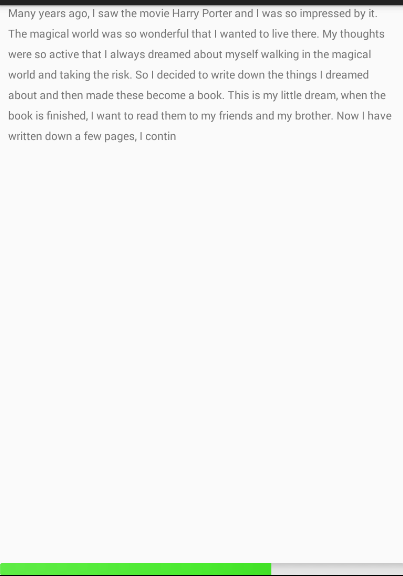 Android ProgressBar 進度條完全指南:樣式、監聽與檔案讀取進度
ProgressBar 是使用者回饋設計裡最基礎的元件。它主要分成兩種形態:旋轉式( indeterminate,適合不確定耗時的載入)與水平式( determinate
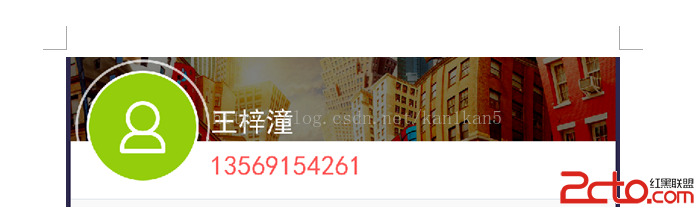 Android Drawable 與 LayerDrawable 完全解析
先看一個實際需求:做出一個外圈白色描邊、內圈綠色填色、中央再疊一張圖示的圓形按鈕。 用 layer-list 就能乾淨地解決: </layer-list>
 深入 Android Scroller 與 scrollTo:滑屏效果的原理與實作全解
本文從最基礎的座標概念出發,釐清 scrollTo() 與 scrollBy() 的差異,再帶入 Scroller 與 computeScroll() 的搭配用法,最後組
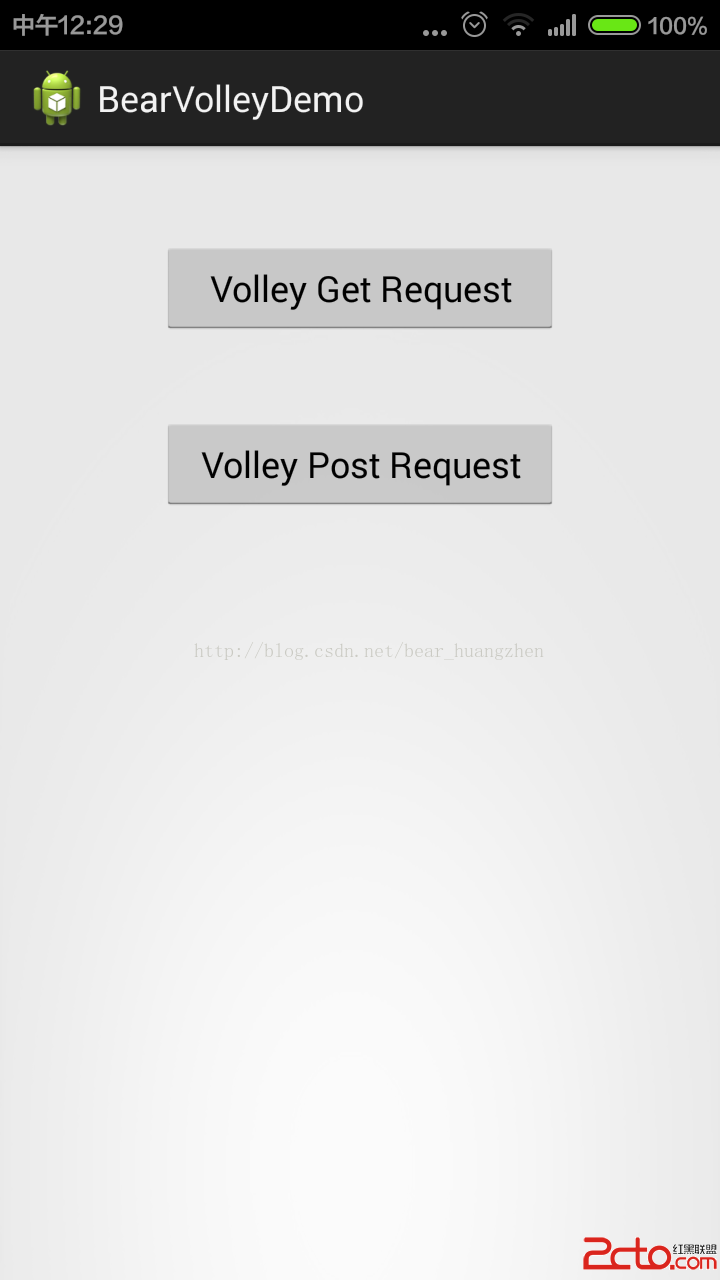 Android Volley 網路請求入門:快速上手 Google 官方網路庫
Volley 是什麼Volley 是 Google 在 I/O 大會上推出的 Android 網路通訊庫,主要目標是讓網路請求變得更簡單、更快速,也更穩定。過去開發者在處