

編輯:關於 Android 程式設計
訪問網絡,最核心的就是 HTTP 協議。協議本身不複雜,但很重要。下面把常用程式碼整理成幾個區塊,需要哪一段直接複製使用即可。
涵蓋範圍:GET 與 POST 組拼參數提交、HttpClient 的對應寫法、檔案上傳與下載,以及伺服器回傳 XML 與 JSON 的簡易解析。
String path = "https://192.168.13.1";
String username = "ll";
String pwd = "123";
public void httpGet() throws Exception {
    String param1 = URLEncoder.encode(username, "UTF-8");
    String param2 = URLEncoder.encode(pwd, "UTF-8");
    URL url = new URL(path + "?name=" + param1 + "&password=" + param2);

    HttpURLConnection conn = (HttpURLConnection) url.openConnection();
    conn.setRequestMethod("GET");
    conn.setReadTimeout(5000);

    InputStream in = conn.getInputStream();
    byte[] result = StreamTool.getBytes(in);
}
URLEncoder.encode 一定要帶字元集參數,單參數版本已過時且不保證使用 UTF-8,中文參數會出現亂碼。另外 GET 請求不需要呼叫 getOutputStream,資料是直接從網址送出的。
public void httpPost() throws Exception {
    URL url = new URL(path);
    HttpURLConnection conn = (HttpURLConnection) url.openConnection();

    conn.setRequestMethod("POST");
    conn.setConnectTimeout(5000);
    conn.setDoOutput(true);
    conn.setRequestProperty("Content-Type", "application/x-www-form-urlencoded");

    String data = "username=" + URLEncoder.encode(username, "UTF-8")
            + "&password=" + URLEncoder.encode(pwd, "UTF-8");
    conn.setRequestProperty("Content-Length", String.valueOf(data.length()));

    OutputStream os = conn.getOutputStream();
    os.write(data.getBytes());
    os.close();

    int code = conn.getResponseCode();
    if (code == 200) {
        InputStream is = conn.getInputStream();
        byte[] result = StreamTool.getBytes(is);
    }
}
setDoOutput(true) 是 POST 的開關,少了它 getOutputStream() 會拋例外。至於「資料什麼時候真的送出去」——HttpURLConnection 底層的 outputStream 其實是一個緩衝串流,只要你去讀取任何一個伺服器回應(例如呼叫 getResponseCode 或 getInputStream),就會觸發 flush 把暫存的資料送出。這也是為什麼很多人在這裡補了 flush() 之後問題就消失了。
public void httpClientGet() throws Exception {
    HttpClient client = new DefaultHttpClient();
    HttpGet httpGet = new HttpGet(path + "?name="
            + URLEncoder.encode(username, "UTF-8")
            + "&password=" + URLEncoder.encode(pwd, "UTF-8"));

    HttpResponse response = client.execute(httpGet);
    int code = response.getStatusLine().getStatusCode();
    if (code == 200) {
        InputStream is = response.getEntity().getContent();
        byte[] result = StreamTool.getBytes(is);
    }
    client.getConnectionManager().shutdown();
}
public void httpClientPost() throws Exception {
    HttpClient client = new DefaultHttpClient();
    HttpPost httppost = new HttpPost(path);

    List<NameValuePair> parameters = new ArrayList<NameValuePair>();
    parameters.add(new BasicNameValuePair("username", username));
    parameters.add(new BasicNameValuePair("pwd", pwd));
    UrlEncodedFormEntity entity = new UrlEncodedFormEntity(parameters, "utf-8");

    httppost.setEntity(entity);
    HttpResponse response = client.execute(httppost);
    if (response.getStatusLine().getStatusCode() == 200) {
        InputStream is = response.getEntity().getContent();
        byte[] result = StreamTool.getBytes(is);
    }
}
public void getFileData(Context context) throws Exception {
    HttpClient client = new DefaultHttpClient();
    HttpGet httpGet = new HttpGet(path);
    HttpResponse response = client.execute(httpGet);

    if (response.getStatusLine().getStatusCode() == HttpStatus.SC_OK) {
        // 可取得 content type,如 image/jpg、application/zip
        System.out.println(response.getEntity().getContentType());
        System.out.println(response.getEntity().isStreaming());

        InputStream input = response.getEntity().getContent();
        FileOutputStream output = context.openFileOutput("aa.txt", context.MODE_PRIVATE);

        byte[] b = new byte[1024];
        int j;
        while ((j = input.read(b)) != -1) {
            output.write(b, 0, j);
        }
        output.flush();
        output.close();
    }
}
關於 getContentType(),實測時有個坑:並不是所有伺服器都會正確回傳 MIME 類型,有些明明副檔名是 .rar 卻取到 null。所以不要用它來判斷檔案格式,該由協定或檔頭自行決定。
寫法一:MultipartRequestEntity(HttpClient 3.x 風格)
public void PostData(String filepath) throws Exception {
    Part[] parts = {
        new StringPart("username", username),
        new StringPart("pwd", pwd),
        new FilePart("file", new File(filepath))
    };

    PostMethod filePost = new PostMethod(path);
    filePost.setRequestEntity(
            new MultipartRequestEntity(parts, filePost.getParams()));

    org.apache.commons.httpclient.HttpClient client =
            new org.apache.commons.httpclient.HttpClient();
    client.getHttpConnectionManager().getParams().setConnectionTimeout(5000);

    int status = client.executeMethod(filePost);
}
這種寫法一次就能把文字欄位與檔案一起送出,適合表單類的上傳。
寫法二:InputStreamEntity 串流上傳
public void setFile() throws Exception {
    HttpClient httpclient = new DefaultHttpClient();
    HttpPost httppost = new HttpPost("https://192.168.1.1");

    File file = new File(path);
    InputStreamEntity reqEntity = new InputStreamEntity(
            new FileInputStream(file), -1);
    reqEntity.setContentType("binary/octet-stream");
    reqEntity.setChunked(true);
    httppost.setEntity(reqEntity);

    HttpResponse response = httpclient.execute(httppost);
    if (response.getStatusLine().getStatusCode() == 200) {
        // 上傳成功
    }
}
長度傳 -1 搭配 setChunked(true) 表示採用分塊傳輸,不必事先知道檔案大小,很適合大檔案或串流來源。代價是伺服器端必須支援 chunked 編碼。
Pull 解析 XML
public void pullJX(byte[] bb) throws Exception {
    XmlPullParser pullParser = Xml.newPullParser();
    pullParser.setInput(new ByteArrayInputStream(bb), "UTF-8");

    int event = pullParser.getEventType();
    while (event != XmlPullParser.END_DOCUMENT) {
        switch (event) {
            case XmlPullParser.START_TAG:
                if ("aa".equals(pullParser.getName())) {
                    String id = pullParser.nextText();
                }
                break;
        }
        event = pullParser.next();
    }
}
解析 JSON 陣列
private static List parseJSON(InputStream in) throws Exception {
    byte[] data = StreamTool.getBytes(in);
    String s = new String(data, "UTF-8");

    JSONArray json = new JSONArray(s);
    for (int i = 0; i < json.length(); i++) {
        JSONObject j = json.getJSONObject(i);
        String id = j.getString("id");
        String name = j.getString("name");
        String age = j.getString("age");
    }
    return null;
}
HttpClient 其實是一個介面,封裝了物件需要執行的 HTTP 請求、身份驗證、連接管理與其他特性。它有三個已知實作類別:AbstractHttpClient、AndroidHttpClient、DefaultHttpClient。
其中 AndroidHttpClient 是針對 Android 環境包裝的版本,內部帶有訪問連接器,並設定為可多線程使用。它最實用的地方是可以在 Application 層級建立並複用,避免每次請求都重新配置:
public class MyApplication extends Application {
    private AndroidHttpClient httpClient;

    @Override
    public void onCreate() {
        super.onCreate();
        httpClient = AndroidHttpClient.newInstance("Android");
    }

    public AndroidHttpClient getHttpClient() {
        if (httpClient == null) {
            httpClient = AndroidHttpClient.newInstance("Android");
        }
        return httpClient;
    }

    @Override
    public void onLowMemory() {
        super.onLowMemory();
        shutdownHttpClient();
    }

    @Override
    public void onTerminate() {
        super.onTerminate();
        shutdownHttpClient();
    }

    private void shutdownHttpClient() {
        if (httpClient != null) {
            if (httpClient.getConnectionManager() != null) {
                httpClient.getConnectionManager().shutdown();
            }
            httpClient.close();
            httpClient = null;
        }
    }
}
外部使用時取得共用實例即可:
AndroidHttpClient httpClient = ((MyApplication) getApplication()).getHttpClient();
記得在 AndroidManifest.xml 中把 MyApplication 註冊為 android:name,否則這個類別不會被建立。
這套寫法有幾個時代限制值得留意:Apache HttpClient 從 Android 5.1 起被標記為 deprecated,org.apache.commons.httpclient 更是更早期的 3.x 版本;所有網絡操作都必須離開主線程;寫檔需要外部儲存權限並在 6.0 之後執行期申請;明文 HTTP 從 Android 9 起預設被禁止,需要於 network_security_config 中明確開啟。新專案建議直接改用 OkHttp 或 Retrofit,能省下大量底層細節處理。
 用 MediaRecorder 實作 Android 錄像功能
本文用 MediaRecorder 實作一個可用的錄像功能,包含鏡頭預覽、開始與停止錄製,以及在頂部即時顯示錄製時長。 實作思路 用一個 SurfaceView 承載相
 Android 自訂下雪動畫效果:雪花類、SnowView 與全屏布局
天氣冷的時候不太想出門,剛好適合窩著寫點小東西。替 App 加上一層緩緩飄落的雪,是冬天主題、節慶活動頁最常出現的點綴。整個效果的骨架其實只有三件事:把狀態欄藏起來讓圖片
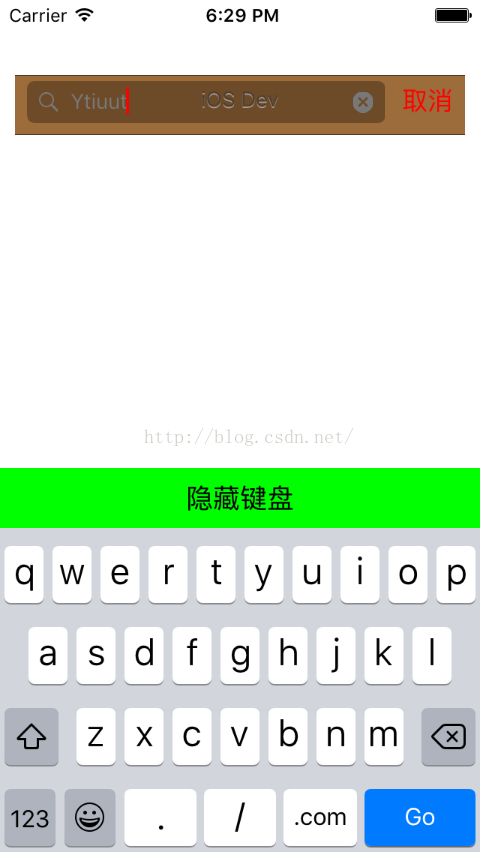 iOS 開發:UISearchBar 搜尋欄的完整用法
UISearchBar 與 UITextField 功能相似,同樣是單行字元輸入框,但主要用於實作搜尋功能。以下整理使用時容易踩到的重點與常見設定。 使用注意事項 1、書
 Android ViewPager 實作可滑動縮放畫廊效果
畫廊效果在許多 App 中都很常見。若希望滑到中央的圖片放大、離開中央的圖片縮小,可以用 ViewPager 搭配動態 padding 來完成,而不必依賴傳統 Galle