

編輯:關於 Android 程式設計
本篇將講解 Android 中兩個常用的滾動容器——ScrollView 與 HorizontalScrollView。顧名思義,ScrollView 是一個可垂直滾動的 View,而 HorizontalScrollView 則是可水平滾動的 View。相較於純理論,本篇會更著重於用程式碼示範實際用法。
兩者都是佈局容器,內部可放入子 View,從繼承關係來看,它們都是 ViewGroup 的間接子類(實際繼承自 FrameLayout)。由於兩者只是滾動方向不同,其餘大致相同,因此以下僅以 ScrollView 說明。
ScrollView 本質上是一個 FrameLayout,通常用來在屏幕上佔一塊區域且只放一個項目,因此 ScrollView 通常也只包含一個子元素,而這個子元素本身是一個佈局檔,我們才能在其中加入任意子控制項來實現滾動。由於它是垂直滾動,因此其子元素通常是設定 orientation="vertical" 的 LinearLayout。
以下用一個小例子,示範用 ScrollView 展示多張圖片並實現垂直滾動。先定義佈局:
<?xml version="1.0" encoding="utf-8"?>
<ScrollView xmlns:android="https://schemas.android.com/apk/res/android"
    android:layout_width="match_parent"
    android:layout_height="match_parent"
    android:fillViewport="false">
    <LinearLayout
        android:id="@+id/layout"
        android:layout_height="match_parent"
        android:layout_width="wrap_content"
        android:orientation="vertical"/>
</ScrollView>
由於 LinearLayout 本身就是 ViewGroup,我們可以在程式碼中動態加入子 View。以下在 Activity 中加入 8 張圖片:
public class ScrollViewActivity extends Activity {
    private LinearLayout layout;
    public void onCreate(Bundle savedInstanceState) {
        super.onCreate(savedInstanceState);
        setContentView(R.layout.layout_scrollview);
        layout = (LinearLayout) findViewById(R.id.layout);
        for (int i = 0; i < 8; i++) {
            // 透過資源檔取得指定的 Drawable 物件
            Drawable drawable = getResources().getDrawable(R.drawable.kk_hero);
            ImageView imageView = new ImageView(this);
            imageView.setImageDrawable(drawable);
            layout.addView(imageView);
        }
    }
}
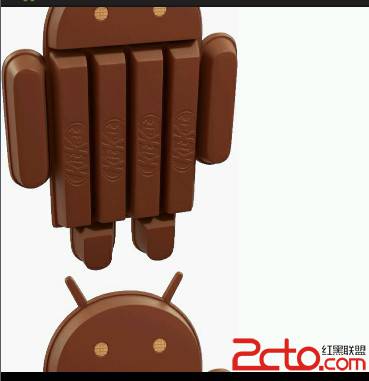
執行後,Activity 底下會產生 8 個 ImageView,且這些圖片可以在垂直方向上滾動。
接著做一個更實用的例子:讓應用程式抓取伺服器上的 HTML 檔並顯示。由於 HTML 含有標籤,若想在手機上呈現標籤的樣式,就不能只顯示純文字,這裡需要用到 Android 提供的 Html 類別來處理字串。
佈局仍沿用上一個例子。因為要訪問網路,先建立一個 HttpUtils 工具類別取得伺服器端文字:
public class HttpUtils {
    /**
     * 訪問伺服器端的內容
     * @param path 訪問的 url 地址
     * @param encode 編碼方式
     * @return 返回 String 類型的值
     */
    public static String getDataFromServer(String path, String encode) {
        String result = "";
        HttpClient httpClient = new DefaultHttpClient();
        try {
            HttpPost httpPost = new HttpPost(path);
            HttpResponse httpResponse = httpClient.execute(httpPost);
            if (httpResponse != null && httpResponse.getStatusLine().getStatusCode() == HttpStatus.SC_OK) {
                result = EntityUtils.toString(httpResponse.getEntity(), "utf-8");
            }
        } catch (Exception e) {
            e.printStackTrace();
        } finally {
            httpClient.getConnectionManager().shutdown();
        }
        return result;
    }
}
由於訪問網路必須放到子線程,這裡使用 AsyncTask,並在 onPostExecute 中透過 Html.fromHtml() 把 HTML 標籤轉為樣式顯示:
public class ScrollViewActivity extends Activity {
    private LinearLayout layout;
    private ProgressDialog dialog;
    private TextView textView;
    private final String PATH = "https://172.25.152.34:8080/httptest/news.html";

    public void onCreate(Bundle savedInstanceState) {
        super.onCreate(savedInstanceState);
        setContentView(R.layout.layout_scrollview);
        dialog = new ProgressDialog(this);
        dialog.setTitle("提示信息");
        dialog.setMessage("loading......");
        dialog.setCancelable(false);
        dialog.setProgressStyle(ProgressDialog.STYLE_SPINNER);
        layout = (LinearLayout) findViewById(R.id.layout);
        textView = new TextView(this);
        layout.addView(textView);
        new MyTask().execute(PATH);
    }

    public class MyTask extends AsyncTask<String, Void, String> {
        @Override
        protected void onPreExecute() {
            dialog.show();
        }
        @Override
        protected String doInBackground(String... params) {
            return HttpUtils.getDataFromServer(params[0], "utf-8");
        }
        @Override
        protected void onPostExecute(String s) {
            // Html 類別的 fromHtml 方法可處理 HTML 字串,依標籤呈現樣式
            Spanned spanned = Html.fromHtml(s);
            textView.setText(spanned);
            // 綁定 LinkMovementMethod,點擊 href 連結時會自動開啟瀏覽器
            textView.setMovementMethod(new LinkMovementMethod());
            dialog.dismiss();
        }
    }
}
要留意的是,Html.fromHtml() 並不會處理所有標籤,例如 <img> 會以一個預設的佔位圖取代,若要顯示真實圖片,需自行實作 Html.ImageGetter。此外,若文字中含有 href 連結,透過 setMovementMethod(new LinkMovementMethod()) 綁定後,點擊連結就會呼叫瀏覽器跳轉。
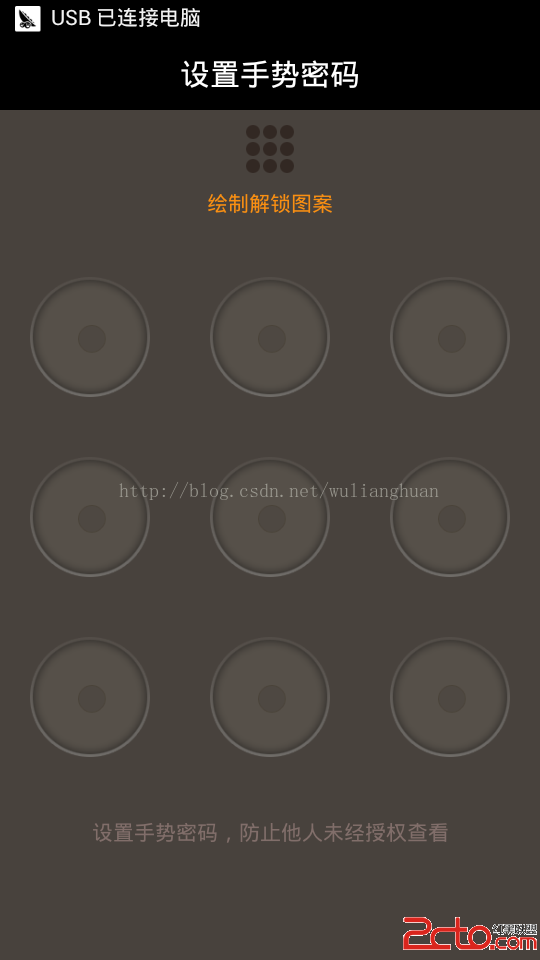 Android 手勢密碼(九宮格解鎖)的完整實作
本文分享如何實作一個類似支付寶風格的手勢密碼功能,主要包含「設定手勢密碼」與「校驗手勢密碼」兩大部分。整體由幾個關鍵類別組成:LockIndicator(圖案提示)、Ge
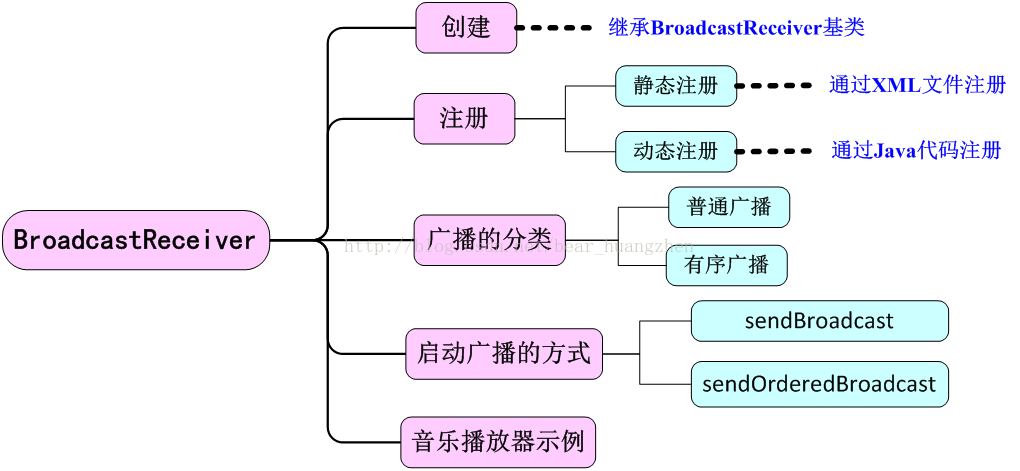 Android BroadcastReceiver 廣播接收器入門與實戰
簡介: BroadcastReceiver 本質上就是一種全域的監聽器,用來監聽系統全域的廣播訊息,因此它能非常方便地實現系統中不同元件之間的通訊。 特點: 1. Bro
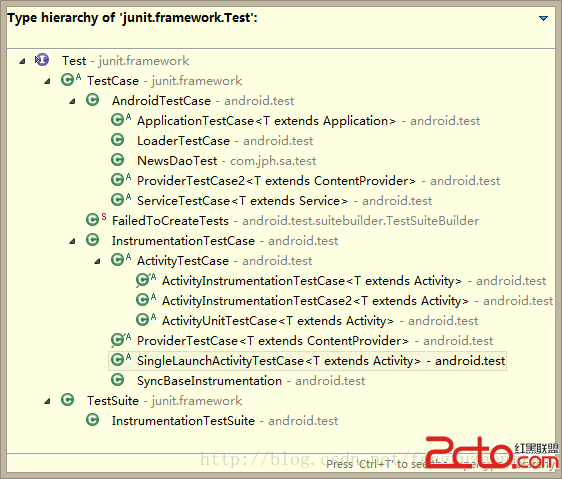 Android 開發之單元測試(一)
在實際開發中,Android 軟件的開發過程需要不斷測試。進行 Android 單元測試是正規開發的必經步驟,它可以嵌入到項目中,也可以作為一個單獨的項目針對某個具體項目
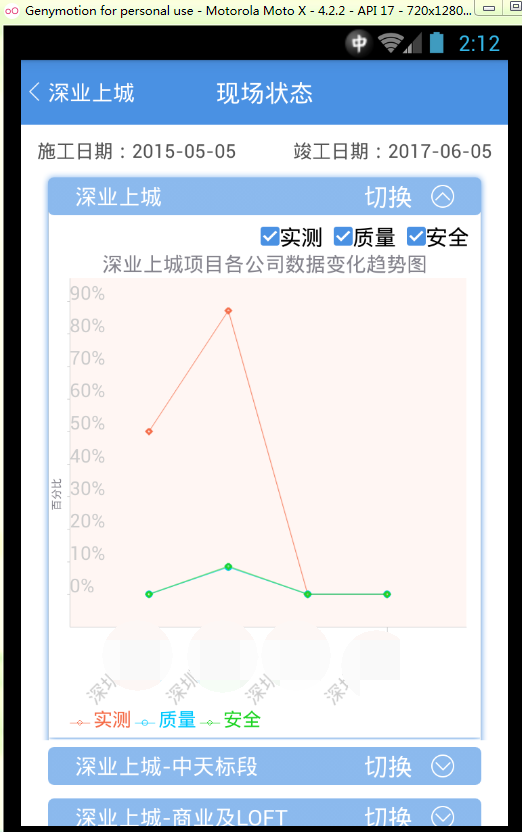 AChartEngine 圖表框架使用心得
前言 AChartEngine 是一個常見的 Android 圖表框架,可用來建立折線圖、長條圖、圓餅圖等多種圖表。本文以折線圖為例,整理使用時的核心概念與實作心得。