

編輯:關於 Android 程式設計
對於 Android 初學者來說,不同 Activity 之間的數據傳遞一直是個難題。最常見的解決方案有兩種:用 Bundle 傳輸,或用 SharedPreferences 存儲。兩者的核心區別在於:SharedPreferences 適合存儲輕量數據、以 XML 形式持久保存;而 Bundle 能傳輸多種類型的數據,但不具持久性。
發送方(class A):
Bundle bundle = new Bundle();
//保存要傳輸的信息
bundle.putString("string名", "傳輸的string");
Intent intent = new Intent(A.this, B.class);
intent.putExtras(bundle);
接收方(class B):
Bundle b = getIntent().getExtras();
//獲取 Bundle 中的信息
String info = b.getString("string名");
注意:兩邊使用的 key("string名")必須保持一致。
SharedPreferences 的用法也很簡單,若要編輯其中的內容,需要用到 Editor 對象。
發出方 A:
SharedPreferences sp = PreferenceManager.getDefaultSharedPreferences(getContext());
Editor editor = sp.edit();
editor.putInt("string變量名", "發出的string內容");
editor.commit();
接收方 B:
SharedPreferences sp = PreferenceManager.getDefaultSharedPreferences(B.this);
String grade = sp.getString("string變量名", "默認值");
總的來說,如果只是 Activity 之間臨時傳值,用 Bundle 更直接;如果需要跨會話持久保存,則首選 SharedPreferences。
 u-boot 串口與 stdio、console 初始化及相關操作詳解(三)
console 是構建在 stdio 之上的,console 的初始化是 board_r 中最後收尾的操作。 console 的初始化函數 console_init_r
 用 ViewPager 打造新手引導頁:動態加載指示器實作
來聊個老生常談的話題——ViewPager,估計大家都用過它來做新手引導頁。這次的主題乍看老套,但用法可能和你以往見到的不太一樣,從標題你就該猜到重點了:動態加載指示器。
 一個Activity掌握Design新控件:Material Design 常用組件實戰
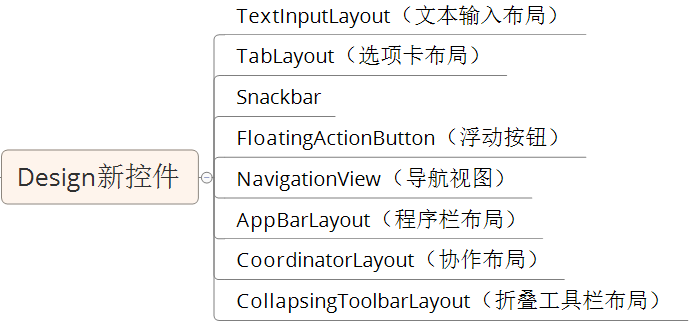
Material Design 支持包提供了多個常用控件,能幫助開發者快速實現現代化界面。以下八大控件幾乎涵蓋了登錄、導航、反饋、滾動與折疊等常見場景。 1. Text
 Android 圖片特效實作:Matrix 變換與圖形渲染技巧
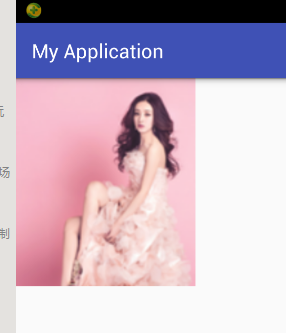
圖片特效的常見需求在 Android 應用中,圖片特效常被用於展示、互動娛樂、拍照後處理或介面美化。常見效果包括縮放、旋轉、傾斜、平移與遮罩裁切。Android 提供了