

編輯:關於 Android 程式設計
要取得聯絡人電話,標準做法是發 Intent 叫出系統聯絡人挑選畫面,等使用者選完,在 onActivityResult() 中透過 ContentResolver 查詢號碼。這樣做的好處是不必自己設計選單,也降低誤取的風險。
<uses-permission android:name="android.permission.READ_CONTACTS" />
Android 6.0 以後還必須在執行期動態向使用者請求這個權限,否則查詢會拿到空結果。另外,如非必要請不要索取聯絡人權限——應用商店審核對此相當敏感。
package com.example.intentphone;

import android.app.Activity;
import android.content.CursorLoader;
import android.content.Intent;
import android.database.Cursor;
import android.net.Uri;
import android.os.Bundle;
import android.provider.ContactsContract;
import android.view.View;
import android.view.View.OnClickListener;
import android.widget.Button;
import android.widget.EditText;

public class MainActivity extends Activity {

    EditText ed1;
    EditText ed2;
    Button bt1;

    @Override
    protected void onCreate(Bundle savedInstanceState) {
        super.onCreate(savedInstanceState);
        setContentView(R.layout.activity_main);

        ed1 = (EditText) findViewById(R.id.ed1);
        ed2 = (EditText) findViewById(R.id.ed2);
        bt1 = (Button) findViewById(R.id.bt1);

        bt1.setOnClickListener(new OnClickListener() {
            @Override
            public void onClick(View v) {
                Intent intent = new Intent();
                intent.setAction(Intent.ACTION_GET_CONTENT);
                intent.setType("vnd.android.cursor.item/phone");
                startActivityForResult(intent, 0);
            }
        });
    }

    @Override
    protected void onActivityResult(int requestCode, int resultCode, Intent data) {
        super.onActivityResult(requestCode, resultCode, data);
        if (requestCode != 0 || resultCode != Activity.RESULT_OK) {
            return;
        }
        Uri contactData = data.getData();
        CursorLoader cursorLoader =
            new CursorLoader(this, contactData, null, null, null, null);
        Cursor cursor = cursorLoader.loadInBackground();

        if (cursor != null && cursor.moveToFirst()) {
            String contactId = cursor.getString(cursor
                .getColumnIndex(ContactsContract.Contacts._ID));
            String name = cursor.getString(cursor
                .getColumnIndexOrThrow(ContactsContract.Contacts.DISPLAY_NAME));

            String phoneNumber = "此聯絡人暫時未輸入電話號碼";
            Cursor phones = getContentResolver().query(
                ContactsContract.CommonDataKinds.Phone.CONTENT_URI,
                null,
                ContactsContract.CommonDataKinds.Phone.CONTACT_ID + "=" + contactId,
                null, null);
            if (phones != null) {
                if (phones.moveToFirst()) {
                    phoneNumber = phones.getString(phones.getColumnIndex(
                        ContactsContract.CommonDataKinds.Phone.NUMBER));
                }
                phones.close();
            }
            cursor.close();

            ed1.setText(name);
            ed2.setText(phoneNumber);
        }
    }
}
<LinearLayout xmlns:android="https://schemas.android.com/apk/res/android"
    xmlns:tools="https://schemas.android.com/tools"
    android:layout_width="match_parent"
    android:layout_height="match_parent"
    android:orientation="vertical"
    tools:context=".MainActivity" >

    <EditText
        android:id="@+id/ed1"
        android:layout_width="match_parent"
        android:layout_height="wrap_content"
        android:cursorVisible="false"
        android:editable="false" />

    <EditText
        android:id="@+id/ed2"
        android:layout_width="match_parent"
        android:layout_height="wrap_content"
        android:cursorVisible="false"
        android:editable="false" />

    <Button
        android:id="@+id/bt1"
        android:layout_width="match_parent"
        android:layout_height="wrap_content"
        android:text="查看聯絡人" />
</LinearLayout>
ACTION_GET_CONTENT、Type 設為 vnd.android.cursor.item/phone,啟動系統聯絡人挑選器。onActivityResult() 中取得 contactData,用 CursorLoader 查詢該筆聯絡人的基本資料。_ID 後,再以 Phone.CONTACT_ID = ? 為條件查 Phone.CONTENT_URI 取得號碼。close(),避免洩漏。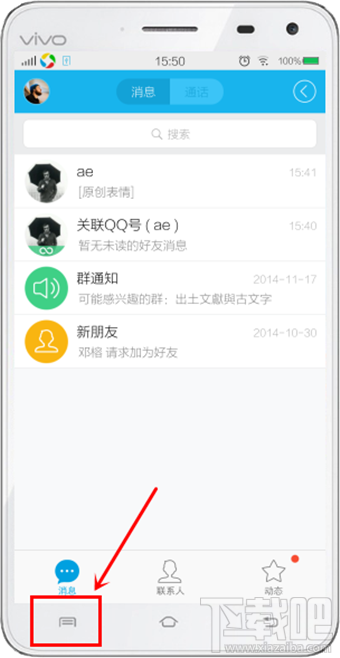 手機QQ怎麼完全退出 兩種登出方式說明
有時關掉了手機QQ,卻仍然能收到消息,想徹底退出該怎麼做?下面我們一起來看。 手機QQ退出登入教學 方法一:退出QQ程序 第一步:打開手機QQ。 第二步:點擊手機上的【菜
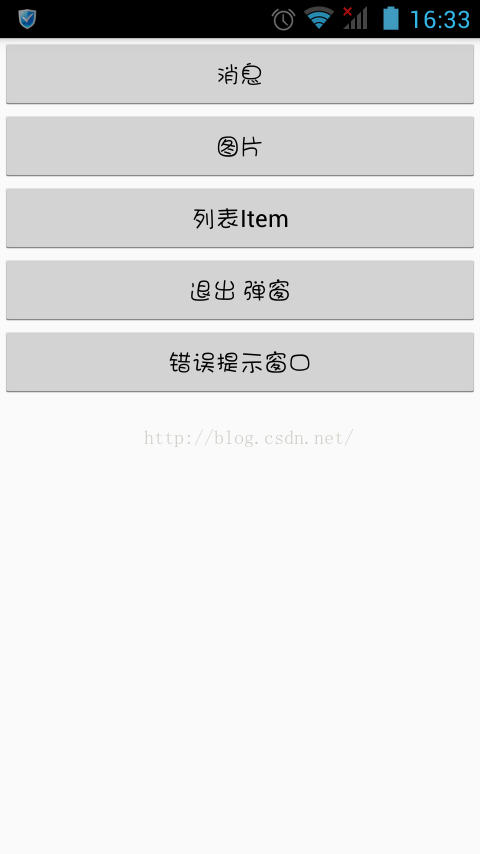 Android 仿 iOS 底部彈窗:IOS_Dialog_Library 使用示例
做 Android 開發久了,多少都會嫌系統自帶的 Dialog 樣式單調,和設計稿放在一起總覺得別扭。本文介紹一款開源的仿 iOS 底部彈窗庫 IOS_Dialog_L
 Android 開發技巧:用 PopupWindow 封裝彈出式選單
由於介面的客製需求,Android 原生的彈出選單往往不敷使用,自定義選單幾乎是唯一選擇。本文分享一個把 PopupWindow 封裝成彈出選單的類別 PopMenu,以
 橫向 ScrollView 照片瀏覽器實現思路與完整源碼
項目裡需要一個橫向的照片瀏覽器,於是動手做了一個,基於 HorizontalScrollView 實現。 一、實現思路 動手之前本著「有輪子就用輪子」的精神,先去搜了一