

編輯:關於 Android 程式設計
透過 WebView,我們可以在應用中展示 HTML 內容,並透過 addJavascriptInterface() 建立 Java 與 JavaScript 之間的雙向溝通橋樑。以下示範如何加載本地 HTML,並實現兩者互相呼叫。
<RelativeLayout xmlns:android="https://schemas.android.com/apk/res/android"
    xmlns:tools="https://schemas.android.com/tools"
    android:layout_width="fill_parent"
    android:layout_height="fill_parent"
    tools:context=".MainActivity">

    <TextView
        android:id="@+id/tv"
        android:layout_width="fill_parent"
        android:layout_height="wrap_content"
        android:text="@string/hello_world" />

    <WebView
        android:layout_below="@+id/tv"
        android:id="@+id/webview"
        android:layout_width="fill_parent"
        android:layout_height="fill_parent" />
</RelativeLayout>
package com.example.webview_workflowy;

import android.app.Activity;
import android.content.Intent;
import android.net.Uri;
import android.os.Bundle;
import android.webkit.WebView;
import android.widget.Toast;

public class MainActivity extends Activity {
    private WebView webView;

    public void onCreate(Bundle savedInstanceState) {
        super.onCreate(savedInstanceState);
        setContentView(R.layout.activity_main);

        // 找到 WebView
        webView = (WebView) findViewById(R.id.webview);
        // 允許 JavaScript 執行
        webView.getSettings().setJavaScriptEnabled(true);
        // 加載頁面,找到 Html 檔案,也可以用網路上的檔案
        webView.loadUrl("file:///android_asset/index.html");
        // 添加一個物件,讓 JS 可以訪問該物件的方法,該物件中也可以呼叫 JS 中的方法
        webView.addJavascriptInterface(new Contact(), "contact");
    }

    private final class Contact {
        // JavaScript 調用此方法撥打電話
        public void call(String phone) {
            // startActivity(new Intent(Intent.ACTION_CALL, Uri.parse("tel:" + phone)));
            Toast.makeText(MainActivity.this, phone, Toast.LENGTH_LONG).show();
        }

        // Html 調用此方法傳遞數據
        public void showcontacts() {
            String json = "[{\"name\":\"zxx\", \"amount\":\"9999999\", \"phone\":\"18600012345\"}]";
            // 調用 JS 中的方法
            webView.loadUrl("javascript:show('" + json + "')");
        }

        public void toast(String str) {
            Toast.makeText(MainActivity.this, "aaaaaaaaaaaa --- " + str, Toast.LENGTH_LONG).show();
        }
    }
}
<!DOCTYPE html PUBLIC "-//W3C//DTD HTML 4.01 Transitional//EN"
    "https://www.w3.org/TR/html4/loose.dtd">
<html>
<head>
<meta http-equiv="Content-Type" content="text/html; charset=UTF-8">
<title>Insert title here</title>
<script type="text/javascript">
function show(jsondata){
    var jsonobjs = eval(jsondata);
    var table = document.getElementById("personTable");
    for(var y=0; y<jsonobjs.length; y++){
        var tr = table.insertRow(table.rows.length);
        var td1 = tr.insertCell(0);
        var td2 = tr.insertCell(1);
        td2.align = "center";
        var td3 = tr.insertCell(2);
        td3.align = "center";
        td1.innerHTML = jsonobjs[y].name;
        td2.innerHTML = jsonobjs[y].amount;
        td3.innerHTML = "<a href='javascript:contact.call(\""+ jsonobjs[y].phone+ "\")'">"+ jsonobjs[y].phone+ "</a>";
    }
}
</script>
</head>
<body onload="javascript:contact.showcontacts()">
<button id="button" onclick="javascript:contact.toast('123')">haha</button>
<table border="0" width="100%" id="personTable" cellspacing="0">
    <tr>
        <td width="30%">姓名</td>
        <td width="30%" align="center">存款</td>
        <td align="center">電話</td>
    </tr>
</table>
</body>
</html>
webView.loadUrl("javascript:show(...)") 主動呼叫 HTML 中的 JavaScript 函式,並可傳入 JSON 字串。contact.xxx() 呼叫已透過 addJavascriptInterface() 注入的 Java 物件方法,例如 contact.call() 或 contact.toast()。assets 目錄,並以 file:///android_asset/ 為前綴載入。安全提醒:在 Android 4.2 以下版本,addJavascriptInterface() 存在已知的安全漏洞,可能讓惡意網頁執行任意程式碼。建議僅對可信的本地內容使用,並在 minSdkVersion 設定為 17 以上以啟用安全防護。
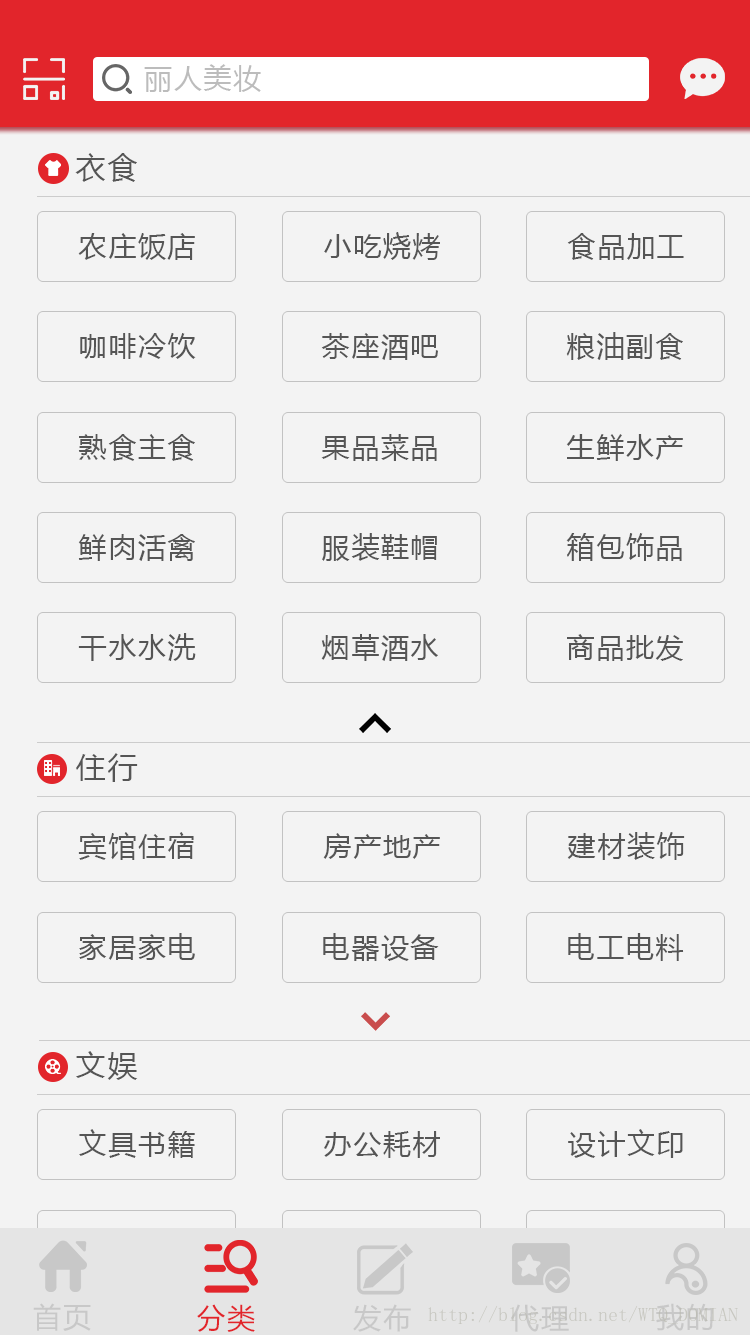 Android 使用自定義 FlowLayout 實現伸縮布局
在分類頁、標籤頁或商品篩選中,常會看到可展開與收合的流式布局。若使用 ListView 搭配 GridView,往往不好控制動態高度;改用自定義 FlowLayout,
 Android 代碼混淆原理與設定方式
什麼是代碼混淆 Java 編譯後的位元碼仍保留許多名稱資訊,容易被反編譯。混淆會重新組織程式碼,將變數、方法與類別名稱改成短碼,讓反編譯後的內容更難理解。 混淆的作用
 Android XML 實作四種 Tween 動畫效果完整範例
Android 的動畫(animation)共有四種類型,分別是 alpha(透明度漸變)、rotate(旋轉)、scale(尺寸伸縮)與 translate(位移移動)
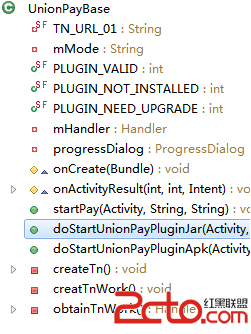 Android 銀聯支付接入全流程解析
銀聯支付(UnionPay)在國內移動互聯網場景中佔有相當份額,尤其對客單價較高的電商、票務、充值類業務而言,支持銀聯的在線支付幾乎是必備能力。相比需要申請與反覆調試的第