

編輯:關於 Android 程式設計
以前在純 Java 環境寫過 JSON,轉到 Android 之後才發現,桌面版 Java 用的 JSON jar 套件會跟系統自帶的版本衝突,所以最省事的做法就是直接用 Android 內建的類別。網路上相關教學雖然不少,但很多都是丟一段範例就結束,缺乏說明,讀者反而更難理解。這裡我就挑最原始、最容易上手的方式,一步步講清楚。
假設有一個寵物(Pet)類別:
class Pet {
    int petid;      // 編號
    String petname; // 名稱
    String pettype; // 類型
}
對應的單一物件 JSON 字串就是:
{ "pet":[ { "petid":1000, "petname":"name1", "pettype":"type1" } ] }
如果有多隻寵物,只要在陣列裡再加元素即可:
{ "pet":[ { "petid":1000, "petname":"name1", "pettype":"type1" }, { "petid":1002, "petname":"name2", "pettype":"type2" } ] }
要特別留意:如果是 int 這類數值型別,值不加引號;若是 String 或其他型別,則要加上引號。
接著用 Android 自帶的 JSONObject 來組出字串:
public String petToJson(Pet pet) {
    String jsonresult = "";
    JSONObject object = new JSONObject(); // 最外層的總物件
    try {
        JSONArray jsonarray = new JSONArray(); // 裝載所有 pet 的陣列
        JSONObject jsonObj = new JSONObject(); // 單一 pet 物件
        jsonObj.put("petid", pet.getPetid());
        jsonObj.put("petname", pet.getPetname());
        jsonObj.put("pettype", pet.getPettype());
        jsonarray.put(jsonObj);   // 把物件放進陣列
        object.put("pet", jsonarray); // 把陣列放進總物件
        jsonresult = object.toString();
    } catch (JSONException e) {
        e.printStackTrace();
    }
    LogI("生成的json串為:" + jsonresult);
    return jsonresult;
}
最後得到:
{ "pet":[ { "petid":100, "petname":"name1", "pettype":"type1" } ] }
想產生多筆資料,只要多呼叫幾次 jsonarray.put(jsonObj); 就好。至於最外層那個看不到的 object,你可以把它想成 object { List<pet> list; } 這樣的結構。
解析其實就是產生的反過程,怎麼組出來的,就怎麼拆回去。傳入的資料如下:
{ "pet":[ { "petid":100, "petname":"name1", "pettype":"type1" } ] }
public Pet jsonToPet(String json) {
    if (json.startsWith("error")) { // 簡單檢查,非 JSON 就直接返回
        return null;
    }
    Pet pet = new Pet();
    try {
        JSONObject jsonObject = new JSONObject(json); // 把整串當成一個大物件
        JSONArray jsonArray = jsonObject.getJSONArray("pet"); // 取出裝 pet 的陣列
        JSONObject jsonpet = jsonArray.getJSONObject(0); // 取第一個 pet
        String petid = jsonpet.getString("petid");
        String petname = jsonpet.getString("petname");
        String pettype = jsonpet.getString("pettype");
        pet.setPetid(petid);
        pet.setPetname(petname);
        pet.setPettype(pettype);
    } catch (JSONException e) {
        e.printStackTrace();
    }
    LogI("json To Pet:" + pet.toString());
    return pet;
}
其實 JSON 的解析並不難,本文只示範最單純的例子。實務上傳回的字串未必這麼標準,例如有可能直接就是 [ { "petid":100, "petname":"name1", "pettype":"type1" } ] 這種形式。看到最外層是方括號,就代表這是陣列,直接用 JSONArray jsonArray = new JSONArray(json); 來處理即可。變化再多,只要分清「物件」與「陣列」這兩個互相嵌套的概念,任何結構都能拆解出來。
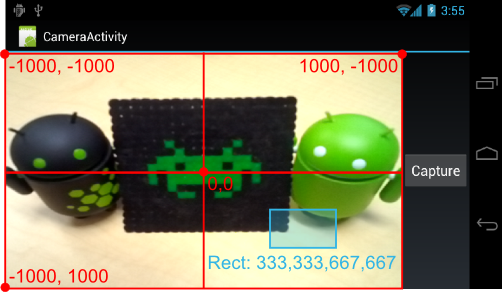 Android Camera 開發基礎知識全解:從調用系統相機到自研相機應用
概述 Android 框架原生支持拍照與錄像。你可以直接調用系統相機完成拍攝(很多社交應用的「拍照上傳」就是這種做法),也可以基于系統提供的 API 自己造一個相機應用(
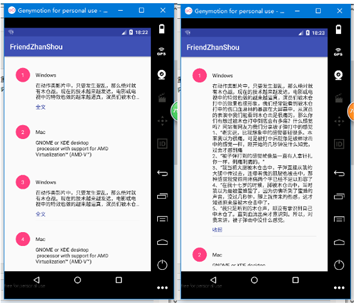 仿朋友圈「全文/收起」:RecyclerView 動態文字展開的實作思路
社交類 App 的動態流有個共同難題:貼文長度天差地遠。若全部展開,短貼文下方會留一大片空白;若一律截斷,想看完的人又得點進詳情頁。正解是「超過一定行數才顯示全文」——短
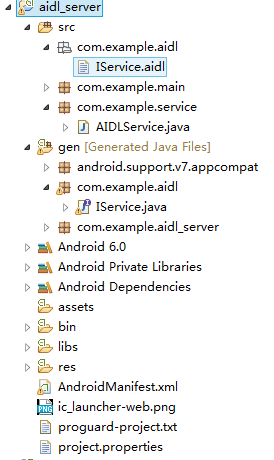 [Android] AIDL 是什麼?使用時機與實作範例完整解析
AIDL 是什麼 AIDL 全名為 Android Interface Definition Language,即 Android 介面定義語言,是 Android 為
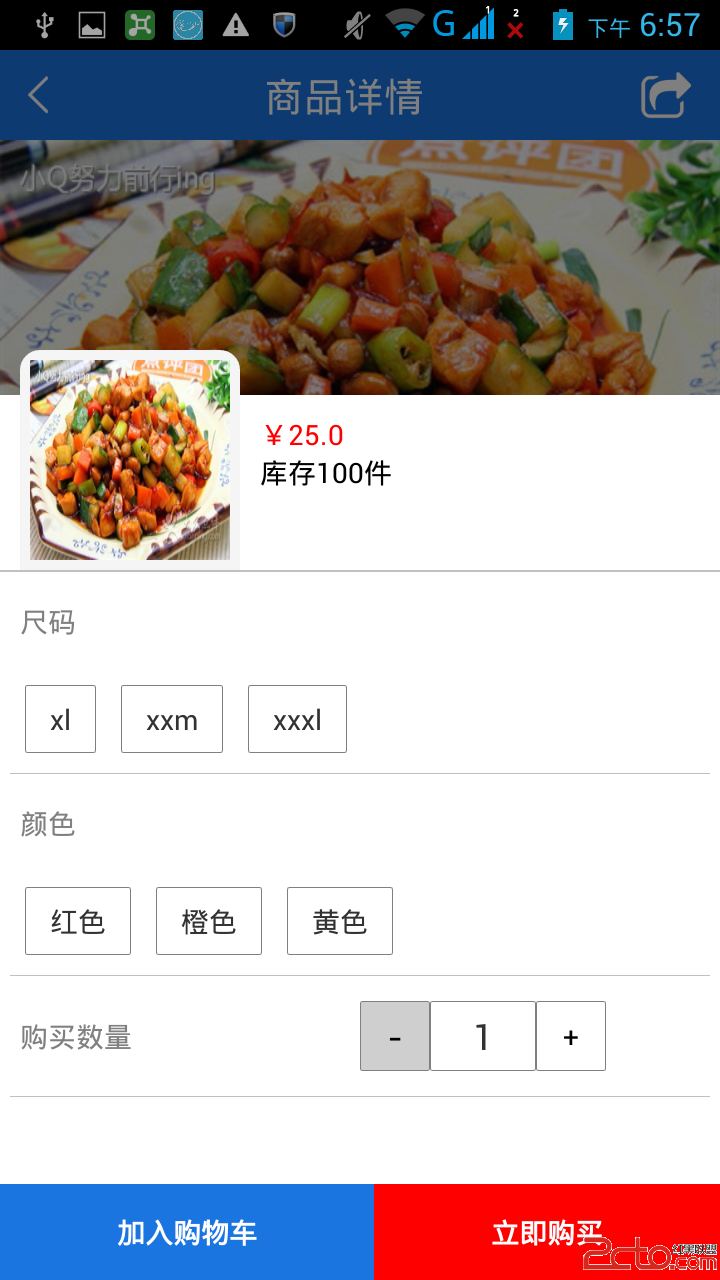 Android 自定義流式標籤容器:打造電商商品屬性選擇頁
從動態商品屬性說起在電商類應用中,商品屬性通常不是固定不變的。服飾可能會有顏色與尺碼,食品可能會有口味與份量,數碼產品則可能涉及容量與版本。因此,頁面不宜把屬性寫死,而應