

編輯:關於 Android 程式設計
<instrumentation> 元素用於宣告 Instrumentation 類別,讓你能監控應用程式與系統之間的互動。以下是它的語法、屬性與使用說明。
<instrumentation
    android:functionalTest=["true" | "false"]
    android:handleProfiling=["true" | "false"]
    android:icon="drawable resource"
    android:label="string resource"
    android:name="string"
    android:targetPackage="string" />
<manifest>
Instrumentation 類別的物件會在應用的所有元件初始化之前先行建構,因此適合用於測試與監控用途。
出處:API Level 1
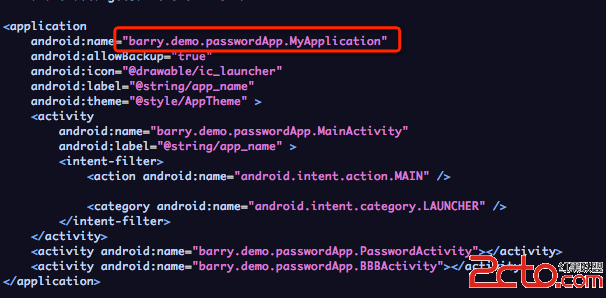 Android 應用密碼鎖的實作教學
最近做了一個 demo,功能是給自己的應用加鎖,訪問時需要輸入密碼,並且每次鎖屏再解鎖之後都需要重新輸入密碼。 主要思路 設置一個全域變數表示當前應用的狀態(布林值:已
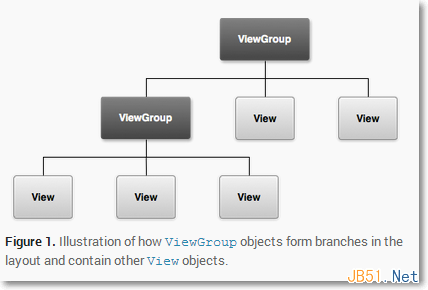 Android 開發自學筆記(三):APP 布局入門上篇
大家好,本文將帶你踏出開發一款美觀、有質感、人見人愛的 Android 應用程式的第一步。市面上有不少布局精美、在視覺上令人愛不釋手的應用,如果換作我們來著手開發,該從何
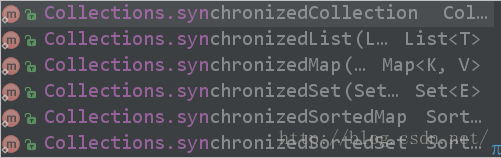 Android 效能優化實務:快取策略、資料結構與延遲載入
延續先前談過的版面優化,本篇把焦點放在編碼細節層面的效能優化。程式碼的寫法對執行效率影響甚鉅,以下依三個主題展開:快取、資料(型別與結構)、以及延遲/優先載入。 一、快
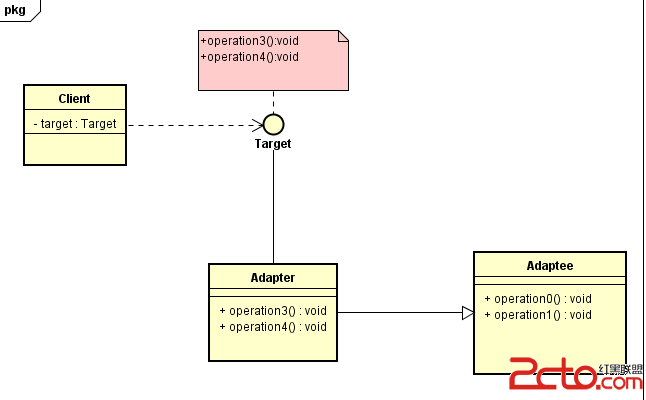 Android 框架設計模式(四)—— 適配器模式 Adapter
一、適配器模式介紹 適配器在日常生活裡隨處可見,尤其在電子產品上。手機、電腦、家電都會用到適配器來轉換電壓,以提供合適的電壓與訊號。簡單來說,它就是一個介面轉換器——把