

編輯:關於 Android 程式設計
關於 USB 設備的插拔監聽與權限獲取,網上已經有大量文章,這裡不再贅述,重點講一講拿到設備之後如何真正讀寫數據。
UsbInterface usbInterface = usbDevice.getInterface(0);   // USB 接口

UsbEndpoint inEndpoint  = usbInterface.getEndpoint(0);   // 讀數據節點
UsbEndpoint outEndpoint = usbInterface.getEndpoint(1);   // 寫數據節點

UsbDeviceConnection connection = usbManager.openDevice(usbDevice);
connection.claimInterface(usbInterface, true);

// 發送數據
byte[] byte2 = new byte[64];
int out = connection.bulkTransfer(outEndpoint, cmd, cmd.length, 3000);

// ===== 讀取數據 1:bulkTransfer 方式 =====
int ret = connection.bulkTransfer(inEndpoint, byte2, byte2.length, 3000);
Log.e("ret", "ret:" + ret);
for (Byte byte1 : byte2) {
    System.err.println(byte1);
}

// ===== 讀取數據 2:UsbRequest + ByteBuffer 異步方式 =====
/*
int outMax = outEndpoint.getMaxPacketSize();
int inMax  = inEndpoint.getMaxPacketSize();

ByteBuffer byteBuffer = ByteBuffer.allocate(inMax);
UsbRequest usbRequest = new UsbRequest();
usbRequest.initialize(connection, inEndpoint);
usbRequest.queue(byteBuffer, inMax);

if (connection.requestWait() == usbRequest) {
    byte[] retData = byteBuffer.array();
    for (Byte byte1 : retData) {
        System.err.println(byte1);
    }
}
*/
1. 先拿到 Endpoint。 USB 通信的最小單位是端點(Endpoint),必須先通過 getInterface(0) 取得接口,再從接口中取出讀端點和寫端點。示例中 0 號是讀節點(InEndpoint),1 號是寫節點(OutEndpoint)——具體編號依設備而異,實作時應根據設備描述符判斷方向與類型,不要硬編碼。
2. 打開設備並申明接口。 openDevice() 得到連接之後,還必須調用 claimInterface(usbInterface, true) 取得獨佔權限,否則後續 bulkTransfer 會失敗。第二個參數為 true 表示強制申明。
3. 發送數據。 connection.bulkTransfer(endpoint, buffer, length, timeout) 是同步阻塞調用,超時單位為毫秒,返回值為實際傳輸的字節數,出錯時返回負數。
4. 兩種讀取方式各有側重。
queue 一個 ByteBuffer,再用 requestWait() 阻塞等待完成,適合需要精確控制包大小或後續擴展為異步 I/O 的场景。5. 最容易犯的錯誤:讀寫端點用反。 寫數據時傳入的是 OutEndpoint,讀數據時傳入的是 InEndpoint。這兩個一定要對應正確,否則會得到莫名的超時或空數據。
實務中還應注意:用完之後記得調用 connection.releaseInterface() 與 connection.close() 釋放資源;bulkTransfer 的超時時間要根據實際設備響應速度調整,太短容易誤判失敗;若設備返回的數據長度大於預先分配的緩衝區,會發生截斷,因此需要先依 getMaxPacketSize() 合理設置緩衝區大小。此外,USB 權限屬於「用完即失效」,每次插拔後都需要重新申請,把這些步驟封裝成一個獨立的管理類會讓業務代碼清爽很多。
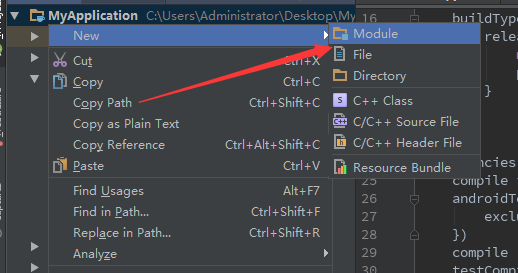 用 Gradle 將 Android 模組匯出為 JAR,並打包 assets 資源
先說結論與限制 把 Android 專案打成 JAR 給外部使用時,有個先天限制:JAR 裡的 res 資源是無法被編譯使用的。如果模組中需要用到圖片,可行的做法是把圖片
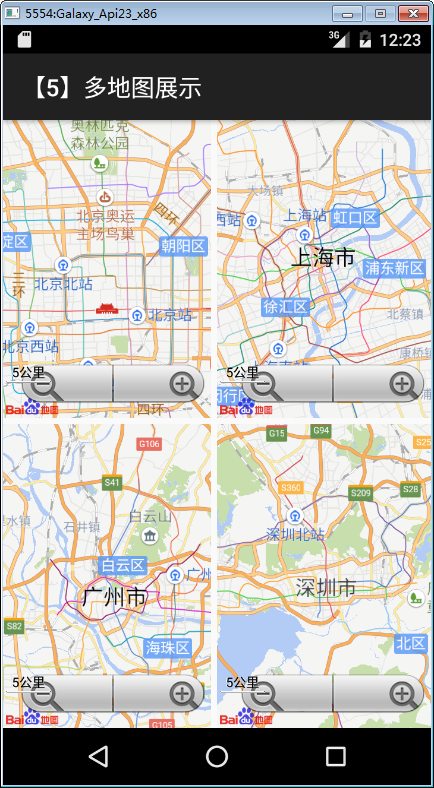 一個頁面放四張地圖?Android 百度地圖多地圖展示實作
你可能想過:同一個畫面裡能不能同時顯示好幾張地圖,各自定位到不同城市?好消息是,從 v2.3.5 版起,百度地圖控件就支援多實例了——你可以在一個頁面裡建立多個地圖物件,
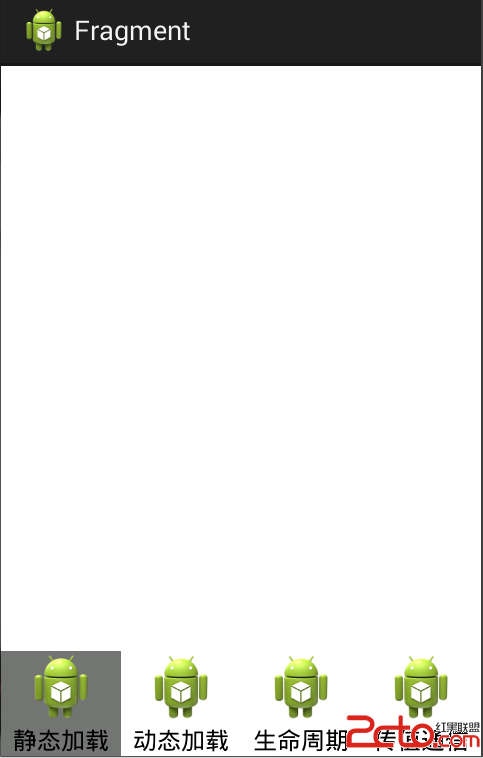 Android Fragment 靜態加載完整示例
一、Fragment 知識概要 Android 3.0 引入了 Fragment,主要目的是適配大屏幕設備,支持更動態、更靈活的 UI 設計。Fragment 應當被視為
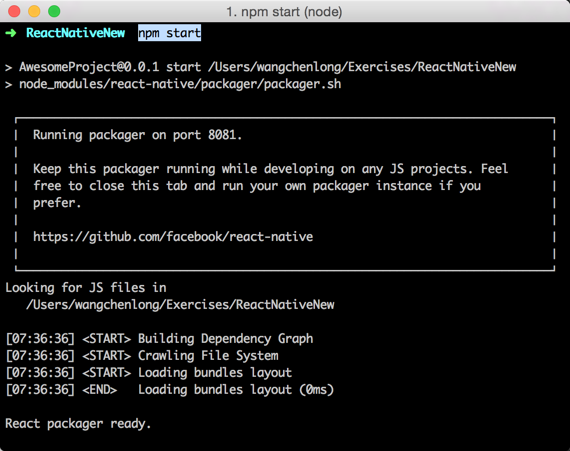 在既有 Android 專案中嵌入 React Native 頁面
React Native 出自 Facebook 之手,主打「用 React 寫原生 App」。它把介面交給真正的原生元件渲染,效能與手感都比 WebView 方案好一截