

編輯:關於 Android 程式設計
做平板點餐系統時,TabHost 的預設樣式往往跟設計稿差很多:選中與未選中的字色、背景都一模一樣,使用者根本看不出目前在哪一頁。解法是監聽切換事件,然後手動遍歷 TabWidget 的每個子 View 去改樣式。
先看還原後的對比:
切換之後:
<TabHost xmlns:android="https://schemas.android.com/apk/res/android"
    android:id="@android:id/tabhost"
    android:layout_width="fill_parent"
    android:layout_height="fill_parent" >

    <LinearLayout
        android:layout_width="fill_parent"
        android:layout_height="fill_parent"
        android:orientation="vertical"
        android:background="@drawable/category_bg"
        android:padding="0dp" >

        <TabWidget
            android:id="@android:id/tabs"
            android:layout_width="wrap_content"
            android:layout_height="40dp"/>

        <FrameLayout
            android:id="@android:id/tabcontent"
            android:layout_width="fill_parent"
            android:layout_height="fill_parent"
            android:background="@drawable/context_bg"
            android:padding="0dp" />
    </LinearLayout>
</TabHost>@SuppressWarnings("deprecation")
public class IndexActivity extends TabActivity {
private String[] tabMenu = { "熱菜", "冷菜", "海鮮", "川菜", "酒飲", "招牌菜" };
private TabHost tabHost = null;
@Override
protected void onCreate(Bundle savedInstanceState) {
super.onCreate(savedInstanceState);
requestWindowFeature(Window.FEATURE_NO_TITLE); // 去掉標題欄
getWindow().setFlags(WindowManager.LayoutParams.FLAG_FULLSCREEN,
WindowManager.LayoutParams.FLAG_FULLSCREEN);
setContentView(R.layout.index);
tabHost = getTabHost();
for (int i = 0; i < tabMenu.length; i++) {
Intent intent = new Intent();
intent.setClass(this, IndexContentActivity.class);
TabHost.TabSpec spec = tabHost.newTabSpec(tabMenu[i]);
spec.setIndicator(tabMenu[i]); // 設定文字
spec.setContent(intent); // 設定該頁內容
tabHost.addTab(spec); // 加入 TabHost
}
tabHost.setCurrentTabByTag(tabMenu[0]);
updateTab(tabHost); // 初始化字色與背景
tabHost.setOnTabChangedListener(new OnTabChangedListener());
}
class OnTabChangedListener implements OnTabChangeListener {
@Override
public void onTabChanged(String tabId) {
tabHost.setCurrentTabByTag(tabId);
updateTab(tabHost); // 每次切換都重新上色
}
}
@Override
public boolean onKeyDown(int keyCode, KeyEvent event) {
if (keyCode == KeyEvent.KEYCODE_BACK && event.getRepeatCount() == 0) {
System.exit(0);
return false;
} else if (keyCode == KeyEvent.KEYCODE_MENU
&& event.getRepeatCount() == 0) {
return true; // 不回傳 true 會跳出預設的設定選單
}
return false;
}
}這個方法同時處理字體大小、字形與顏色,並依是否為目前頁決定背景:
/**
 * 更新 Tab 標籤的背景與字體顏色
 */
private void updateTab(final TabHost tabHost) {
    for (int i = 0; i < tabHost.getTabWidget().getChildCount(); i++) {
        View view = tabHost.getTabWidget().getChildAt(i);
        TextView tv = (TextView) view.findViewById(android.R.id.title);

        tv.setTextSize(16);
        tv.setTypeface(Typeface.SERIF, 2);   // 字體與風格

        if (tabHost.getCurrentTab() == i) {          // 選中
            view.setBackgroundDrawable(
                    getResources().getDrawable(R.drawable.category_current));
            tv.setTextColor(getResources().getColorStateList(
                    android.R.color.black));
        } else {                                     // 未選中
            view.setBackgroundDrawable(
                    getResources().getDrawable(R.drawable.category_bg));
            tv.setTextColor(getResources().getColorStateList(
                    android.R.color.white));
        }
    }
}在 onCreate 中呼叫一次 updateTab 是必要的,否則首次進入時所有 Tab 都會是同一個樣子,必須等使用者點過一次才正常。另外 TabActivity 已被標記為 deprecated,若是新專案建議改用 Fragment 搭配 TabLayout,樣式控制會乾淨許多;上面這套思路在 TabLayout 上同樣適用,只是改成透過 TabView 與 selector 資源來處理。
 Android 狀態欄透明化與著色:三種實作方案與場景對照
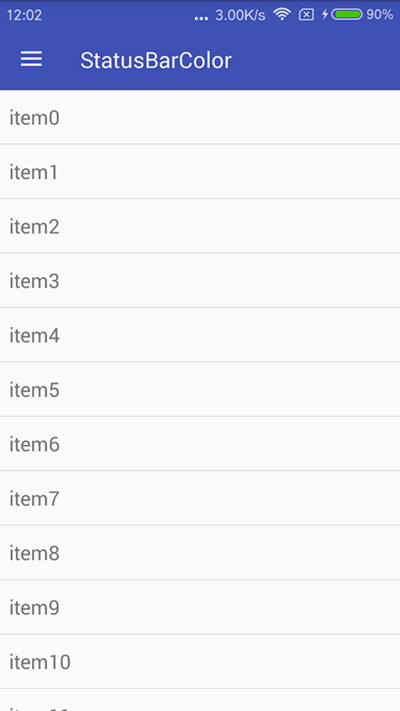
專案上遇到兩個相關需求:狀態欄要透明,且當使用者拖動、頂部內容滾動時,標題欄顏色要能跟著變化。這類效果常被稱為「沉浸式狀態欄」(這個叫法網路上有不少討論,這裡統一稱之為狀
 百度糯米 App 內關閉網頁的實現方法
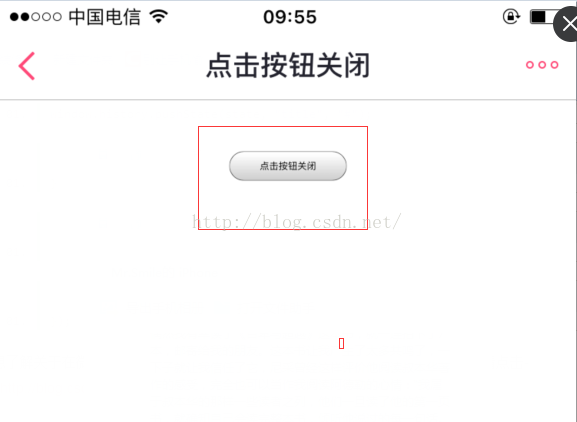
我們曾做過一款接入百度錢包移動網頁支付的產品:用戶用百度錢包或百度糯米掃碼,選購商品後點擊支付,會自動拉起百度錢包完成付款,成功後跳轉到我們自定義的成功頁,頁面上有一個「
 Android Fragment 入門教學
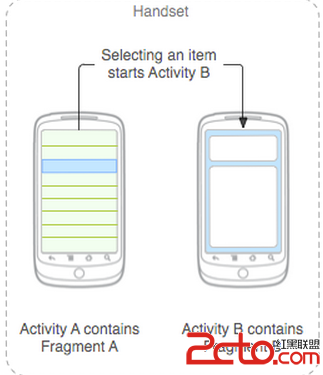
Fragment 是 Android 3.0 才引入的概念。Google 推出 Fragment 的主要目的,是用於大螢幕裝置(例如平板電腦),以支援更動態、更靈活的 U
 Android 多線程:HandlerThread 完全詳解
Java 與 Android 在線程處理上大同小異,但 HandlerThread 是 Android 特有的一個類,它在設計思想上有不少值得學習的地方。本文從特點、使用

